

Associate II
September 28, 2025
Solved

STM32H735VGT6 Custom Board: Unable to Upload Code via ST-LINK

  • September 28, 2025
  • 4 replies
  • 1392 views

I made a custom 4 layer board using STM32H735VGT6 (schematic and PCB layout attached).
I am trying to upload code into the MCU flash via ST-LINK V2, but it fails to connect.

At first, I realized that I had not connected VDDLDO to 3.3V, which I thought was the problem. However, even after connecting it to 3.3V, I still cannot upload code.

Error from CubeIDE:

STMicroelectronics ST-LINK GDB server. Version 7.11.0
Copyright (c) 2025, STMicroelectronics. All rights reserved.

Starting server with the following options:
Persistent Mode : Disabled
Logging Level : 1
Listen Port Number : 61234
Status Refresh Delay : 15s
Verbose Mode : Disabled
SWD Debug : Enabled
InitWhile : Enabled

Target no device found

Error in initializing ST-LINK device.
Reason: No device found on target.
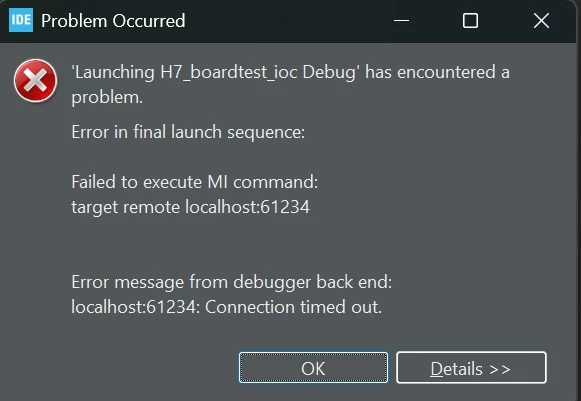
image_2025-09-28_215520357.png

I also tried the “hold reset while clicking connect, then release” method, but it still fails.

This is a newly soldered MCU. I have not uploaded any code to it yet. I also tried switching BOOT0 from low to high to enter system bootloader and erase flash via USART1 (PA9/PA10), but failed as well.

Power connections:

  • I have 2 2.2µF capacitors connected to 2 of the 3 VCAP pins, and for the last one I connected it to one of the VCAP pin (as per datasheet).

  • The measured voltage on VCAP pins is ~0.99–1.0V instead of 1.2V. I’m not sure if this is  indicates an issue.

At this point, I’m unsure whether the problem is hardware-related (power/VCAP), ST-LINK wiring, or boot issue. Any advice on what I might be missing and how to recover would be appreciated.



This topic has been closed for replies.
Best answer by Peter BENSCH

Welcome @Dn1te, to the community!

I suspect that ST-LINK/V2 is the cause of your problem. Please post photos of your ST-LINK/V2, including the back if it has a plastic casing.

Regards
/Peter

4 replies

Peter BENSCH
Peter BENSCHBest answer
ST Technical Moderator
September 28, 2025

Welcome @Dn1te, to the community!

I suspect that ST-LINK/V2 is the cause of your problem. Please post photos of your ST-LINK/V2, including the back if it has a plastic casing.

Regards
/Peter

In order to give better visibility on the answered topics, please click on Accept as Solution on the reply which solved your issue or answered your question.
Dn1teAuthor
Associate II
September 29, 2025

Thank you for your help. The pinout of the ST-LINK I use is exactly the same as the one shown in the first picture below. I also tried using another ST-LINK (with the pinout in the second image), but that failed as well.

At this point, I suspect the issue might be related to the power supply on my board.


EDIT: I changed to another ST-LINK and was able to perform a flash erase successfully. Now I can connect to ST-LINK constantly. Thanks you Peter for your help

Ozone
Principal
September 29, 2025

I would check the hardware.
The voltage at the supply pins should be in range, and the current consumption as well. I'm not sure if the ST-Link can supply the target, I had trouble with that occasionally. Better try an external supply.

I cannot really comment on the ST-Link V2 issue. I know there are some non-functional fakes around.
You could try the onboard ST-Link from another ST board, or another debug pod like a JLink. Or try Segger's JLink firmware for ST-Links, which is reversible.