

Question
STM32F446 Custom board, Target Not Found using STLinkV3-Set
I have a custom STM32 Board that is supposed to act as a flight computer. Currently I am having trouble connecting to the STM32F4 chip over SWD.
I am using a STLinkV3.
I can read the following voltages:
- Vdd = 2.4V
- Vda = 3.3V
- Boot0 = 2.4V
- Boot1 = GND
- NRST 2.4V
- Vcap = 1.3V
I get the following error when connecting over openocd:
xPack Open On-Chip Debugger 0.12.0+dev-01312-g18281b0c4-dirty (2023-09-04-22:32)
Licensed under GNU GPL v2
For bug reports, read
 http://openocd.org/doc/doxygen/bugs.html
Info : auto-selecting first available session transport "hla_swd". To override use 'transport select <transport>'.
Info : The selected transport took over low-level target control. The results might differ compared to plain JTAG/SWD
Info : Listening on port 6666 for tcl connections
Info : Listening on port 4444 for telnet connections
Info : clock speed 2000 kHz
Info : STLINK V3J13M4B5S1 (API v3) VID:PID 0483:374F
Info : Target voltage: 3.300200
Error: init mode failed (unable to connect to the target)
And the following error when trying to connecting using STM32CubeIDE:
Starting server with the following options:
 Persistent Mode : Disabled
 Logging Level : 1
 Listen Port Number : 61234
 Status Refresh Delay : 15s
 Verbose Mode : Disabled
 SWD Debug : Enabled

Target no device found

Error in initializing ST-LINK device.
Reason: No device found on target.
My power system might be limiting current supply to the board to 50mA. Which when looking into it should be fine.
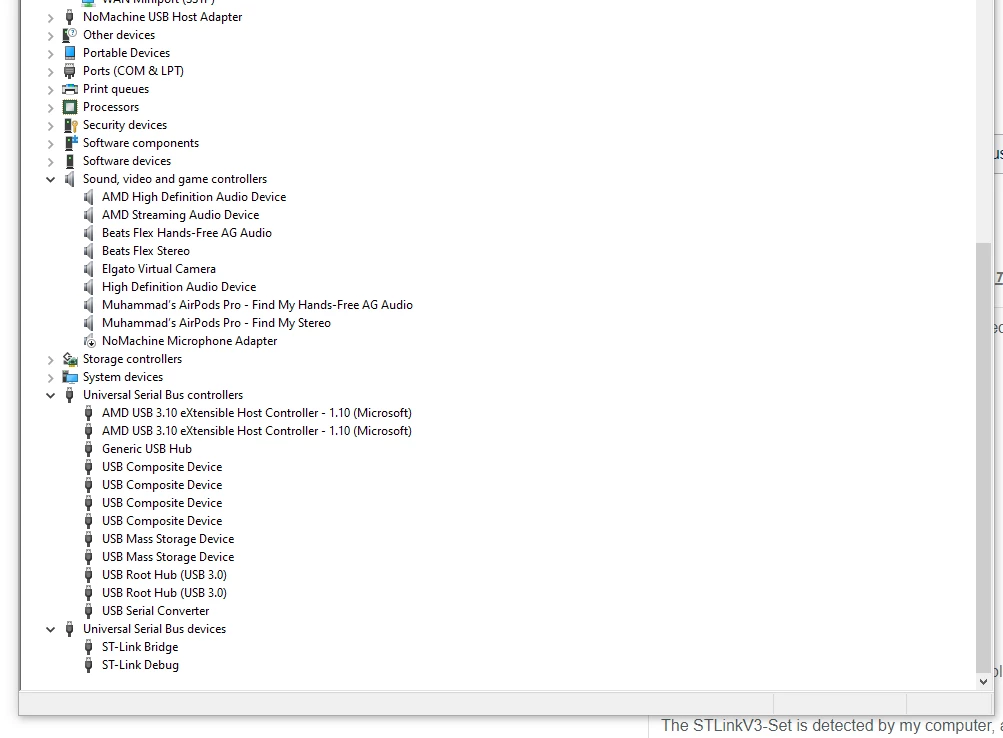
The STLinkV3-Set is detected by my computer, as seen in the following image.
The full schematic is attached as a file to this post.
Same is true for the full definition image of the printed board.
Any suggestions or help would be greatly appreciated, I am basically at my wits end with this.