ADann.1
Associate
July 11, 2020
Question

STM32F070 + ST-LINK v2 SWD connection issues

  • July 11, 2020
  • 3 replies
  • 2555 views

I've made a custom design of a board with an STM32F070C6B6. When powering on the board and connecting a genuine ST-LINK v2 programmer, the connection fails halfway through the setup.

What i've tried (i'm on linux):

1) Via STM32CubeProgrammer:

Connect under reset & core reset: the connection fails with either "DEV_CONNECT_ERR" or "DEV_TARGET_CMD_ERR"

2) Via OpenOCD:

`openocd -f interface/stlink-v2.cfg -c "reset_config srst_only srst_nogate connect_assert_srst" -f target/stm32f0x.cfg --debug` : The connection succeeds, but the chip does not respond to "halt" or "flash banks mass_erase".

3) St-link tools: Tool can connect but says "unknown chip"

Any idea's what could cause this?

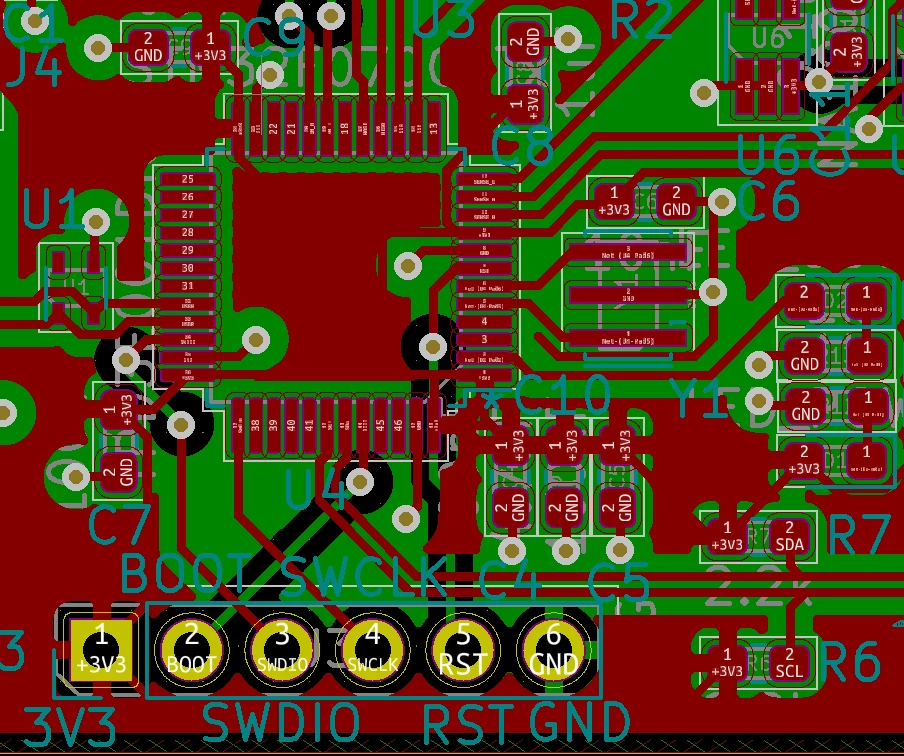
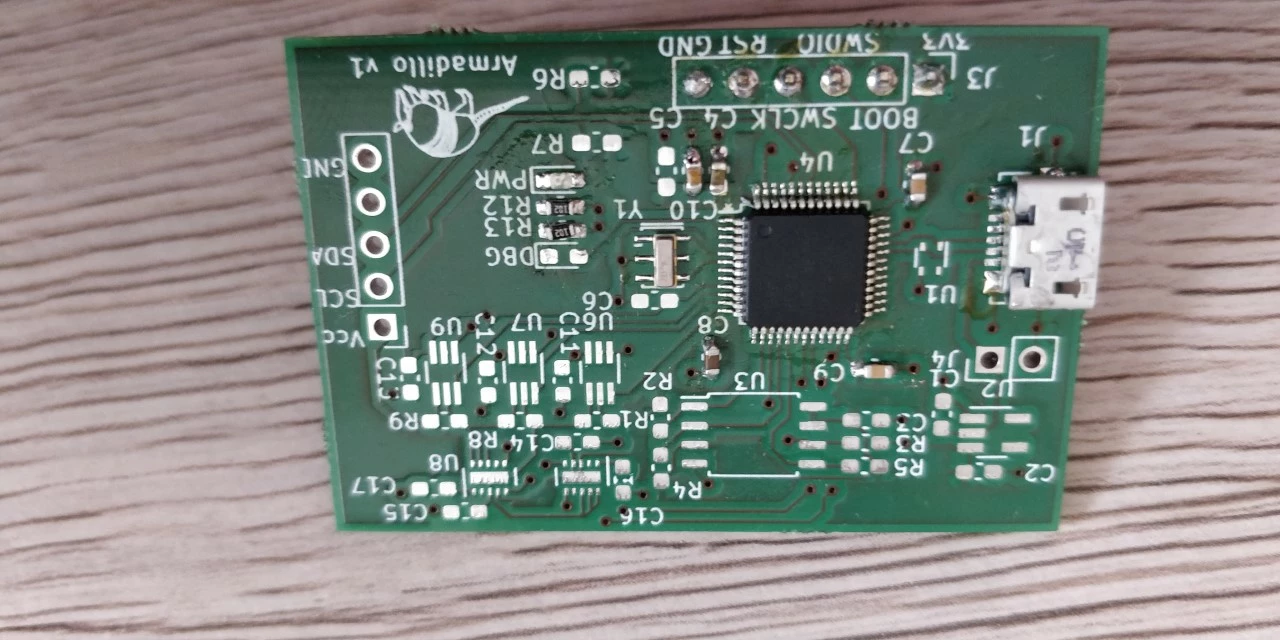
Attached are a picture of the board and the pcb layout.
0693W000001sh2RQAQ.jpg0693W000001sh2HQAQ.png

This topic has been closed for replies.

3 replies

Tesla DeLorean
Guru
July 11, 2020

Seems reasonable enough

The CM0(+) have relatively slow connectivity. This isn't usually a problem with ST-LINK/V2 which connect at 1 to 4 MHz, but can be an issue with ST-LINK/V3 at 24 MHz

If there is no code on the part, and it keeps dropping out, I'd look at the power supply and VDD/VDDA

With user code, entering low power modes, reconfiguring or disabling the SWD or PA13/PA14 pins, will cause loss in connectivity. Having BOOT0=HIGH can give safe harbour in the System Loader, rather than user code.

Tips, Buy me a coffee, or three.. PayPal Venmo (See Profile) Up vote any posts that you find helpful, it shows what's working..
ADann.1
ADann.1Author
Associate
July 12, 2020

Hi, thanks for looking into this. The power good LED stays constant bright the entire time so i would doubt that the power supply is a big issue (feeding of a bench power supply). The part is factory new so bad code also shouldn't be a problem.

I'm not sure in what direction to look then, it could be my st-link v2 that's faulty somehow. The errors that I'm getting ("DEV_CONNECT_ERR") seem to indicate that the communication is working, but the chip somehow returns wrong values..

S.Ma
Principal
July 12, 2020

Well, do the Murphy's law check:

  1. Use multimeter and probe the important debug and reset pin with voltage measure and protection diod check (to make sure connection is ok)
  2. Check after power on that all supply pins and grounds looks ok. What is the MCU supply voltage in this application? 3.3V or 1.8 or..
  3. What is the max current of the regulator? Any voltage droops (invisible to LED)?
  4. Use a scope on SWD/SWCLK to look at signal shape.
  5. Make sure the footprint is ok and not mirrored/flipped (as with connectors, it's common to make PCB with flipped pins, top view, bottom view...)