

Associate II
August 1, 2024
Question

Setting up the LSE clock in STM32L431RCTX

  • August 1, 2024
  • 2 replies
  • 2814 views

I have setup the RTC LSI on the board and got the serial print date and time. and now i wanted to get the RTC LSE clock and serial print clock values. i configured the clock configuration in LSE by following the same steps as i did in LSI, but it didn't work. It prints like this.
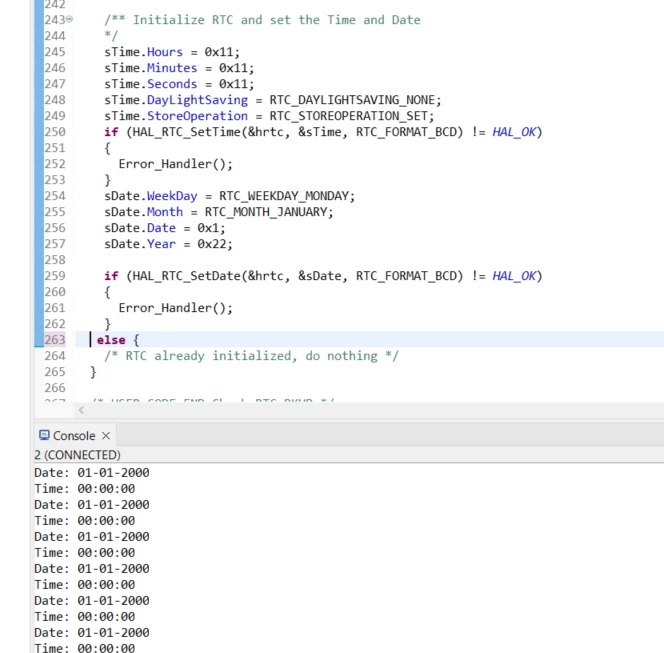
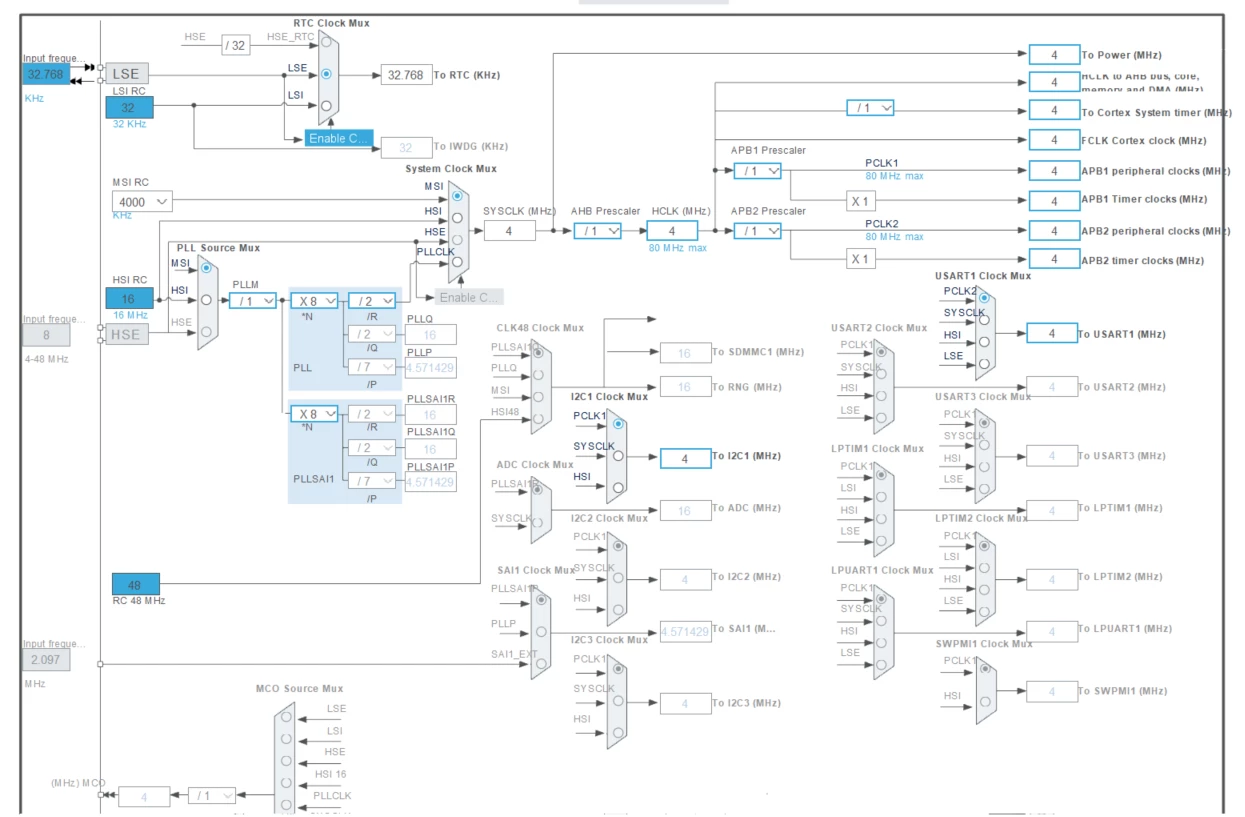
Thenuk__a_0-1722517262394.png


Thenuk__a_0-1722516066223.png


2 replies

Andrew Neil
Super User
August 1, 2024
A complex system that works is invariably found to have evolved from a simple system that worked.A complex system designed from scratch never works and cannot be patched up to make it work.
Thenuk__aAuthor
Associate II
August 1, 2024

First, i will initialize the time and then the clock is set up and the count continues. It will show up on the serial monitor of the CubeIDE. This one I have done this by enabling LSI on the clock configuration. Now I wanted to do it by enabling LSE. The reason I can't use LSI is because there is a time shift in the LSI and I hope that there is no time shift it LSE. 


Here by I have attached how I did in LSI and I wanted to do similarly in LSE

Thenuk__a_0-1722518621966.png

Thenuk__a_1-1722518679327.png


TDK
August 1, 2024

Is this custom hardware? Perhaps the LSE design is insufficient. Debug your code and find out if the LSE gets successfully started.

"If you feel a post has answered your question, please click ""Accept as Solution""."
Thenuk__aAuthor
Associate II
August 1, 2024

Yes it's custom. can i know what u mean by LSE design insufficient ? 

TDK
August 1, 2024

Incorrect load caps. Traces too long. That sort of thing.

Perhaps take a look at

cd00221665-oscillator-design-guide-for-stm8af-al-s-stm32-mcus-and-mpus-stmicroelectronics.pdf

"If you feel a post has answered your question, please click ""Accept as Solution""."