clemente
Associate III
November 8, 2021
Solved

Problems setting the NUCLEO-H745ZI-Q ST-LINK/V3 for multicore debugging, as explained by AN 5286

Hello to all, I'm trying to debug my multi core application. I'm following the AN5286 indication but I'm in stall soon, at "Shareble ST-Link"!

I'm using Keil ver 5.31 and the ST-LINK is with firmware ver V3J5M2. The problem appear with one project selected at once.

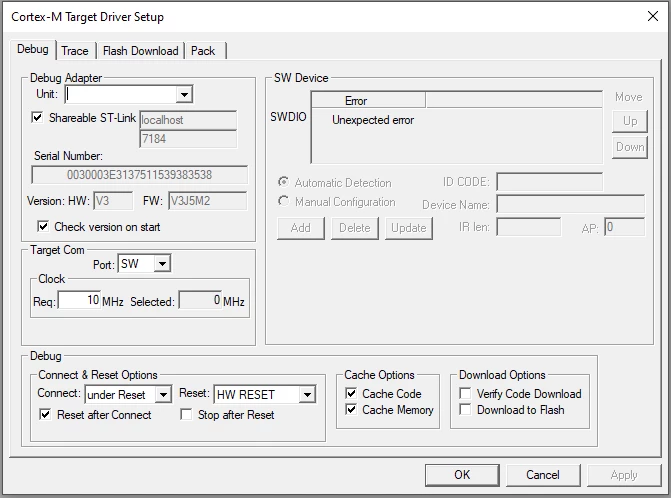
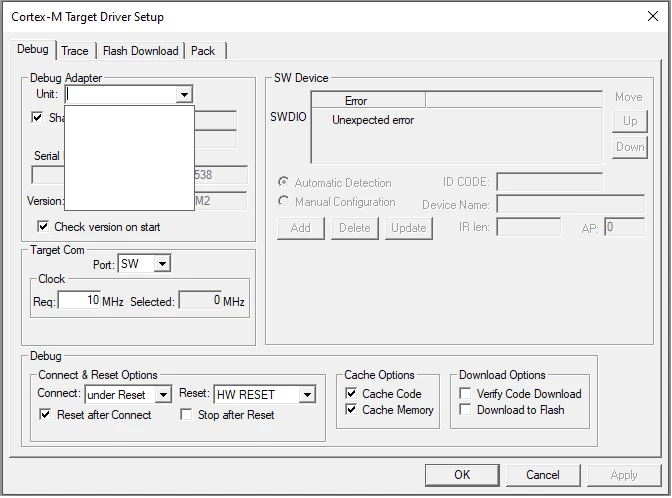
When I set the "Shareable ST-Link" flag the "Unit" popup became empty and the "SW Device" show "Unexpected Error". I attached the images.

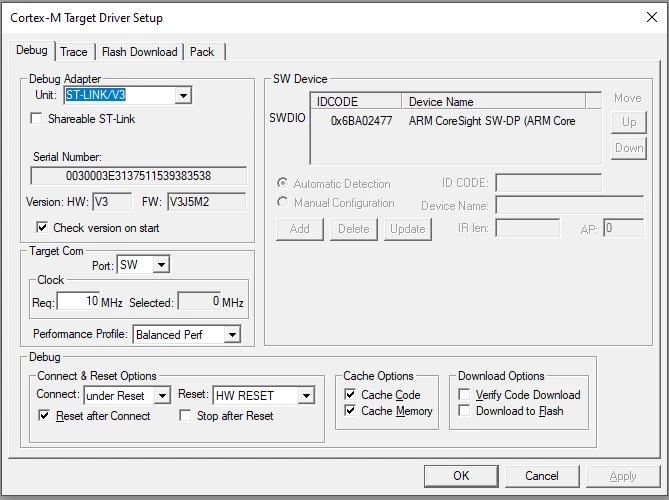
The STLink is visible:
0693W00000GWqTXQA1.pngThe SW device is not present

0693W00000GWqThQAL.pngThe popup is empty too.

0693W00000GWqTwQAL.pngPlease: is there a way to enable correctly this flag and proceed to the multi core debug?

Many thanks

Clemente

This topic has been closed for replies.
storz-asBest answer
Explorer
February 28, 2024

To use the "shareable ST-Link" option, you need to install an additional SW "ST-Link Server" from ST 

https://www.st.com/en/development-tools/st-link-server.html

4 replies

storz-asBest answer
Explorer
February 28, 2024

To use the "shareable ST-Link" option, you need to install an additional SW "ST-Link Server" from ST 

https://www.st.com/en/development-tools/st-link-server.html

clemente
clementeAuthor
Associate III
February 29, 2024

Hello storz-as

many thanks, I'll give it a try with the ST Link server software this evening.

mƎALLEm
ST Technical Moderator
February 28, 2024

Indeed as said by @storz-as  you need to install ST-Link Server.

To give better visibility on the answered topics, please click "Best answer" on the reply which solved your issue or answered your question.
clemente
clementeAuthor
Associate III
February 29, 2024

Thanks SofLit