MDaya.2
Associate II
May 15, 2023
Solved

No Target Connection and DLL ERROR

  • May 15, 2023
  • 2 replies
  • 2471 views

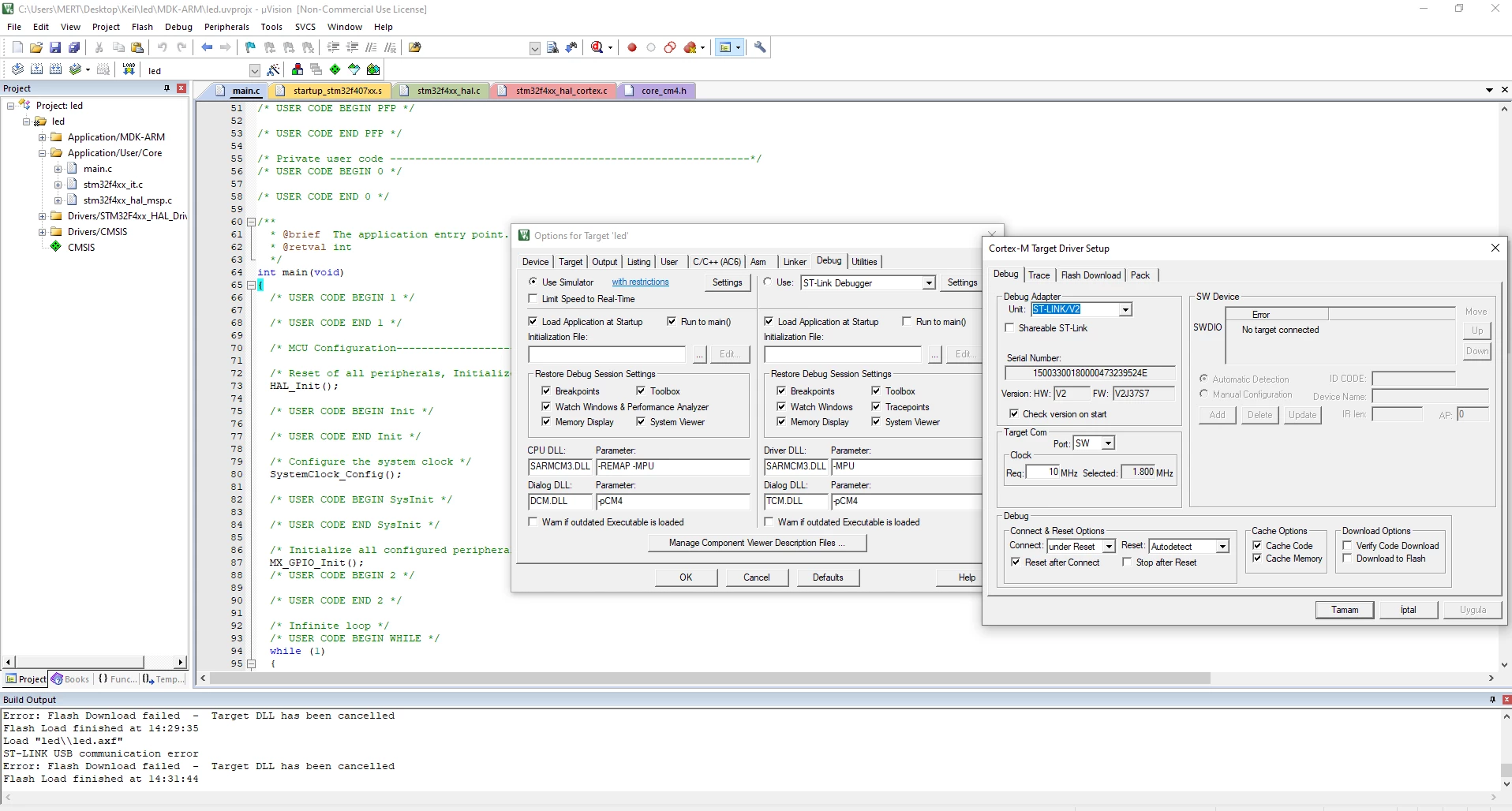
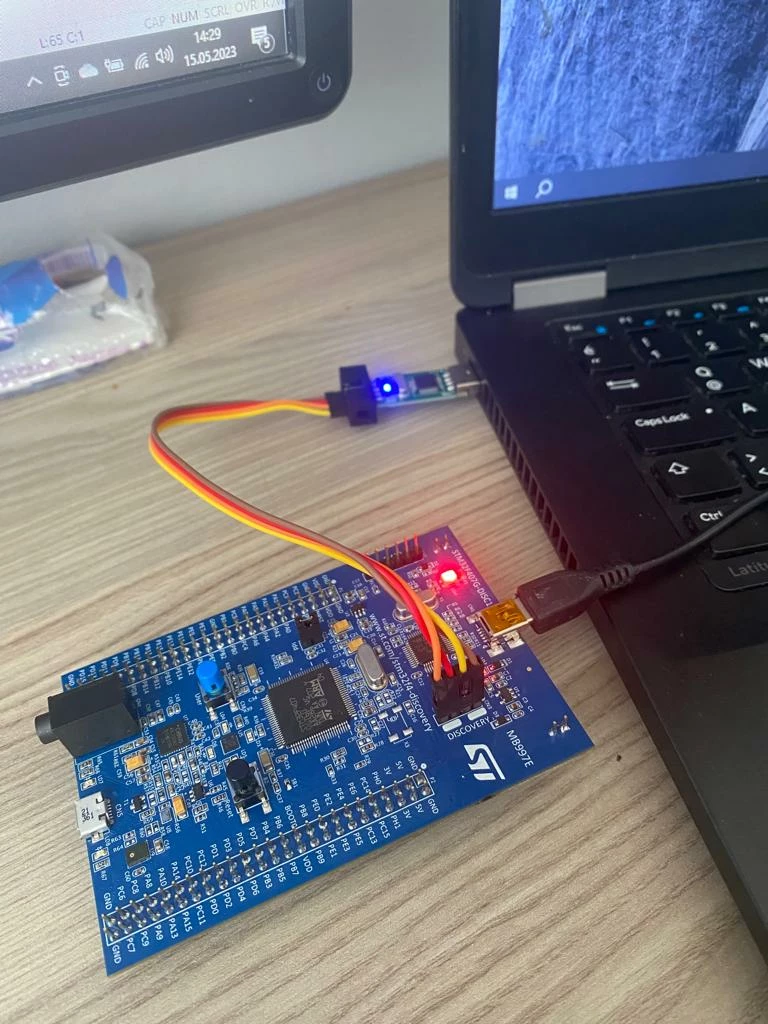
I cant debug because I have some errors NO TARGET CONNECTİON AND DLL
_legacyfs_online_stmicro_images_0693W00000bk5U1QAI.png
_legacyfs_online_stmicro_images_0693W00000bk5ThQAI.png

This topic has been closed for replies.
Best answer by Tesla DeLorean

The connectivity here is entirely wrong.

Those are supposed to house jumpers connecting the On-board ST-LINK to the STM32F407

One side of them connect to the F103 on the board.

Pull a schematic for the board, and review.

Should be able to find under "CAD Resources" tab of STM32F407I-DISC product page.

Make sure you've got a viable USB Cable and Port, not a charging cable.

Put the jumpers back on these pins, as it was delivered.

Install STM32 Cube Programmer

Make sure the ST-LINK is found under Device Manager

Try to connect with STM32 Cube Programmer

2 replies

Tesla DeLorean
Tesla DeLoreanBest answer
Guru
May 15, 2023

The connectivity here is entirely wrong.

Those are supposed to house jumpers connecting the On-board ST-LINK to the STM32F407

One side of them connect to the F103 on the board.

Pull a schematic for the board, and review.

Should be able to find under "CAD Resources" tab of STM32F407I-DISC product page.

Make sure you've got a viable USB Cable and Port, not a charging cable.

Put the jumpers back on these pins, as it was delivered.

Install STM32 Cube Programmer

Make sure the ST-LINK is found under Device Manager

Try to connect with STM32 Cube Programmer

Tips, Buy me a coffee, or three.. PayPal VenmoUp vote any posts that you find helpful, it shows what's working..

Tesla DeLorean
Guru
May 15, 2023
Tips, Buy me a coffee, or three.. PayPal VenmoUp vote any posts that you find helpful, it shows what's working..

MDaya.2
MDaya.2Author
Associate II
May 18, 2023

Thankss I solved when ı changed the only power cable :D