SWhit.7
Visitor II
February 7, 2022
Question

New ST-Link V2 not working.
  • February 7, 2022
  • 4 replies
  • 3401 views

0693W00000JOlu5QAD.png0693W00000JOlu0QAD.pngHi,

In the past I have successfully been using an inexpensive USB ST Link V2 clone without any problems at all.

In my current project I need to use the SDW for dumping debugging information to the console.

I purchased the official ST Link V2 from mouser but I cannot get simple SWD to work at all.

The PC can detect it and I can update its firmware but it will not detect target projects/boards no matter what I do.

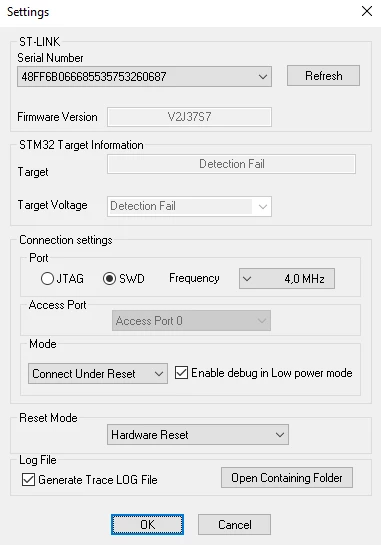
I have tried many different configurations in ST-LINK Utility and STM32CubeIDE without success.

Is there anything I can try? Am I missing something?

This topic has been closed for replies.

4 replies

Simon.T
ST Employee
February 7, 2022

Hello @SWhit.7​,

What STM32 are you using?

Did you already program your MCU ? If yes, is it with low power mode?

Did you try with STM32cube programmer ?

Andreas Bolsch
Lead III
February 7, 2022

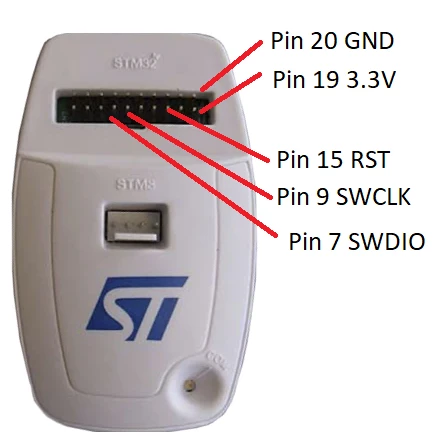
One common pitfall: For the STLink-V2-clones VDD is an output, and this pin can actually supply a target with some external circuits. Whereas for the original STLink-V2 VDD is an input used to set the proper thresholds for the level shifters. So the target must be supplied externally and STLink's VDD input connected to target's VDD.

Tesla DeLorean
Guru
February 7, 2022

Pin 1 needs to be powered from the target​

Tips, Buy me a coffee, or three.. PayPal Venmo (See Profile) Up vote any posts that you find helpful, it shows what's working..
S.Ma
Principal
February 8, 2022

Try with cube programmer, clone or wrong swd pins cabling or no powered mcu are possible causes.