

Associate III
December 16, 2024
Solved

Is there any way to measure the current on STM32U575ZI-Q board

  • December 16, 2024
  • 6 replies
  • 1261 views

Hi,

I am having STM32U575ZI-Q development board. I have implemented a firmware with FreeRTOS with low power support where the firmware goes to the low power mode and unless there is an external interrupt, it stays in a low power mode.

Now, I want to measure the current ocnsumption when the MCU goes to the sleep mode (STOP2 mode specifically). Is there anyway I can measure the current from the STM32Cube IDE or any addtional board that can be interfaced with the development board?
This topic has been closed for replies.
Best answer by krotti42

Hi @mdalal !


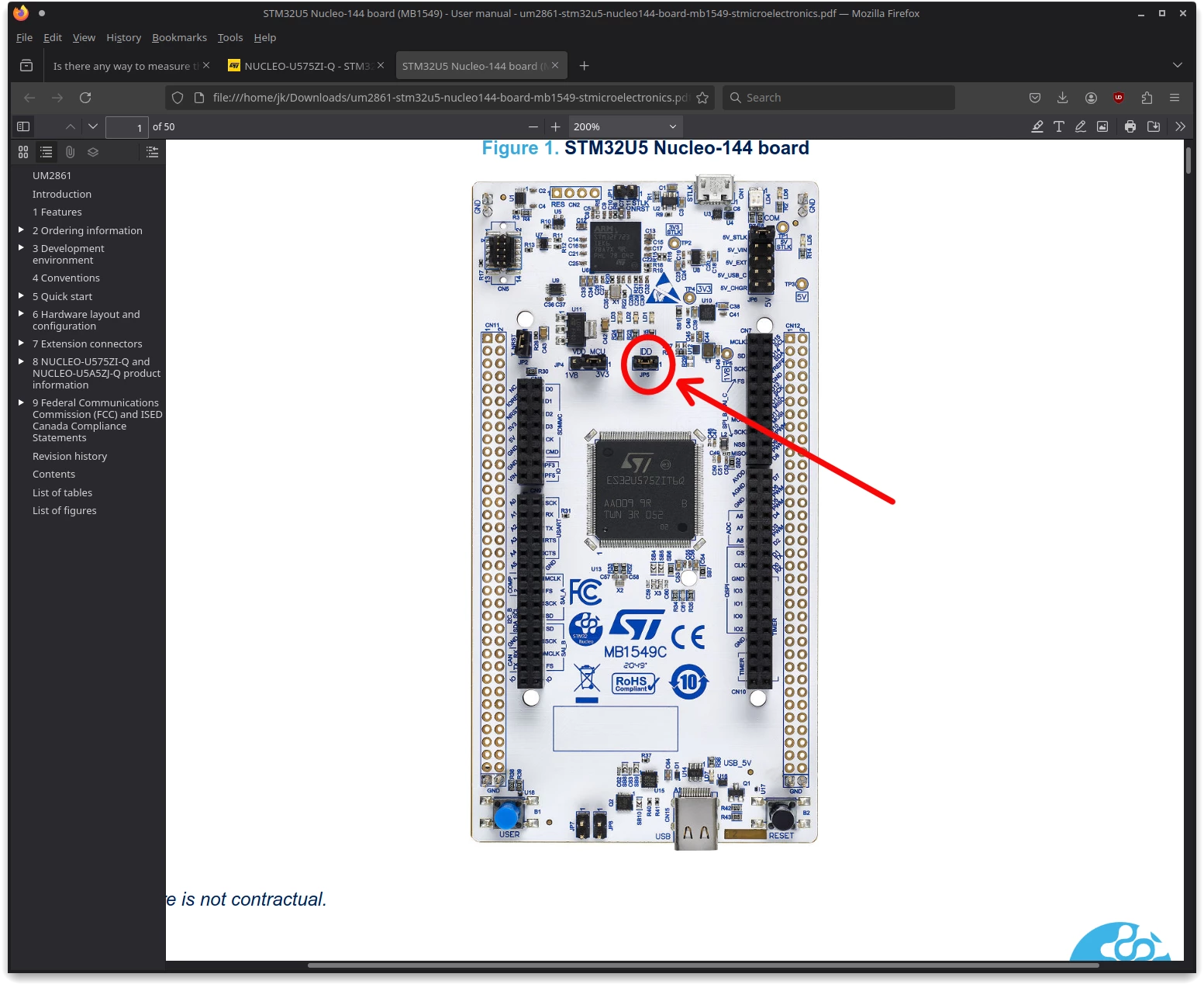
Not possible for you to measure the current from the MCU through jumper JP5 with a DMM?

JP5JP5

6 replies

krotti42Best answer
Associate II
December 16, 2024

Hi @mdalal !


Not possible for you to measure the current from the MCU through jumper JP5 with a DMM?

JP5JP5

mdalalAuthor
Associate III
December 16, 2024

Oh, do you mean that if I connect the DMM across this jumper pins, the job is done? What precision of DMM is required.

mdalalAuthor
Associate III
December 16, 2024

I am assuming that the DMM is in current measurement mode.

Associate II
December 16, 2024

@mdalal wrote:

I am assuming that the DMM is in current measurement mode.


Yes, of course.


@mdalal wrote:

Oh, do you mean that if I connect the DMM across this jumper pins, the job is done? What precision of DMM is required.


Yes. The precision of the DMM depends on your requirements. Personally I would prefer a DMM with you can at least measure 1µA.


The possible power consumption from the MCU in different situations are also described in the device datasheet.  Here is a screenshot:

current.png

mdalalAuthor
Associate III
December 16, 2024

Great. I will try to get such DMM within and will let you know. You can close the ticket meanwhile.

Mike_ST
ST Technical Moderator
December 19, 2024

Hello,

>> You can close the ticket meanwhile.

You can do that by clicking on the "Accept as Solution" button in the answer that helped you the most.

In order to give better visibility on the answered topics, please click on 'Best answer' on the reply which solved your issue or answered your question.