
BKarl
Associate II
February 17, 2022
Solved

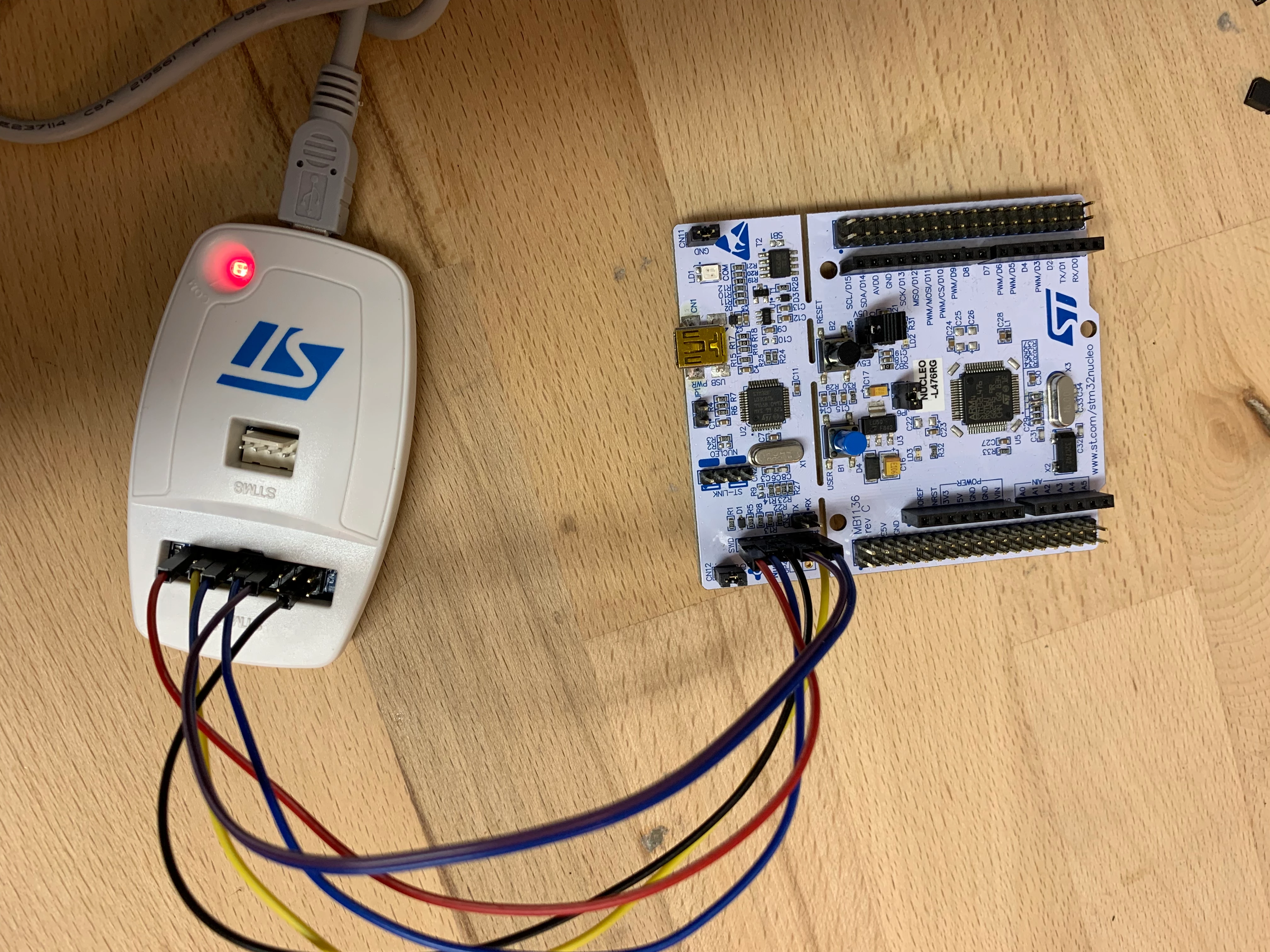
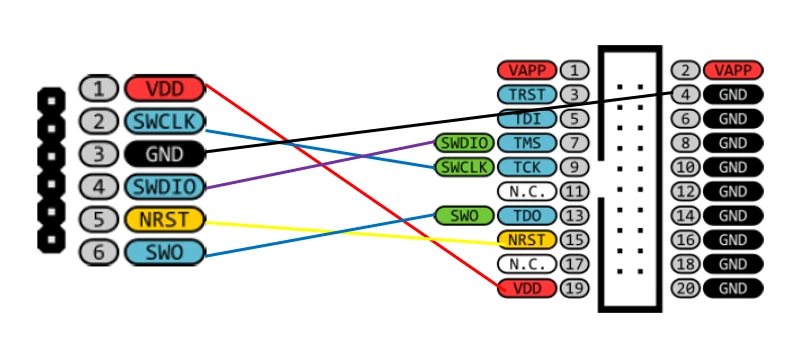
I try to connect a Nucleo-64 board via ST-Link/v2 for debugging, but it doesn't work. I removed CN2 and and pinning as specified. But nothing happens, no connection and no led on. The ST-Link/v2 is solid red, so it should be ready.
  • February 17, 2022
  • 4 replies
  • 9299 views
This topic has been closed for replies.
Best answer by Bob S

That header on the Nucleo board is meant to use the Nucleo's STLink to debug an EXTERNAL device instead of the on-board CPU. It is not intended to allow you to connect an external STLink to the Nucleo to debug the on-board CPU.

In addition to that show stopped [EDIT: stopper] - the Nuclep board CN4 pin 1 (VDD) does NOT power the Nucleo board, It is meant for the on-bioard STLink to sense the EXTERNAL device's VDD.

4 replies

raptorhal2
Lead
February 17, 2022

Connect your USB cable to the ST-LINK on the nucleo. It replaces the ST-Link pod.

BKarl
BKarlAuthor
Associate II
February 17, 2022

this works but I want to test the ST-Link/v2

Bob S
Bob SBest answer
Super User
February 17, 2022

That header on the Nucleo board is meant to use the Nucleo's STLink to debug an EXTERNAL device instead of the on-board CPU. It is not intended to allow you to connect an external STLink to the Nucleo to debug the on-board CPU.

In addition to that show stopped [EDIT: stopper] - the Nuclep board CN4 pin 1 (VDD) does NOT power the Nucleo board, It is meant for the on-bioard STLink to sense the EXTERNAL device's VDD.

BKarl
BKarlAuthor
Associate II
February 17, 2022

ok thanks, that explains a lot:see_no_evil_monkey: :grinning_face: . Is there any way to test the ST-Link/v2 with the Nucleo board?

Andreas Bolsch
Lead III
February 19, 2022

Power Nucleo board externally (e.g. via internal STLink USB-connector), remove jumpers on CN2, connect external STLink SWCLK and SWDIO to CN2, pin 2 and pin 4, respectively (and of course GND). The internal STLink will still supply MCO and 'block' SWO, USART_TX, USART_RX pins, if you don't like this, short SB11 to keep internal STLink in reset state.

If you use an original STLink-V2, don't forget to connect STLink's VAPP pin to target's VDD.

raptorhal2
Lead
February 17, 2022

The ST-Link as delivered is connected to the Nucleo for programming and debug.

Have you read the Nucleo documentation ?

Cheers, Hal

ChahinezC
Associate II
February 18, 2022

Hello @BKarl​,

The embedded ST-LINK/V2-1 integrated into the Nucleo board is usable in different ways according to the jumper states.

For detailed configuration, I recommend you referring to the 6.4 section "Embedded ST-LINK/V2-1" of the UM2324.

When your question is answered, please close this topic by choosing "Select as Best" the answer that answered your question, this will help other users find this solution faster.

Chahinez.