

How to use DMAMUX on the STM32 microcontrollers
1. Introduction
DMAMUX is included in the latest STM32 microcontrollers (STM32H7/G0/G4/L4+/L5/WB/MP1 Series) and is an enhancement over the previous DMA controller, providing more flexibility and fully dynamic peripheral request mapping over pseudo-dynamic mapping.
It offers fully configurable routing of any DMA request from a given peripheral to any DMA controller and/or controller DMA channel. This article will briefly explain the DMAMUX as well as how to use it.
2. Description of DMAMUX
The DMAMUX request multiplexer enables routing DMA request lines from the peripherals to the DMA controllers in the products. The routing function is ensured by a programmable multi-channel DMA request line multiplexer. Each channel selects a unique DMA request line to forward (unconditionally or synchronously) to the associated DMA controller channel. This allows DMA requests to be managed with a high flexibility, maximizing the number of DMA requests that run concurrently.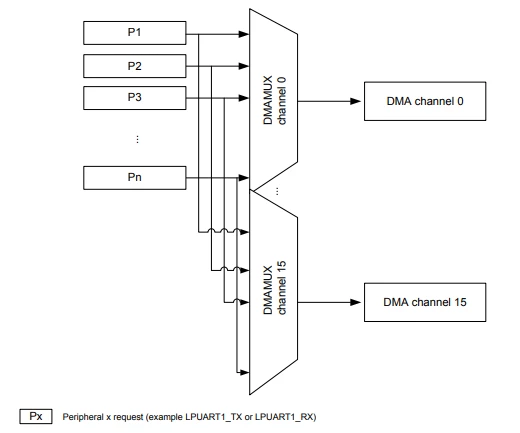
3. DMAMUX features
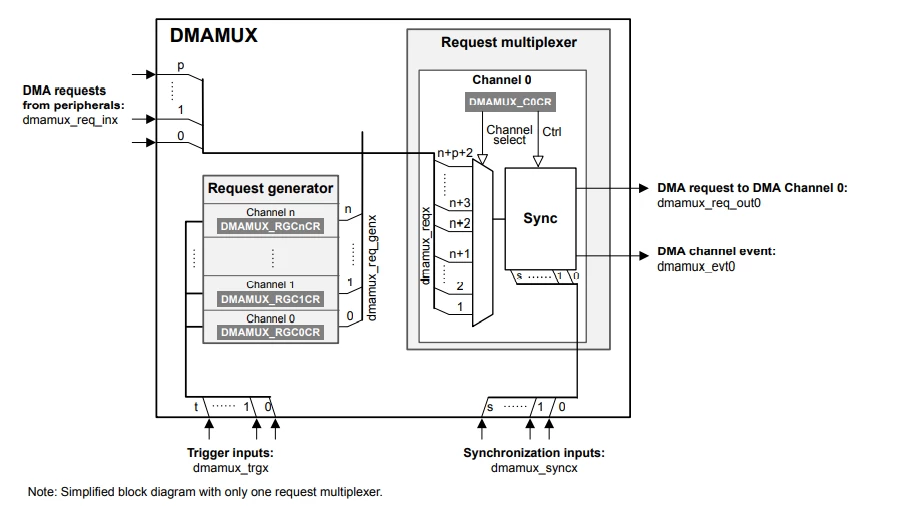
Features include:
- Request routing and synchronization
- Request generation
- Request generation and synchronization
4. DMAMUX configuration example
The DMAMUX is easy to use and configure with STM32CubeMX and its flexibility will be shown in this section.
This example uses the STM32G071RBTx as the target device. The SPI peripheral will be configured to use DMAMUX for serial communication with another device. Using STM32CubeMX for the configuration will illustrate the ease of use and flexibility of DMAMUX.
The first step within STM32CubeMX is to enable the SPI peripheral that is going to be used for serial communication (see figure below):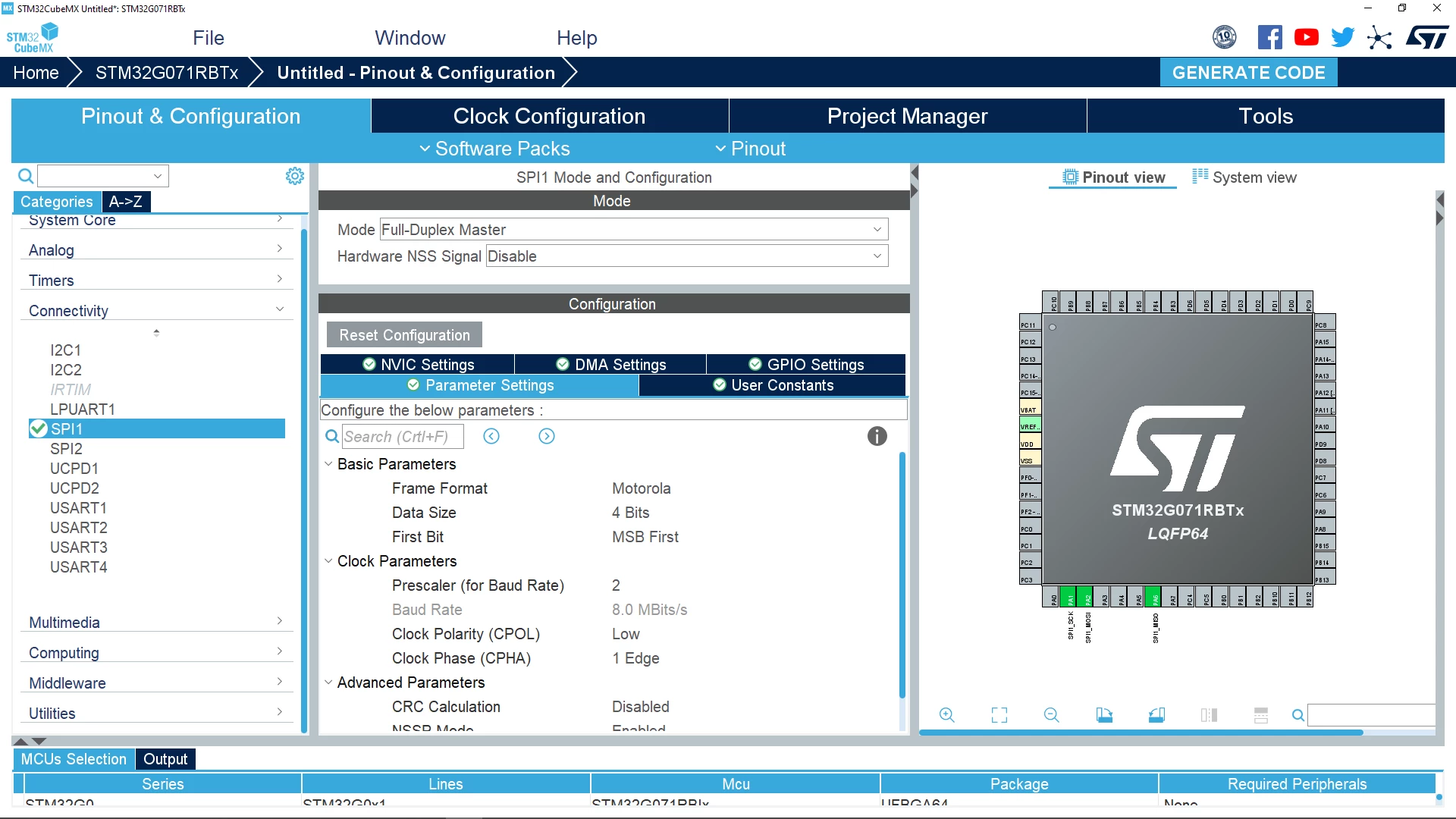
The next step is to click on DMA Settings to make those configurations: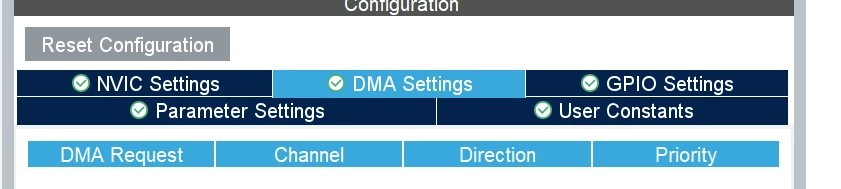
We are going to add two DMA Requests, one for SPI RX (reception) and one for SPI TX (transmission). To do this click on Add.
Now click on Select in the drop-down box and then click on SPI1_RX.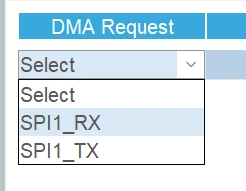
Because of DMAMUX's flexibility you can select any DMA channel for the peripheral you are using. In this example case, channel 3 is selected by clicking on the drop-down box and clicking on DMA1 Channel 3.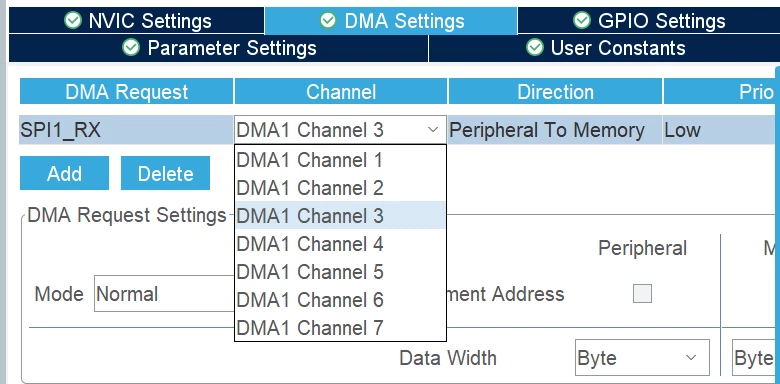
The next step is to select the DMAMUX channel for SPI1_TX. Again, due to the flexibility of DMAMUX, any channel is available and channel 7 is used in this example.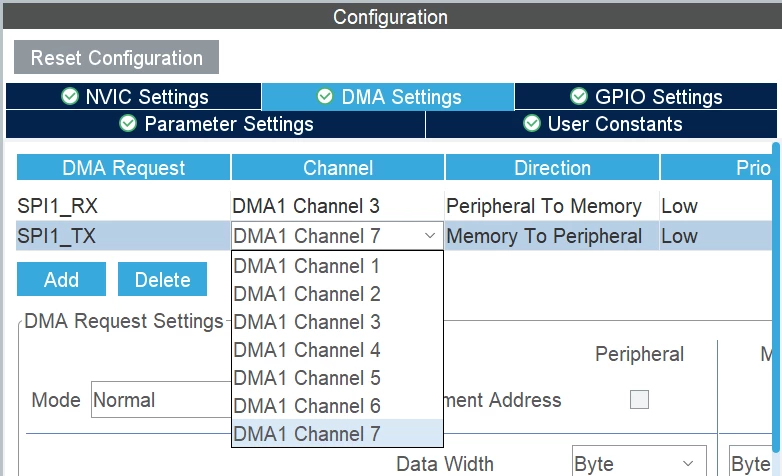
As illustrated in this example, DMAMUX offers the flexibility to select any DMA channel to be used with the peripherals as opposed to being limited to a specific channel.
More details including the advanced features of DMAMUX are described in the associated application note mentioned in the Links section.
5. Links
For more details on DMAMUX please refer to the following application note:
Introduction to DMAMUX for STM32 MCUs
For more information about STM32CubeMX, please refer to the webpage.