How to turn on a motor - Example with MCSDK & Cube IDE: “FOC duration” fault or/and "Software error"
1. Introduction
Using the Motor Control Software Development Kit (MCSDK) I was able to:
- Generate project from Motor Control (MC) Workbench and compile in my IDE OK without any warnings or errors.
- Successfully upload the code to the microcontroller and connect to the monitor section of MC Workbench via COM port communication. However, either the "FOC duration" fault, "Software error" fault, or both faults are indicated when I press the "Start Motor" button.
I use MCSDK, STM32CubeMX and my preferred IDE. What is wrong with my motor-control kit?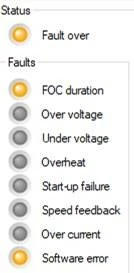
2. Motor control requirements
There is one unknown point for non-familiar user. The MC application driven by field-oriented control (FOC) algorithm relies on complex calculations involving transformations and other mathematical operations that require precise timing and fast computations. It is mandatory to use the optimization level for speed in the used IDE.
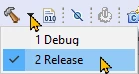
The generated project contains two Build Configurations: Debug and Release.
The real code debugging with break points and stepping code rows is not possible in the MC application because we cannot lose the continuity in the generated stator field. Debug is the default configuration. The optimization in this configuration is switched off.
3. Switch on optimization level for speed
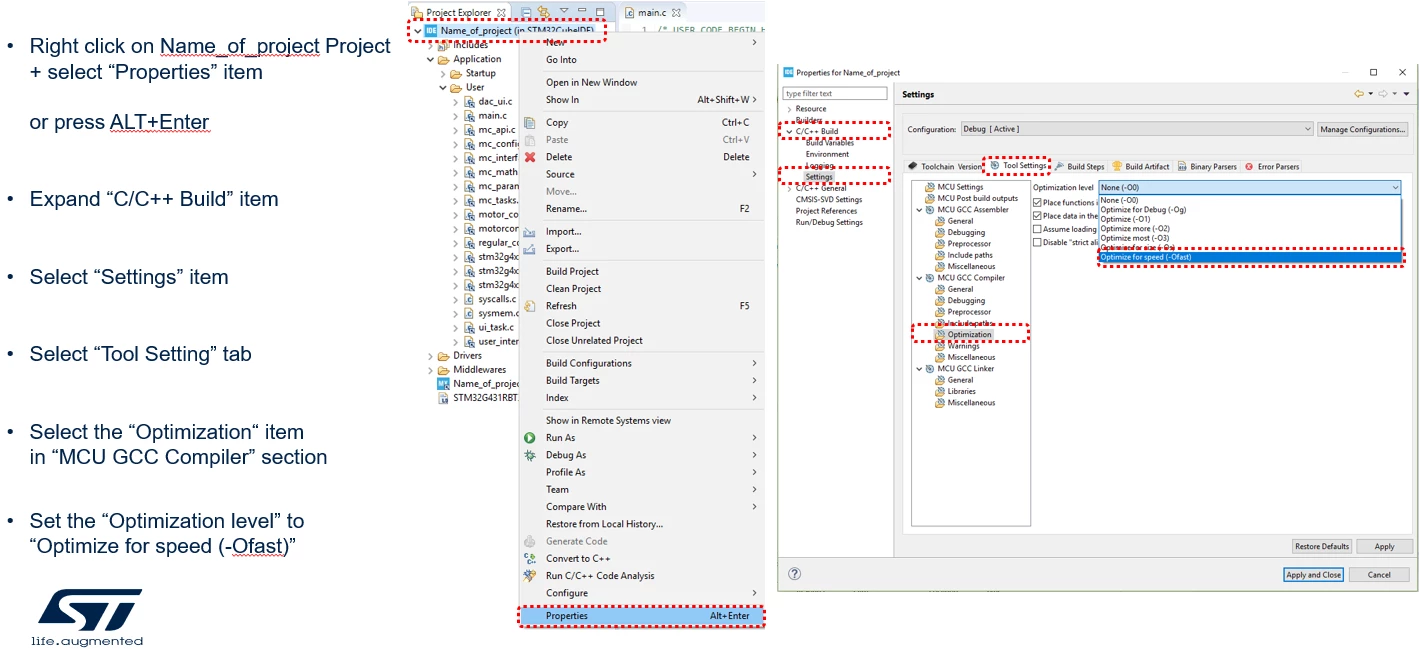
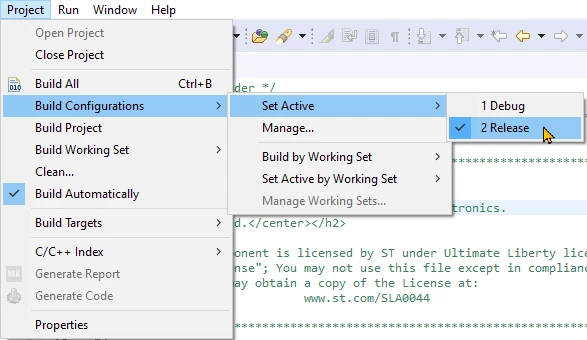
We have to switch on the optimization level for speed, or we have to use the "Release" build configuration with the appropriate optimization settings. The image examples below illustrate this process in STM32CubeIDE.
3.1 Option 1: Switch on the optimization for speed
3.2 Option 2: set the Build configuration "Release" as active
3.3 Option 3: Directly Build the "Release" build configuration