
How to create a IPv4 NetXDuo Ethernet UDP application for STM32H5 with TrustZone® enabled
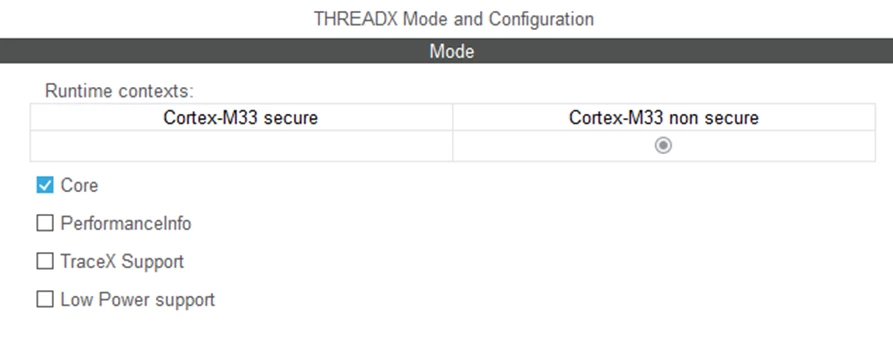
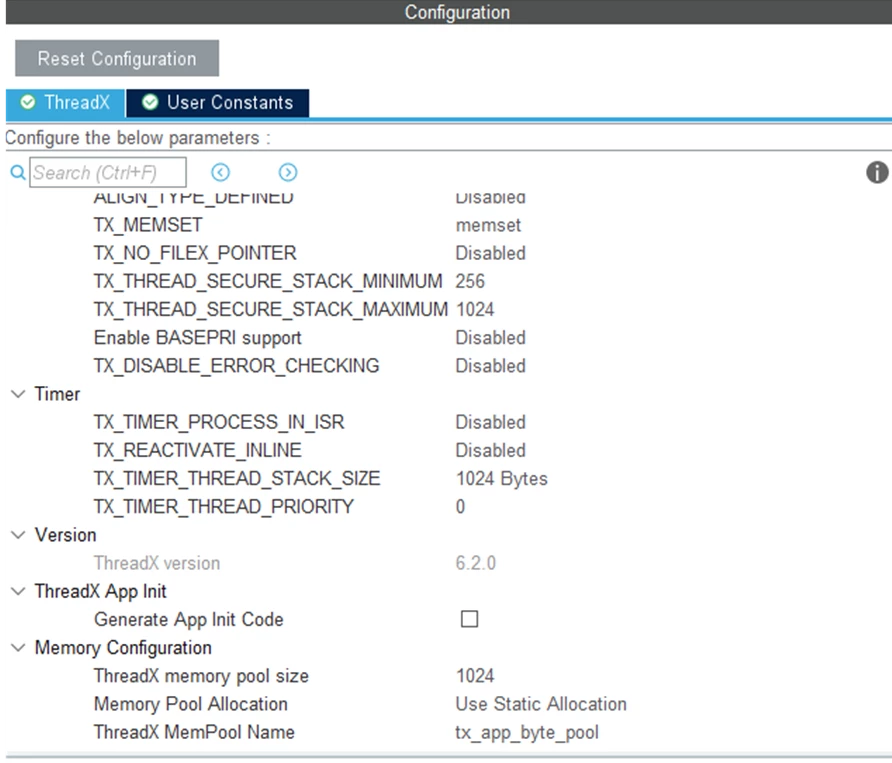
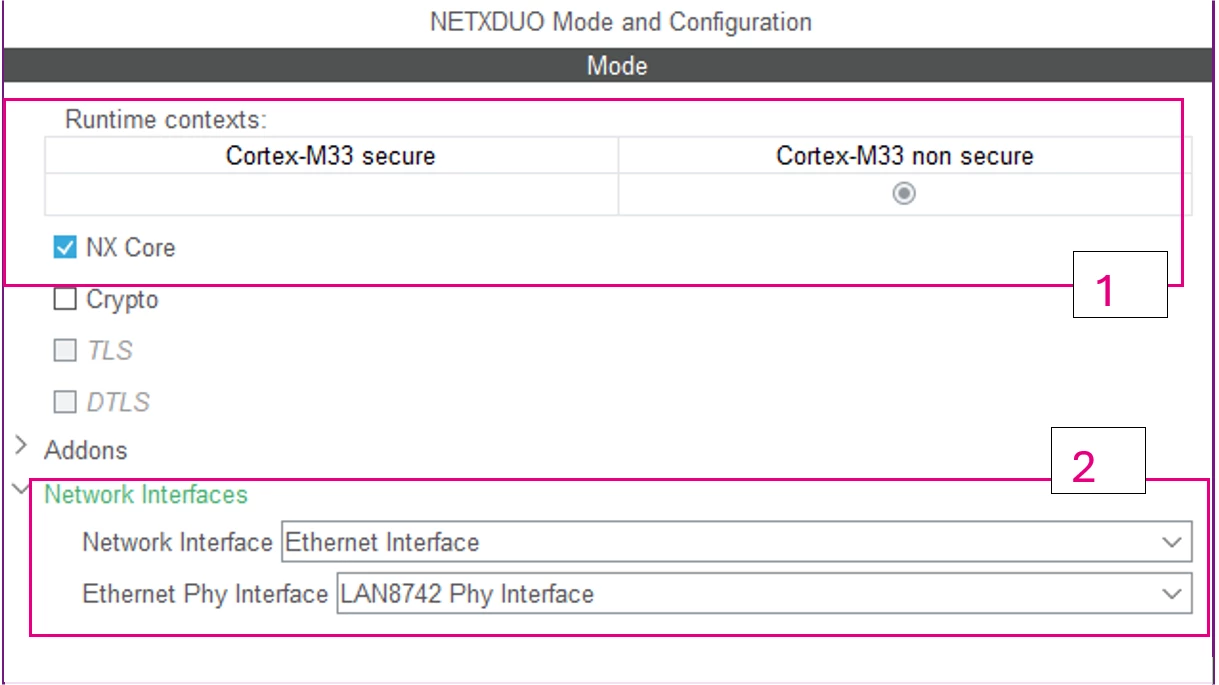
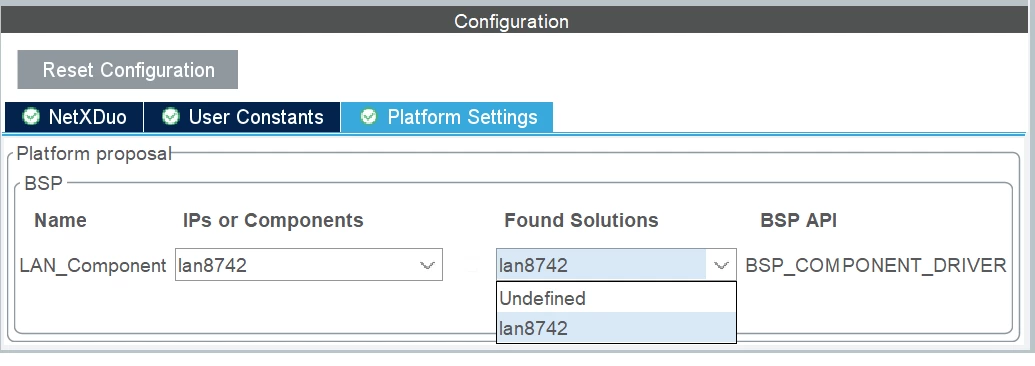
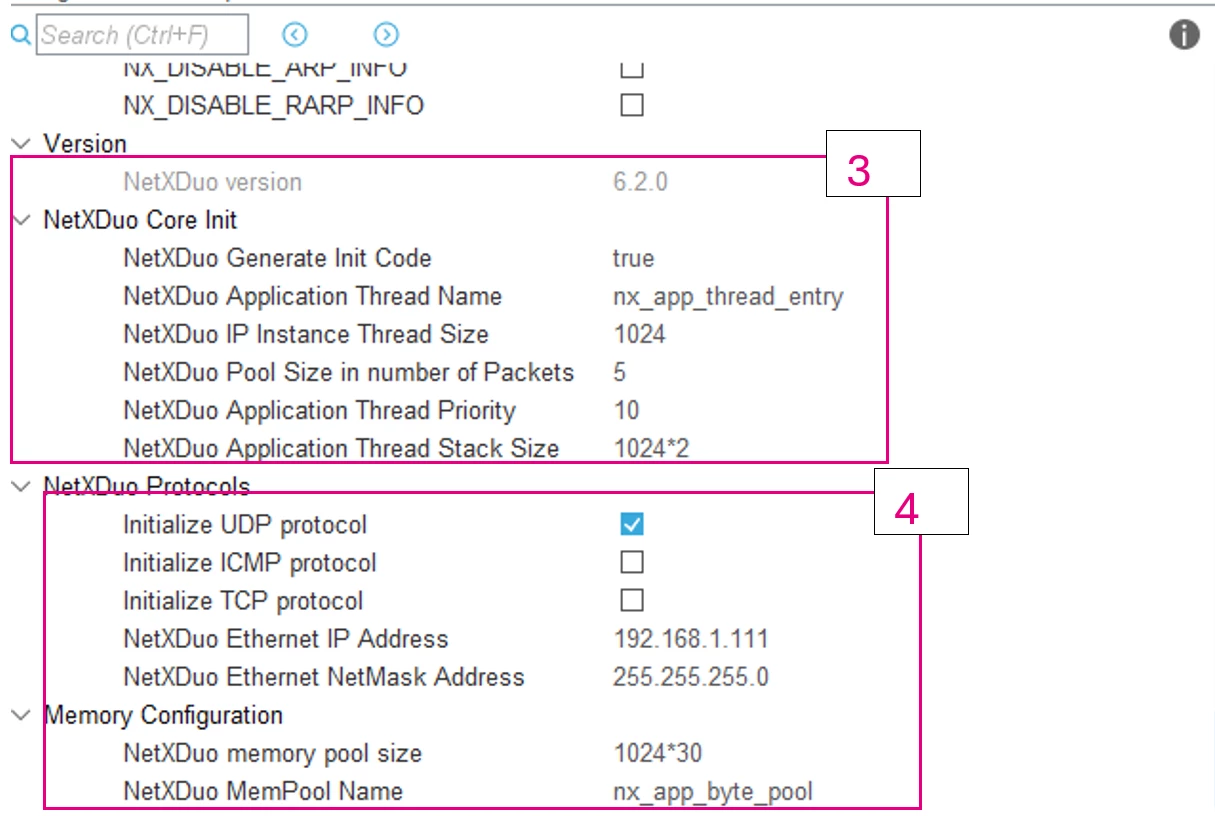
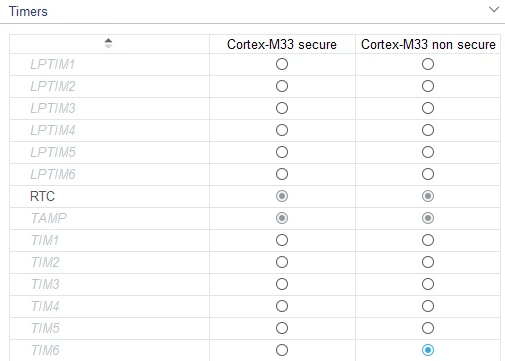
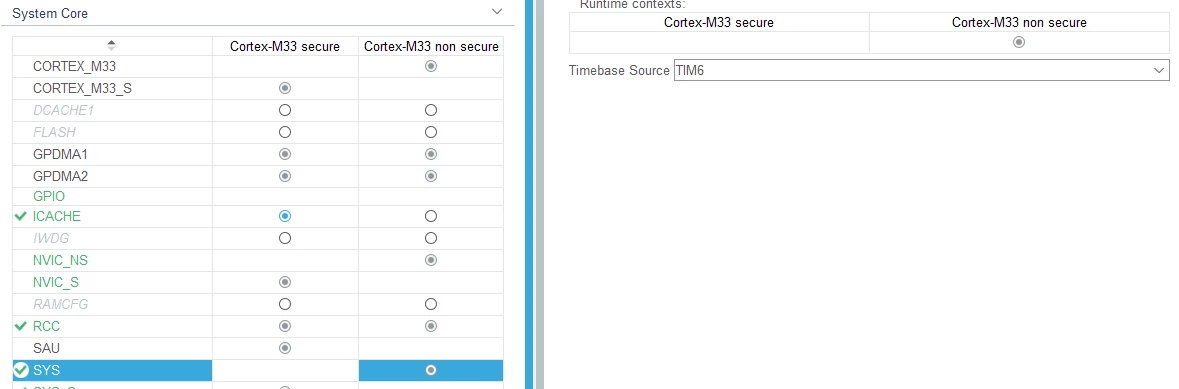
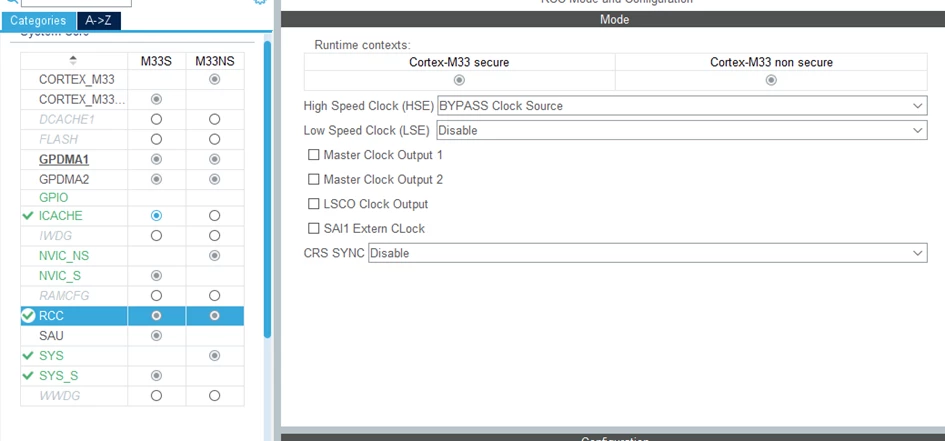
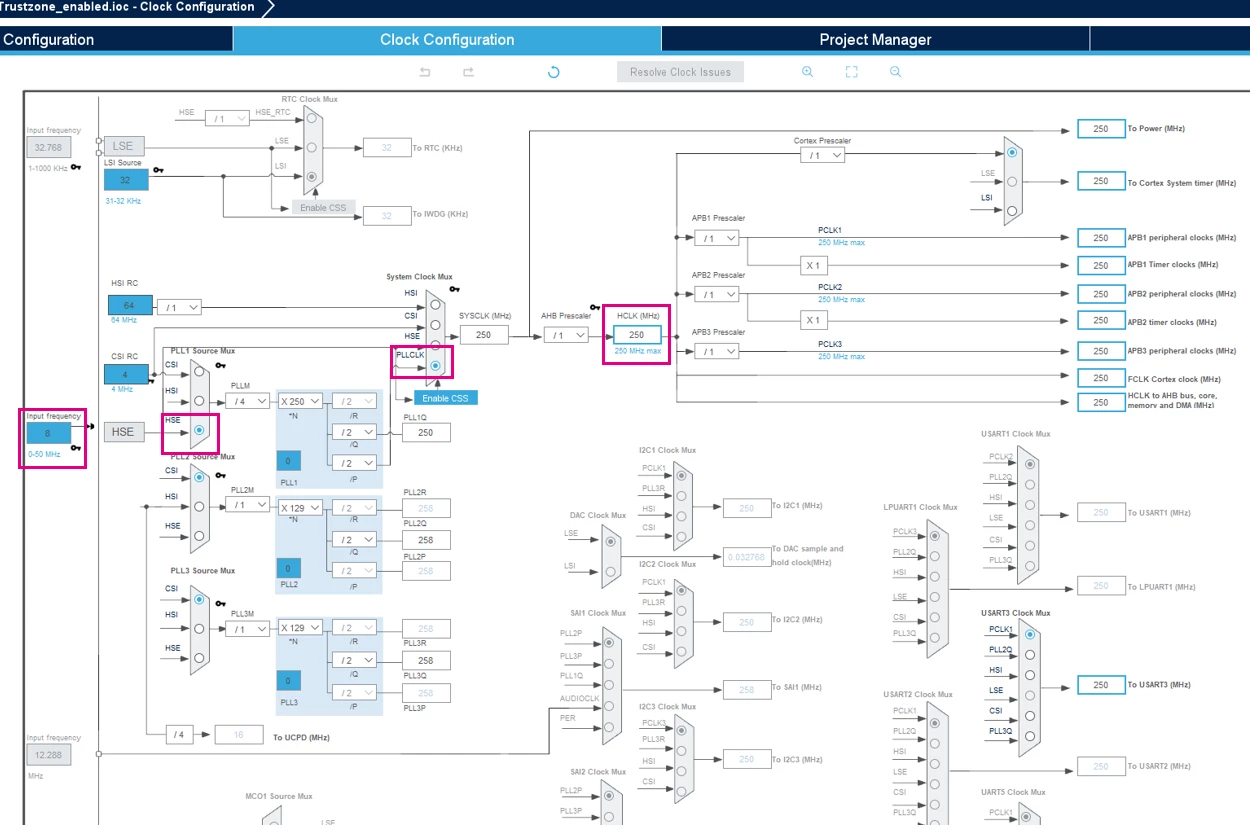
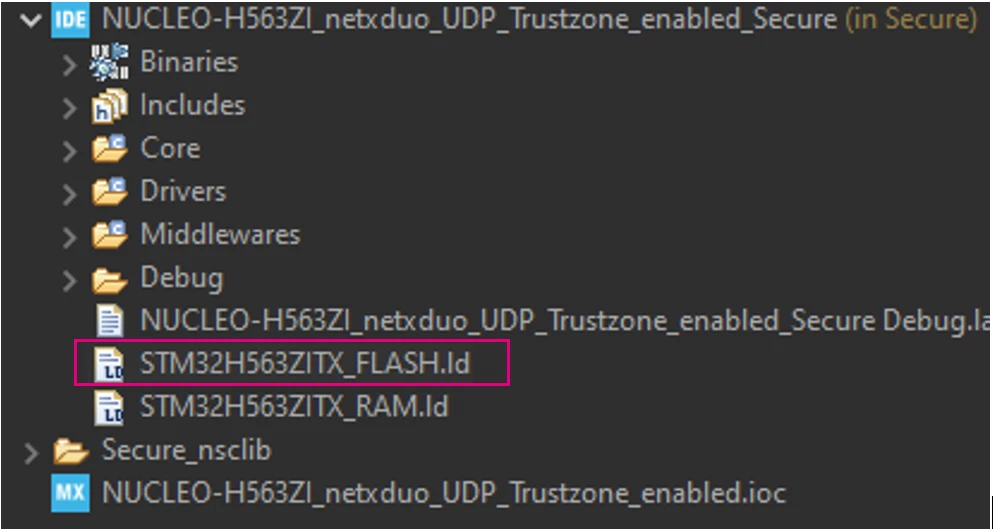
MEMORY
{
 RAM (xrw) : ORIGIN = 0x30000000, LENGTH = 320K
 FLASH (rx) : ORIGIN = 0x0C000000, LENGTH = 1016K
 FLASH_NSC (rx) : ORIGIN = 0x0C0FE000, LENGTH = 8K
}
Now, we just need to add a new memory section somewhere in the SECTIONS brackets in the linker file.
.tcp_sec (NOLOAD) :
 {

 . = ABSOLUTE(0x30040000);
 *(.RxDecripSection)

 . = ABSOLUTE(0x30040060);
 *(.TxDecripSection)

 . = ABSOLUTE(0x30040200);
 *(.NetXPoolSection)

 } >RAM
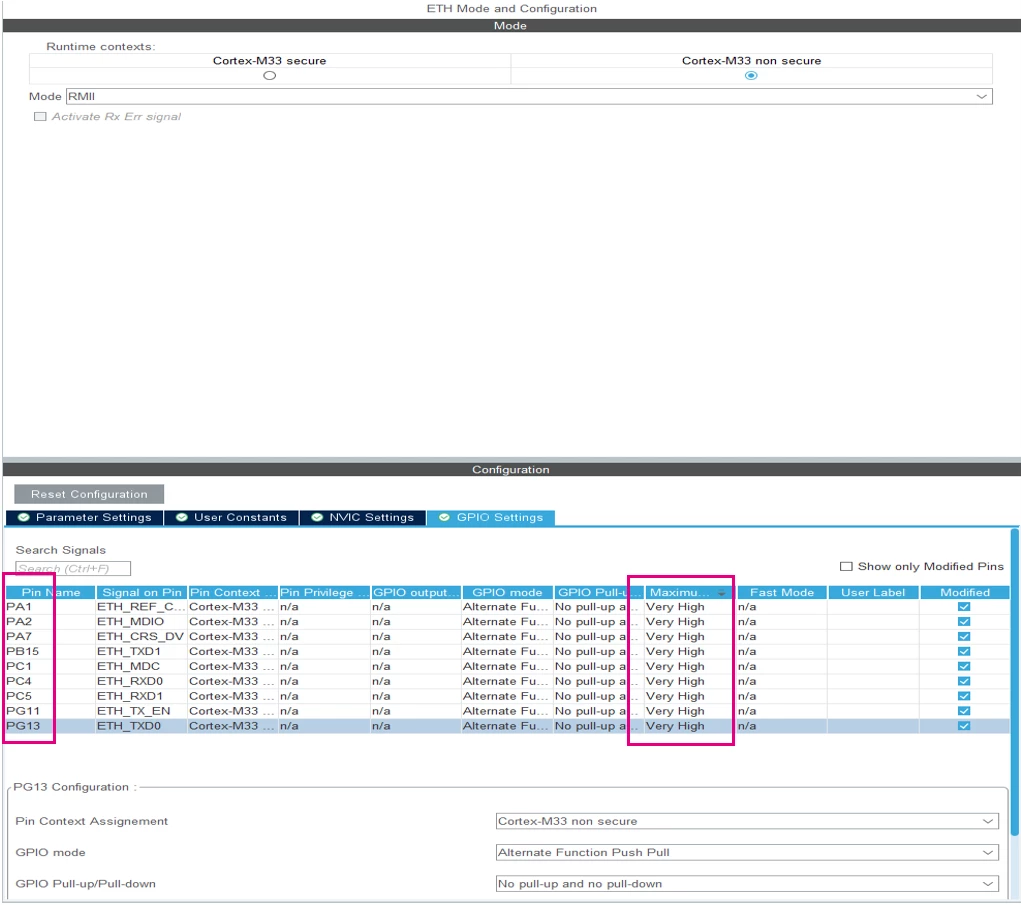
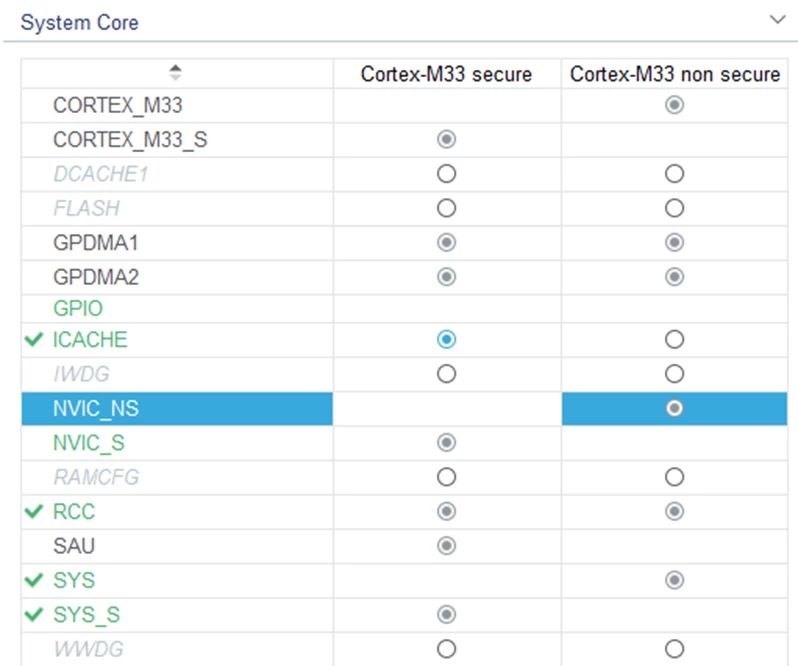
The descriptors and pool sections are placed in RAM, particularly within the previously mentioned SRAM3 which is assigned to the secure runtime context. Now, we need to provide access to those descriptors placed in the SRAM3 domain from the nonsecure domain. This is done by adding the following code segment in the MX_GTZC_S_Init(void) function found in the "main.c" file of the secure project.
static void MX_GTZC_S_Init(void)
{

 /* USER CODE BEGIN GTZC_S_Init 0 */
	 if (HAL_GTZC_TZSC_ConfigPeriphAttributes(GTZC_PERIPH_ETHERNET, GTZC_TZSC_PERIPH_PRIV) != HAL_OK)
	 {
	 Error_Handler();
	 }
 /* USER CODE END GTZC_S_Init 0 */
**THE REST STAYS AS GENERATED BY CUBEMX**
In the "main.c" file of the nonsecure project, we need to assign DMA Rx and Tx descriptors. Assign them to their dedicated regions previously defined in the linker file:
ETH_DMADescTypeDef DMARxDscrTab[ETH_RX_DESC_CNT]__attribute__((section(".RxDecripSection"))); /* Ethernet Rx DMA Descriptors */
ETH_DMADescTypeDef DMATxDscrTab[ETH_TX_DESC_CNT]__attribute__((section(".TxDecripSection")));/* Ethernet Tx DMA Descriptors */
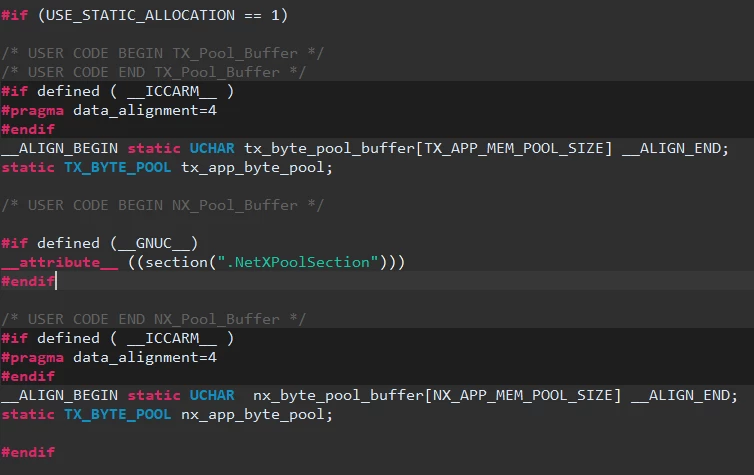
In the "app_azure_rtos.c" file of the nonsecure project, we need to add the following definition for the NX_Pool_Buffer as shown in the figures below:
/* USER CODE BEGIN NX_Pool_Buffer */

#if defined (__GNUC__)
__attribute__ ((section(".NetXPoolSection")))
#endif

/* USER CODE END NX_Pool_Buffer */
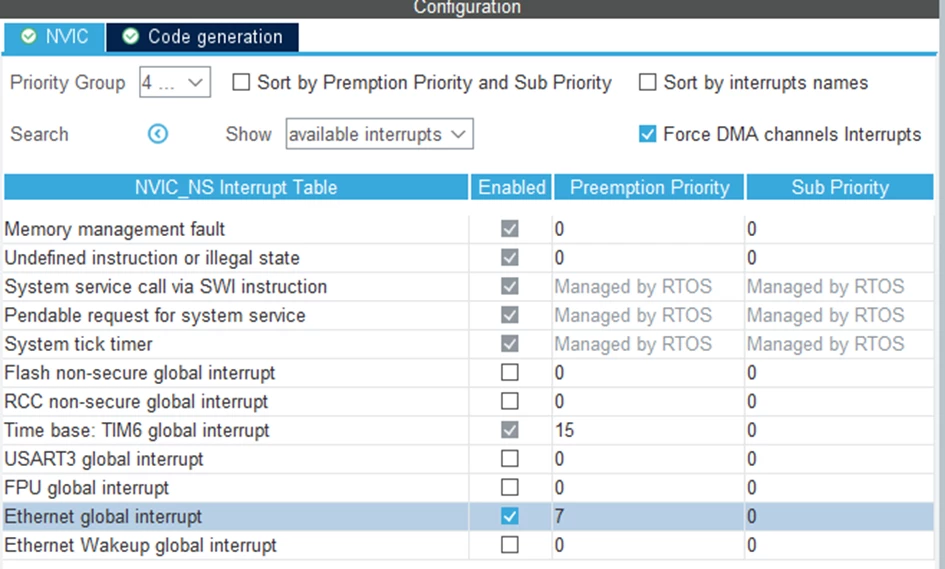
Next we need to modify the NVIC_INIT_ITNS3_VAL definition in /Core/Inc/partition_stm32h563xx.h file in the secure project to enable the ETH_IT. Usually, this step should be autogenerated and will be fixed in the upcoming updated version.
#define NVIC_INIT_ITNS3_VAL 0x00000400
Now that the pool and descriptors are placed in the desired addresses in SRAM3, we can proceed with the application-level source code.
9. Main application-level code
First and foremost, we overload the "putchar" function allowing us to print debug messages with our USART virtual com port using "printf" as shown below.
/* USER CODE BEGIN 0 */


int __io_putchar(int ch)
{
 /* Place your implementation of fputc here */
 /* e.g. write a character to the USART3 and Loop until the end of transmission */
 HAL_UART_Transmit(&huart3, (uint8_t *)&ch, 1, 0xFFFF);

 return ch;
}

/* USER CODE END 0 */
We can add the code that creates the UDP socket and receives messages. Since NetXDuo is outlined to work with ThreadX, the generated code has set up a framework to create an entry task for your NetXDuo application. In "main.c,"CubeMX has as of now generated code that calls a function to initialize ThreadX and NetXDuo. On-execution, the program executes the MX_NetXDuo_Init function in the "app_netxduo.c" file. This function initializes the IPv4 settings and creates the entry thread for the NetXDuo application. This file,`app_netxduo.c`, is where we add the main application code.
First, we need to include "main.h" to use printf as shown below. Do not forget to include the "stdio.h" library in the "main.h" of the nonsecure project.
/* USER CODE BEGIN Includes */
#include "main.h"
/* USER CODE END Includes */
Next, we define a helper macro function that allows us to print out our IPv4 address on the UART virtual COM port:
/* USER CODE BEGIN PD */

#define PRINT_IP_ADDRESS(addr) do { \
 printf("STM32 %s: %lu.%lu.%lu.%lu \n", #addr, \
 (addr >> 24) & 0xff, \
 (addr >> 16) & 0xff, \
 (addr >> & 0xff, \
 (addr & 0xff)); \
 } while(0)

/* USER CODE END PD */
We need to declare some global variables for later use with the IP address initialization. Then we need to import our UART handle from `main.c` in the nonsecure project so we can print UDP packets on the virtual COM port:
/* USER CODE BEGIN PV */
NX_UDP_SOCKET UDPSocket;
ULONG IpAddress;
ULONG NetMask;
extern UART_HandleTypeDef huart3;
/* USER CODE END PV */
Lastly, we can add the main application code within the nx_app_thread_entry(ULONG thread_input) function that does the following tasks:
- Print out the IPv4 address
- Create a UDP socket
- Bind the socket to port 6000
- Actively listen for incoming messages and print them on the UART virtual COM port
static VOID nx_app_thread_entry (ULONG thread_input)
{
	 /* USER CODE BEGIN Nx_App_Thread_Entry 0 */
	 UINT ret;
	 ULONG bytes_read;
	 UCHAR data_buffer[512];
	 NX_PACKET *data_packet;
	 /*
	 * Print IPv4
	 */
	 ret = nx_ip_address_get(&NetXDuoEthIpInstance, &IpAddress, &NetMask);
	 if (ret != TX_SUCCESS)
	 {
	 Error_Handler();
	 }
	 else
	 {
	 PRINT_IP_ADDRESS(IpAddress);
	 }

	 /*
	 * Create a UDP Socket and bind to it
	 */

	 ret = nx_udp_socket_create(&NetXDuoEthIpInstance, &UDPSocket, "UDP Server Socket", NX_IP_NORMAL, NX_FRAGMENT_OKAY, NX_IP_TIME_TO_LIVE, 512);
	 if (ret != NX_SUCCESS)
	 {
	 Error_Handler();
	 }

	 /* Bind to port 6000 */
	 ret = nx_udp_socket_bind(&UDPSocket, 6000, TX_WAIT_FOREVER);
	 if (ret != NX_SUCCESS)
	 {
	 Error_Handler();
	 }
	 else
	 {
	 printf("UDP Server listening on PORT 6000.. \r\n");
	 }

	 /*
	 * Main Task Loop
	 * Waits 1 second (100 centiseconds) for each UDP packet. If received, print out message
	 */
	 while (1)
	 {
	 TX_MEMSET(data_buffer, '\0', sizeof(data_buffer));

	 /* wait for data for 1 sec */
	 ret = nx_udp_socket_receive(&UDPSocket, &data_packet, 100);

	 if (ret == NX_SUCCESS)
	 {
	 nx_packet_data_retrieve(data_packet, data_buffer, &bytes_read);

	 /* Print our received data on UART com port*/
	 HAL_UART_Transmit(&huart3, (uint8_t *)data_buffer, bytes_read, 0xFFFF);
	 printf("\r\n"); // new line to make print out more readable
	 }

	 }
	 /* USER CODE END Nx_App_Thread_Entry 0 */
}
At this point, the project is ready for execution. But before doing so, we need to set up the board by configuring the necessary option bytes in STM32CubeProgrammer:
10. STM32CubeProgrammer configuration
In this section, we describe the option bytes configurations needed for this application.
User option bytes requirement (with STM32CubeProgrammer tool)
- TZEN = B4 System with TrustZone-M enabled
- SECWM1_STRT=0x0 SECWM1_END=0x7F All 128 sectors of internal flash Bank1 set as secure
- SECWM2_STRT=0x1 SECWM2_END=0x0 No sector of internal Flash Bank2 set as secure, hence Bank2 nonsecure
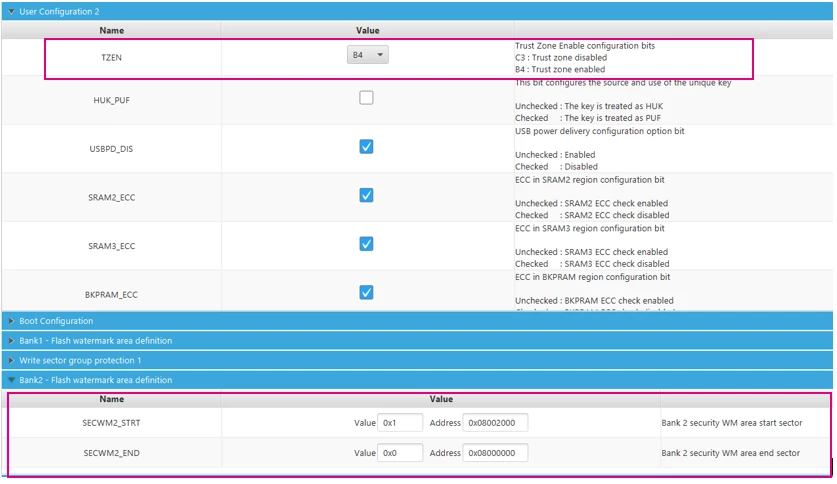 option byte config in CubeProgrammer
11. Setting-up debug configuration
To debug the example, you need to do the following:
1. Select and build the xxxxx_NS project, thus triggering automatic build of xxxxx_S project
2. Select the xxxxx_S project and select “Debug configuration”
3. Double-click on “STM32 Cortex-M C/C++ Application”
4. Select “Startup” > “Add” >
5. Select the xxxxx_NS project
6. Build configuration: Select Release/Debug
7. Click debug to debug the example
12. Testing the application
With the board plugged in, open a serial communication terminal with putty:
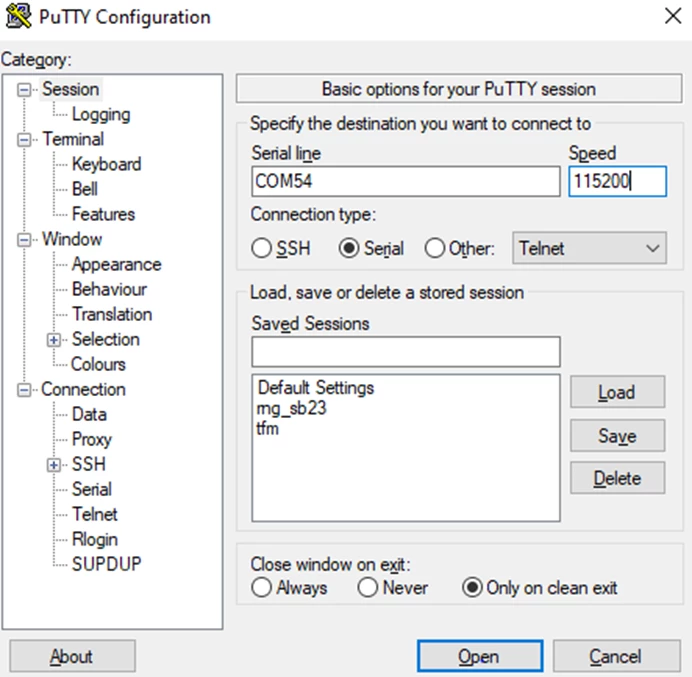 putty configuration
For testing, we can use the packet sender tool with or echotool, which can be found on GitHub:
https://packetsender.com/
Release EchoTool · PavelBansky/EchoTool (github.com).
Both tools support sending UDP messages as well as other protocols.
Before we can send any packets to the device, we need to connect the H563 board to a router or the pc and assign the correct IP address. It is also important that the addresses you have assigned to the H563 in the software align with the subnet of your router. You may need to open your router settings in a web browser for this information.
With the board hooked up to the router, plugged into a PC via USB, and PuTTY configured, if you reset the board, you should see the IPv4 address, and UDP port printed on the console:
 Putty log
In the packet sender we can configure the UDP packet to customize these parameters, send the packets over the network, and see the messages print out on the terminal: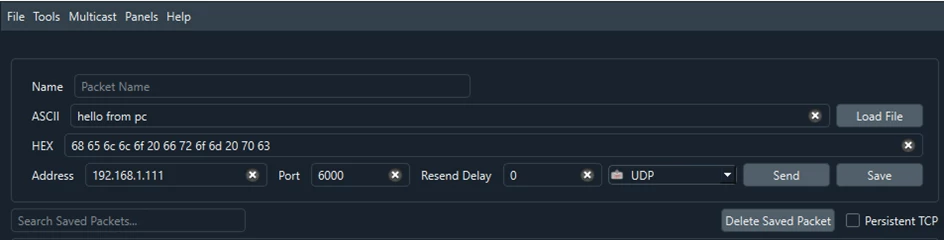 Echotool configuration

13. Related links
RM0481: STM32H563/H573 and STM32H562 Arm®-based 32-bit MCUs
AN5347: Arm® TrustZone® features for STM32L5 and STM32U5 Series
