

Associate II
May 27, 2024
Question

X-CUBE-NFC3 not installing through STM32CubeMX

  • May 27, 2024
  • 4 replies
  • 2651 views

When trying to install X-CUBE-NFC3 from https://www.st.com/en/embedded-software/x-cube-nfc3.html through  STM32CubeMX I get the following error message: 
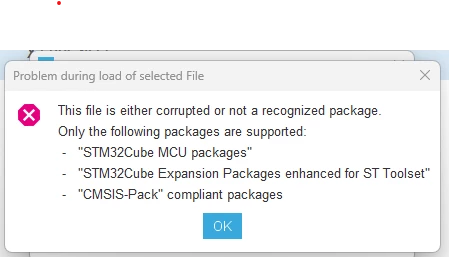
image.png

There most likely are files missing from the X-CUBE-NFC3 zip provided: 

Geminus_Leonem_0-1716830066727.png


Any help on the matter would be appreciated.


This topic has been closed for replies.

4 replies

STTwo-32
ST Technical Moderator
May 28, 2024

Hello @Geminus_Leonem and welcome to the ST Community :smiling_face_with_smiling_eyes:.

Some CUBE packages were made available before the introduction of the free GUI STM32CubeIDE and could not be installed in STM32CubeMX at that time. However, it was already quite easy to integrate the file structure of the CUBE package into one's own project. You could refer to this FAQ on How to add external libraries in STM32CubeIDE - STMicroelectronics Community.

Best Regards.

STTwo-32


To give better visibility on the answered topics, please click on Accept as Solution on the reply which solved your issue or answered your question.
Associate II
May 29, 2024

Thanks for the reply.

Unfortunately, the linked FAQ does not help with the issue at hand as it doesn't explain how to implement the Middleware files through the IDE.

Any help to someone new to ST regarding this issue would be greatly appreciated.

Visitor II
September 30, 2024

I also have this problem so an appropriate response would be appreciated if anyone has solved the problem!