markpow
Senior
January 20, 2023
Solved

Make bootload on WIO-5 mini (STM32WLE5JC) [SOLVED]

  • January 20, 2023
  • 10 replies
  • 4096 views

I have a WIO-5 mini from Seeed. I bought STM-LINK V2 to program it. But I can't attach it to STM32 Cube Programmer; I read this page Wio-E5 mini - Seeed Wiki (seeedstudio.com), but I found it completely unusable. I tried to connect STM8 wires to that chip, but the cables on the photo are entirely different from those in my ST-LINK device. They have different colors, and the authors of this page don't explain which pin should be attached to WIO-5 pins. I tried to do it in many ways, but STM32 Cube Programmer doesn't;t react to Connect button (without success or fail message)

So I have a question, how to program a WIO-5 device using ST-LINK?
This topic has been closed for replies.
Best answer by markpow

What a stupid thing!

The command line shows that this board requires a software reset. I changed the reset mode to the hardware reset and shared it to enable, pressed, and hold the button Reset on the board, and I clicked on the Connect button in the STM32Cube Programmer IDE and...

0693W00000Y8qeeQAB.pngEvery source on the Internet mentions that the reset button should be held until clicking on the Connect button. So I click on the reset button and release it, and next click on the Connect button, and viola...

0693W00000Y8qeoQAB.pngI think a little bit closer to my target now.

10 replies

Tesla DeLorean
Guru
January 20, 2023

Use the 20-pin Header of the ST-LINK/V2

Get some dupont wires of your own

You want the SWDIO, SWCLK and GROUND at a minimum, on the official ST-LINK/V2 you need to power the buffers, so VCC also. You could also connect NRST

0693W00000Y8nlwQAB.pngPin 1 VCC

Pin 7 SWDIO

Pin 9 SWCLK

Pin 15 NRST

Pin 20 GROUND

0693W00000Y8nn4QAB.png

Tips, Buy me a coffee, or three.. PayPal Venmo (See Profile) Up vote any posts that you find helpful, it shows what's working..
markpow
markpowAuthor
Senior
January 20, 2023

I attached wires as you mentioned.

0693W00000Y8nyHQAR.jpgI pressed on Rest button on the WIO-5 Mini. Having this button pressed, I clicked on Connect button (having ST-LINK selected from the list).

0693W00000Y8nz0QAB.jpgNothing changed. I ST-LNIK didn't recognize WIO-5. What am I missing?

Tesla DeLorean
Guru
January 20, 2023

The serial number suggests it is a bootleg ST-LINK/V2

The power should only be 3.0 to 3.3V, yours looks to be reporting pushing 5V

Sorry, can't see the WIO-5 side connectivity, not in focus.

Choose Hardware Reset, and connect under reset..

Tips, Buy me a coffee, or three.. PayPal Venmo (See Profile) Up vote any posts that you find helpful, it shows what's working..
markpow
markpowAuthor
Senior
January 21, 2023

@Community member​ 

So I will show you a little bit closer.

First view of ST-LINK connections

0693W00000Y8p33QAB.jpgAs you can see:

  1. red -VCC
  2. blue - SWDIO
  3. yellow -SWCLK
  4. white -NRST
  5. gray - GND.

Next view of connections to WIO-5 Mini board:

0693W00000Y8p3SQAR.png 

  1. red - 3.3V
  2. blue - DIO
  3. yellow - CLK
  4. white - RST
  5. grey - GND.

Having these connections, I press the Reset button on the WIO-5 mini board and hold it. Next, I click on the button Connect on the STM32 Cube Programmer window. It still doesn't recognize my WIO-5 Mini board.

Maybe these pieces of information will be helpful. WIO-5 mini is a brand new one. It was never programmed using STM-LINK or any other bootloader tool.

I expected it to be elementary, as for programming with Arduino IDE. But still have strange problems with the WIO-5 MIni board and ST-LINK.

PS. I can send AT commands to this board using Termite, in my case. It responds properly. So it works and is alive.

markpow
markpowAuthor
Senior
January 21, 2023

Maybe it will be helpful. I read the documentation of STM-LINK and found that I can check if my installation is proper. I run such a command:

STM32_Programmer_CLI -l usb

I got an unexpected result:

0693W00000Y8pGCQAZ.jpgBut I see ST-LINK in the device manager

0693W00000Y8pGHQAZ.jpgI see it under the option Universal Serial Bus Devices and DM says that it works properly.

markpow
markpowAuthor
Senior
January 21, 2023

I checked Windows Update and USB 3.0 drivers. They are up to date.

What is wrong?

Pavel A.
January 22, 2023

STM32_Programmer_CLI.exe -c port=swd

markpow
markpowAuthor
Senior
January 22, 2023

Something is wrong. ST-LINK doesn't see the WIO-5 mini-board.

0693W00000Y8qLhQAJ.pngI link the WIO-5 board to the STM32 by wires as is in the above pictures. I don't see any mistakes in the connections.

markpow
markpowAuthor
Senior
January 22, 2023

I applied a note from Drew from this thread How to fix STM32 Stuck with error ST-LINK error (DEV_TARGET_NOT_HALTED) - Electrical Engineering Stack Exchange and I got an answer:

0693W00000Y8qVSQAZ.pngAnd it is exactly my STM chip discovered.

But I still have this:

0693W00000Y8qW1QAJ.png 

markpow
markpowAuthor
Senior
January 22, 2023

After several tries (button Boot pressed or PB13 connected to GND, VSS, or VCC) my WIO-5 mini doesn't respond on AT commands. So I guess that it isn't already in AT mode but still isn't in DFU mode.

markpow
markpowAuthorBest answer
Senior
January 22, 2023

What a stupid thing!

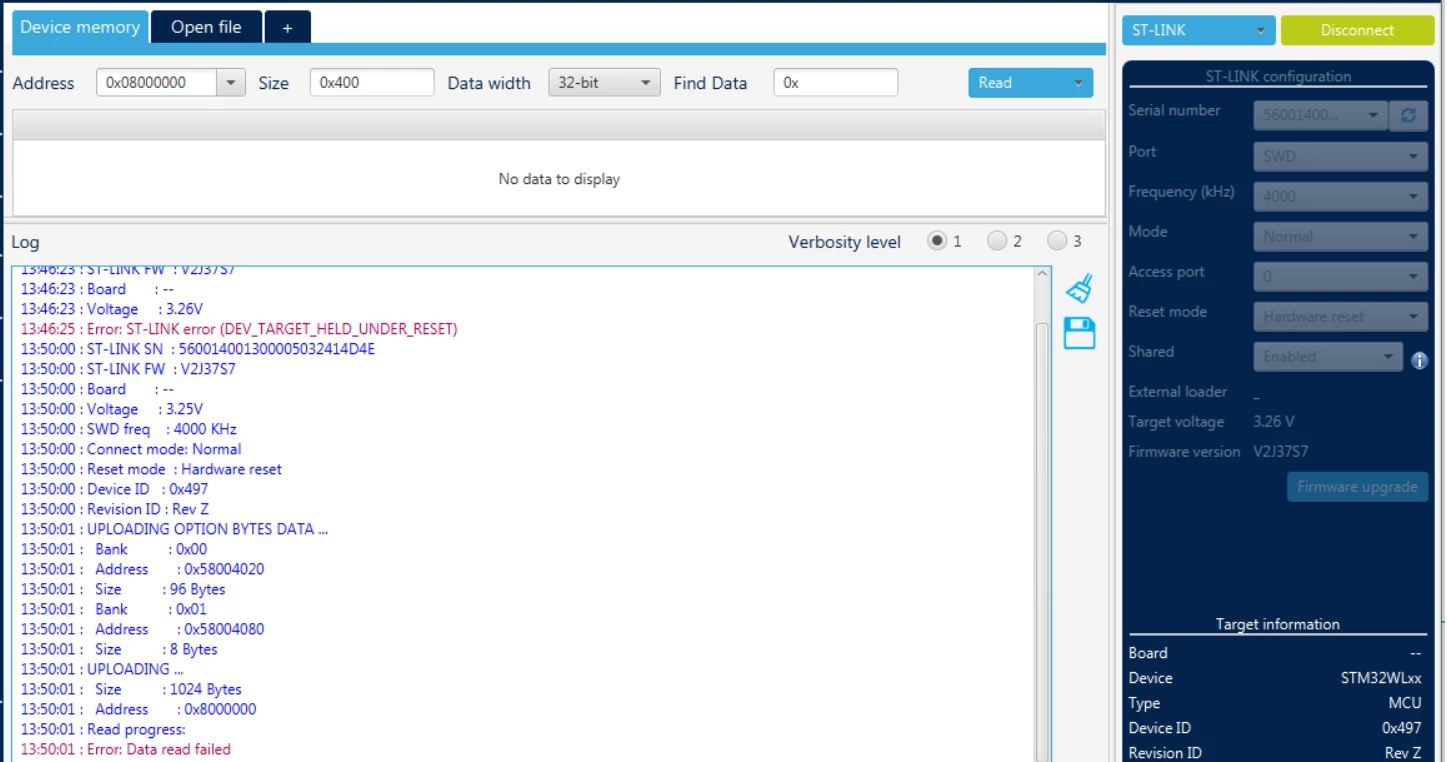
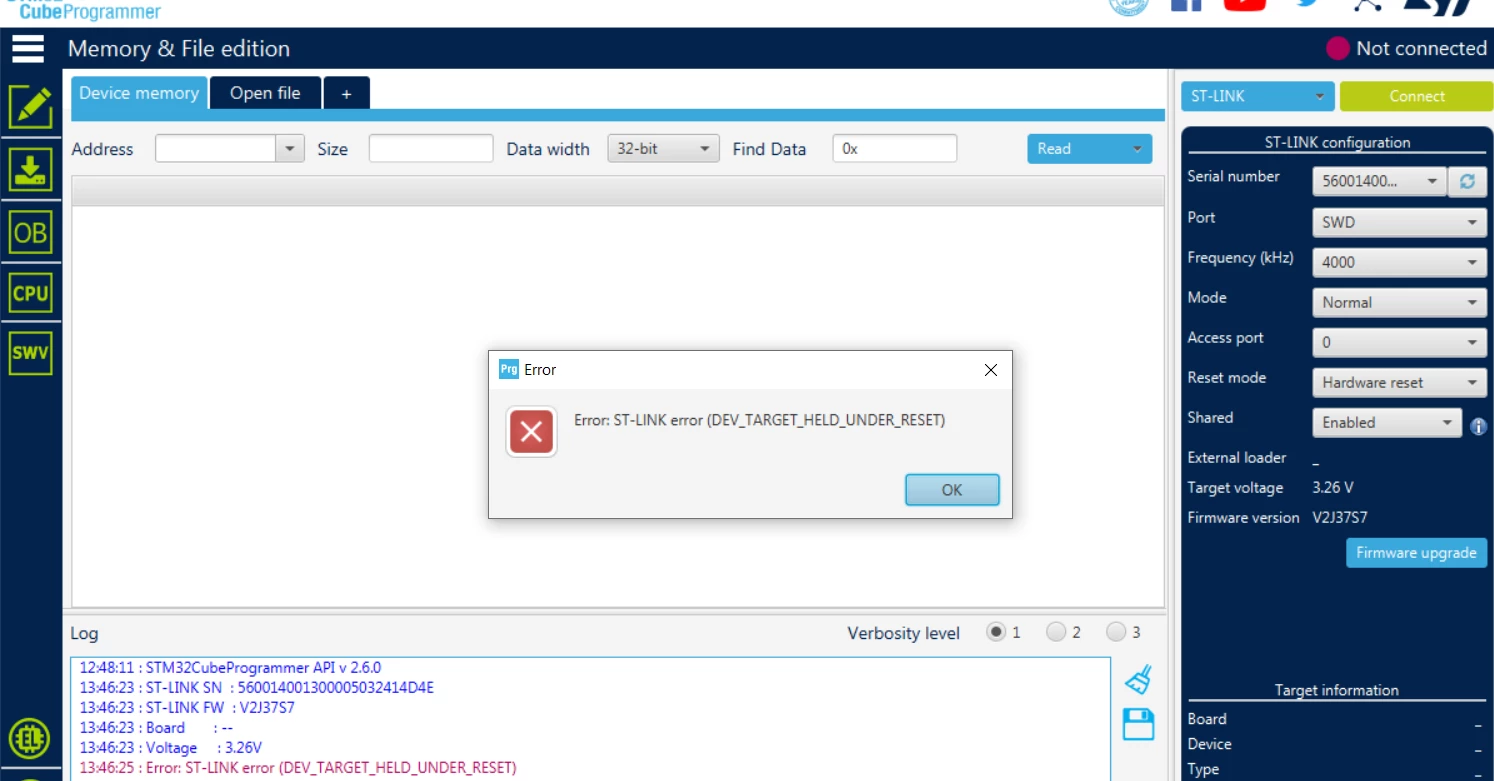
The command line shows that this board requires a software reset. I changed the reset mode to the hardware reset and shared it to enable, pressed, and hold the button Reset on the board, and I clicked on the Connect button in the STM32Cube Programmer IDE and...

0693W00000Y8qeeQAB.pngEvery source on the Internet mentions that the reset button should be held until clicking on the Connect button. So I click on the reset button and release it, and next click on the Connect button, and viola...

0693W00000Y8qeoQAB.pngI think a little bit closer to my target now.

markpow
markpowAuthor
Senior
January 22, 2023

It's the final cut and the end of the story (but I have to change Read Protection Level to AA - no protection):

0693W00000Y8qiMQAR.pngMy WIO-5 board is ready for programming now (I hope :) )

PS. It's the worst thing we - all developers - do during the overall software build process, from the backlog to the move of product to the market: DOCUMENTATION! Poorly written, unclear, and outdated.