


Error when I try to program my custom board
Hello,
I made my custom board with a STM32WLE5CC micro and I am trying to program it using the SW interface. I have a ST-LINK/V2 where I connect the SWDIO, SWCLK, TRACE_SWO, NRST, VCC and GND pins from my board.
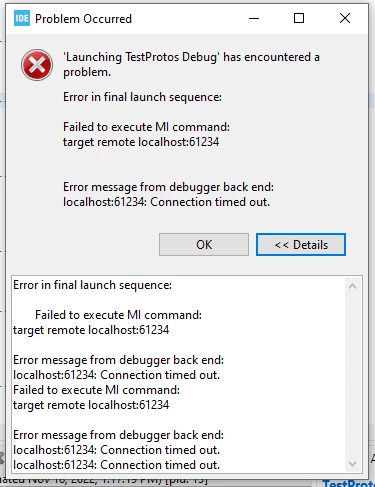
When I try to program it using STM32CubeIDE, an error jumps when the programing is at 92% (almost completed) . This is the error:
 When I try to connect to the device using STM32CubeProgrammer two things happen. First thing is what we can see in the following picture:
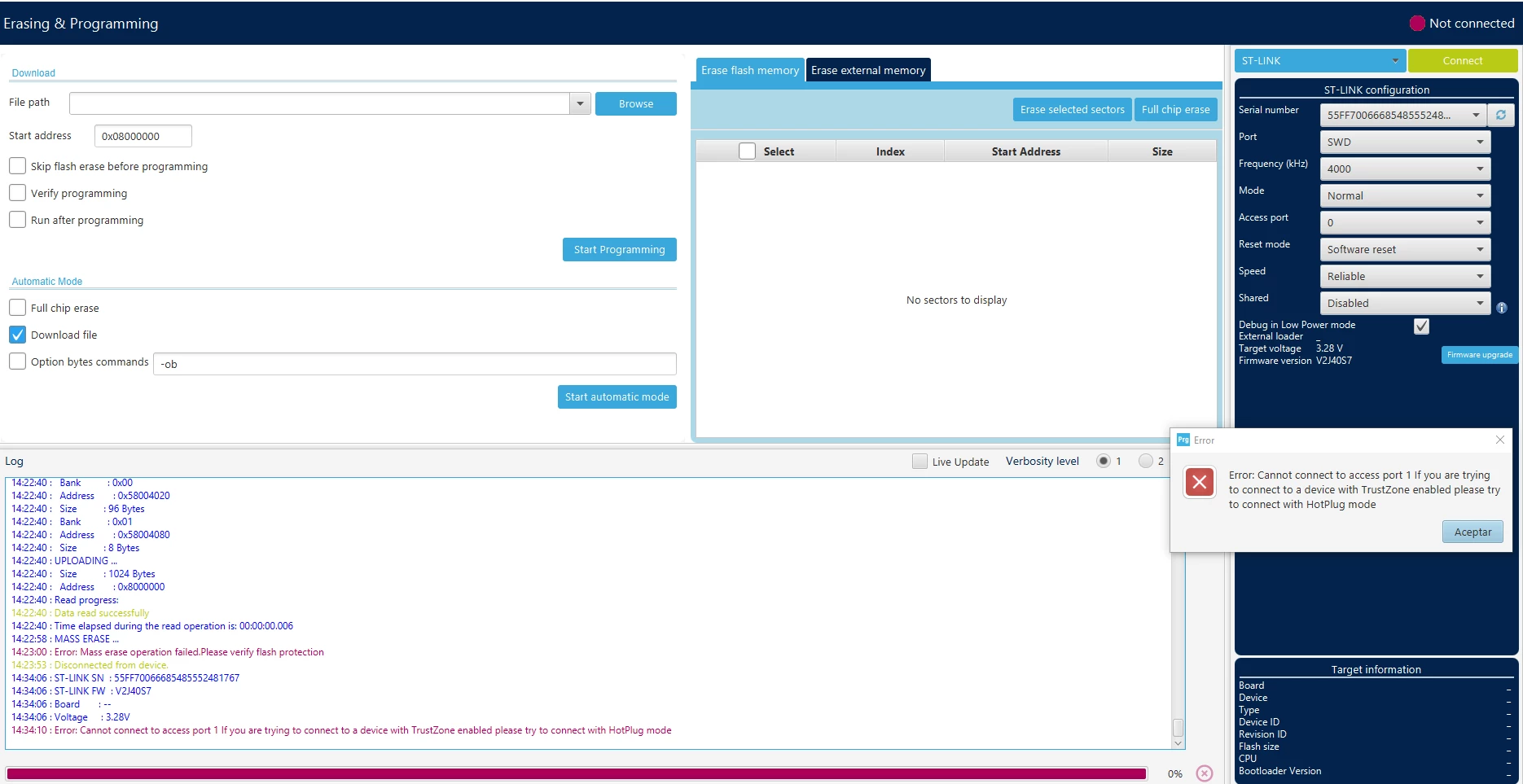 When I try to connect in Normal mode an error jumps saying: "Cannot connect to access port. If you are trying to connect to a device with TrustZone enabled please try to connect with HotPlug mode" (which is weird because I never programmed this chip before, never touched the TrustZone)
So, then I try to connect in HotPlug mode and works:
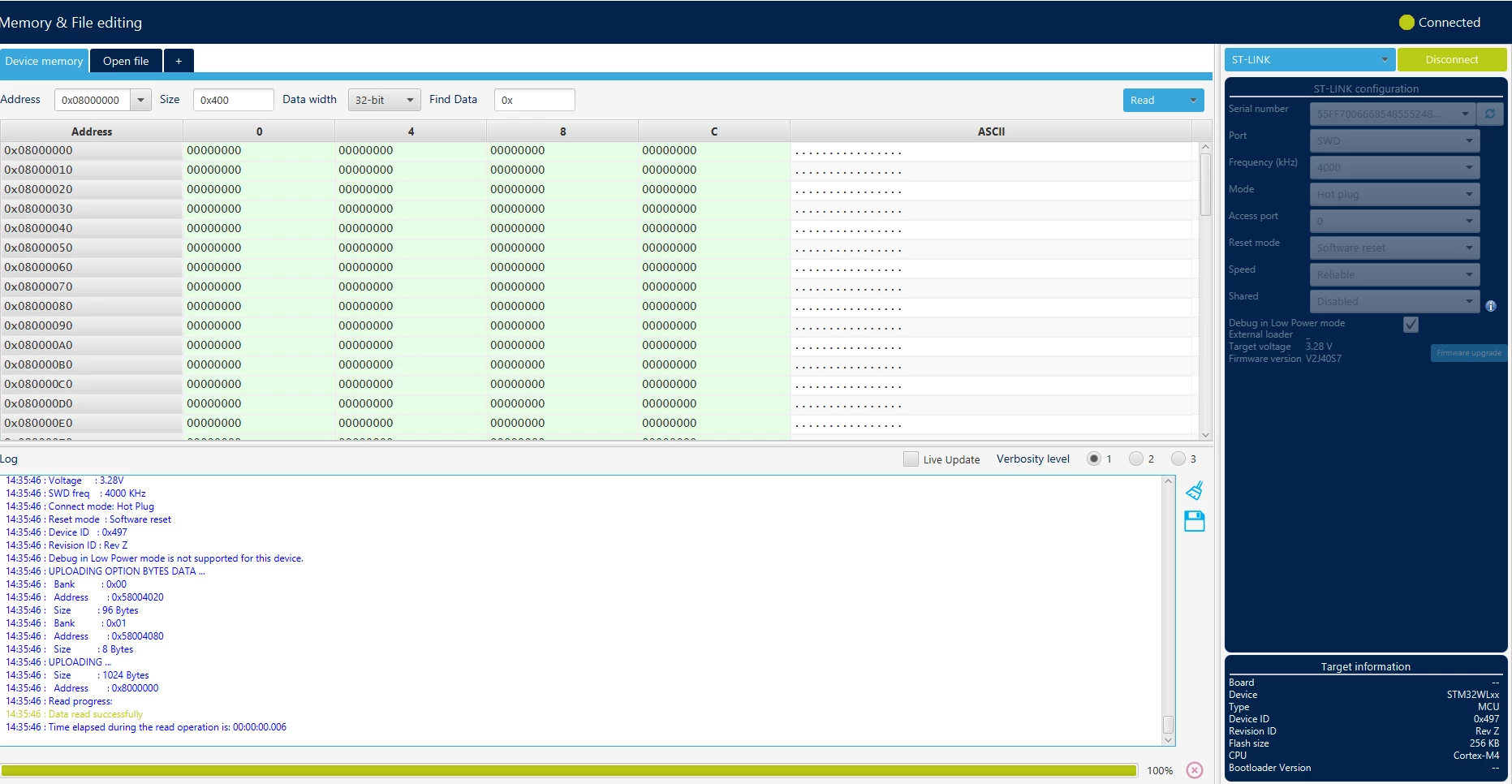
However I still cannot debug my program trough STMCubeIDE because the first error persists. Besides, I guess that I should be able to connect using the normal mode.
Any help is appreciated, I am a bit lost here.
Thanks,
Asier