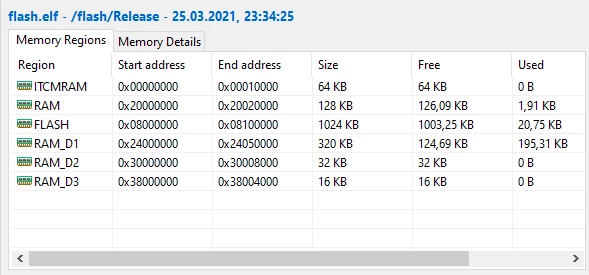
Solved
How to use RAM_D1 with CubeMX and STM32CubeIDE?
I've implemented a hello world project, by just using the default settings with CubeMX for the NUCLEO-H723ZG board, then disabling ethernet and USB-to-go, and then adding a yellow LED blink code. Full project and generated code, for STM32CubeIDE:
http://www.frank-buss.de/tmp/cubemx-test.zip
I then created an array:
uint8_t buffer[100000];I can see in the "Build Analyzer" at bottom right that I still have 320 kB RAM_D1:
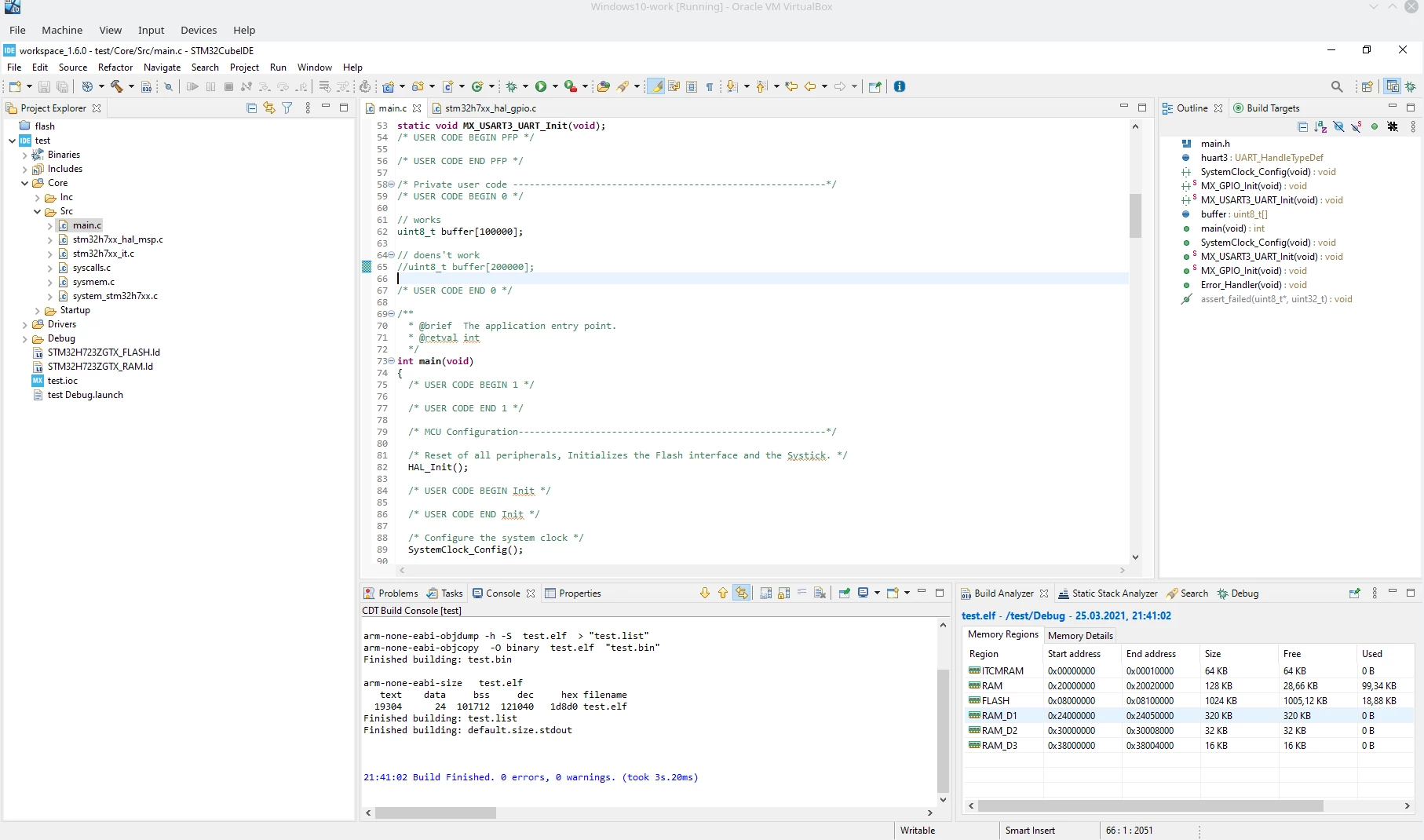 But when I increase the buffer like this:
uint8_t buffer[200000];Then I get this compile error:
c:\st\stm32cubeide_1.6.0\stm32cubeide\plugins\com.st.stm32cube.ide.mcu.externaltools.gnu-tools-for-stm32.9-2020-q2-update.win32_1.5.0.202011040924\tools\arm-none-eabi\bin\ld.exe: test.elf section `.bss' will not fit in region `RAM'
c:\st\stm32cubeide_1.6.0\stm32cubeide\plugins\com.st.stm32cube.ide.mcu.externaltools.gnu-tools-for-stm32.9-2020-q2-update.win32_1.5.0.202011040924\tools\arm-none-eabi\bin\ld.exe: region `RAM' overflowed by 70656 bytes
So how can I use the free RAM_D1. I've read about creating linker files etc., but would be nice if I could just configure all this stuff with some mouse clicks in CubeMX. And wouldn't CubeMX overwrite a changed linker file anyway?