

Yji.2
Visitor II
November 25, 2020
Question

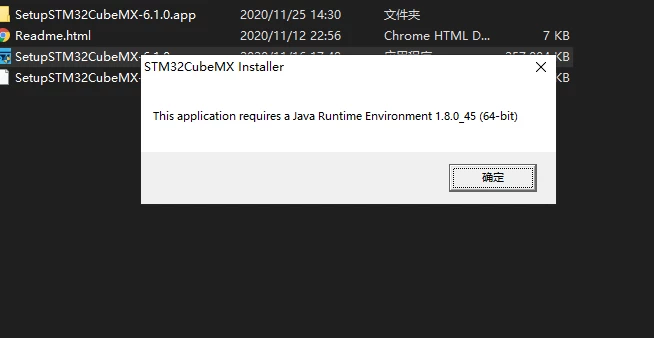
Install stm32cubemx and display the message "STM32CubeMX Installer" This application requires a Java Runtime Environment 1.8.0_45 (64-bit)' "Why did the installation fail?
  • November 25, 2020
  • 1 reply
  • 1295 views

0693W000005CYaqQAG.pngInstall stm32cubemx and display the message "STM32CubeMX Installer"

This application requires a Java Runtime Environment 1.8.0_45 (64-bit)' "Why did the installation fail?

This topic has been closed for replies.

1 reply

Peter BENSCH
ST Technical Moderator
November 25, 2020

Open a command window (e.g. Start > cmd) and enter java -version

Do you get any information, what is currently installed?

/Peter

In order to give better visibility on the answered topics, please click on Accept as Solution on the reply which solved your issue or answered your question.