alivexiaoluo
Associate III
February 25, 2020
Solved

How to download and debug the stm32h750dk online application(out of box source code) with QSPI flash on IAR?

  • February 25, 2020
  • 3 replies
  • 5391 views

Hi,I am a new developer of stm32h750dk and not familiar with IAR.

OS:Windows 10

IDE:IAR 8.42.2

Tools:ST-link V3 on stm32h750dk board.

I generate stm32h750dk online application on touchGFX designer 4.12.3.

​I know the flash on chip is designed for bootloader, and the code stored in QSPI Flash.

I know how to download the online application hex file to stm32h750dk on stm32Cube Programmer.

I do not know how to download and debug the source code to the QSPI Flash via IAR.

I want to know if any instructions for download and debug the source code in QSPI Flash via IAR.

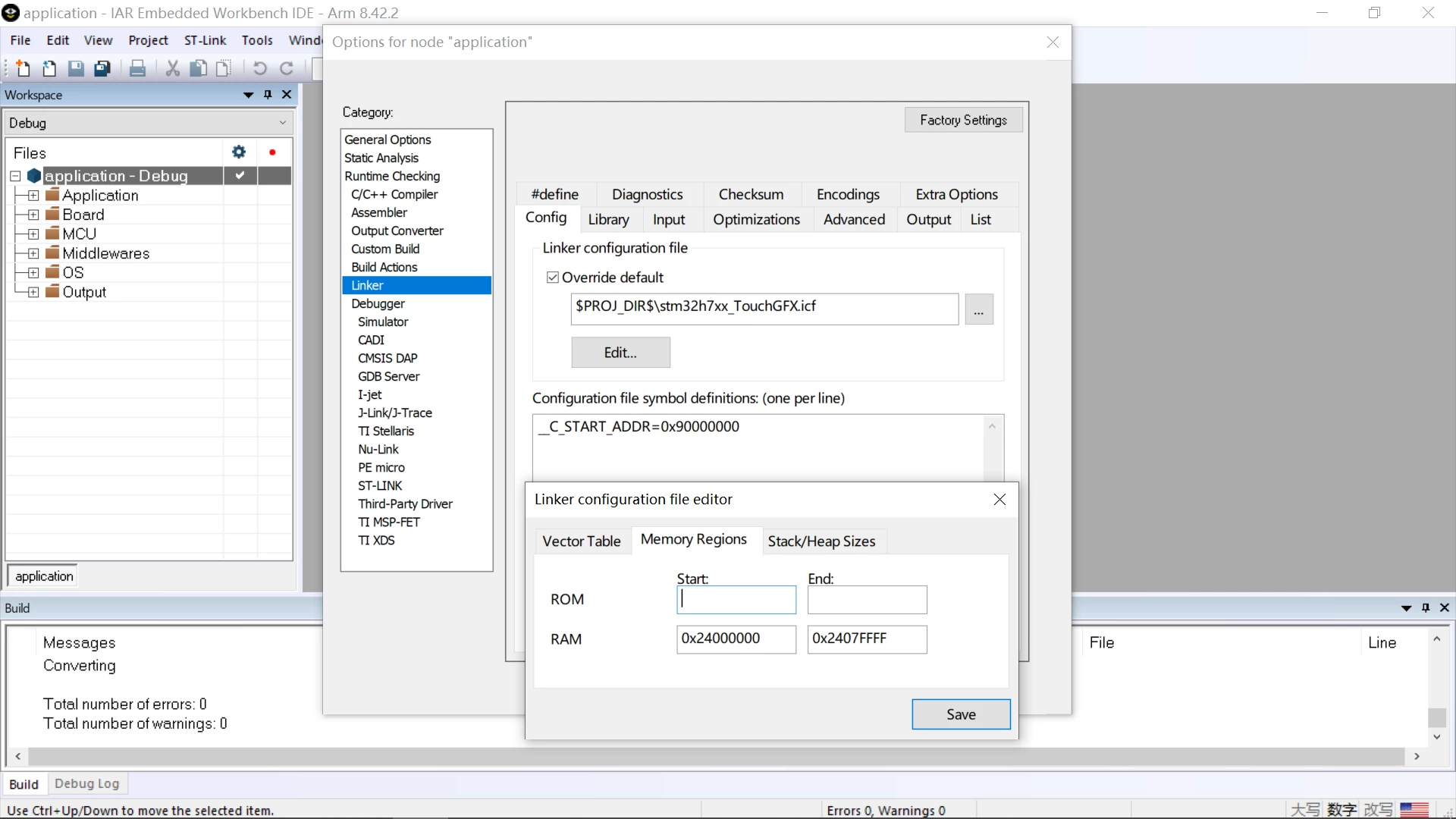
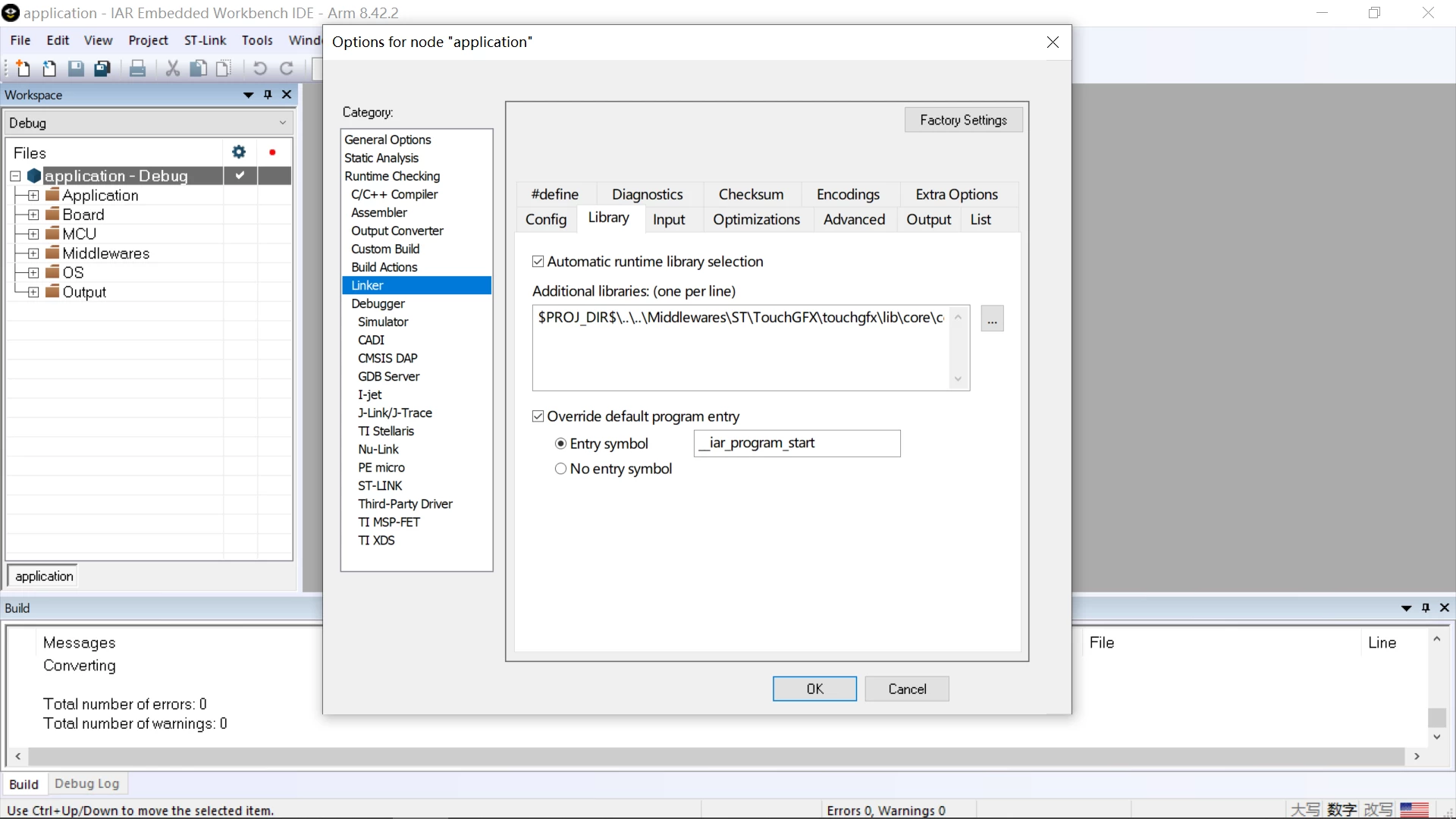
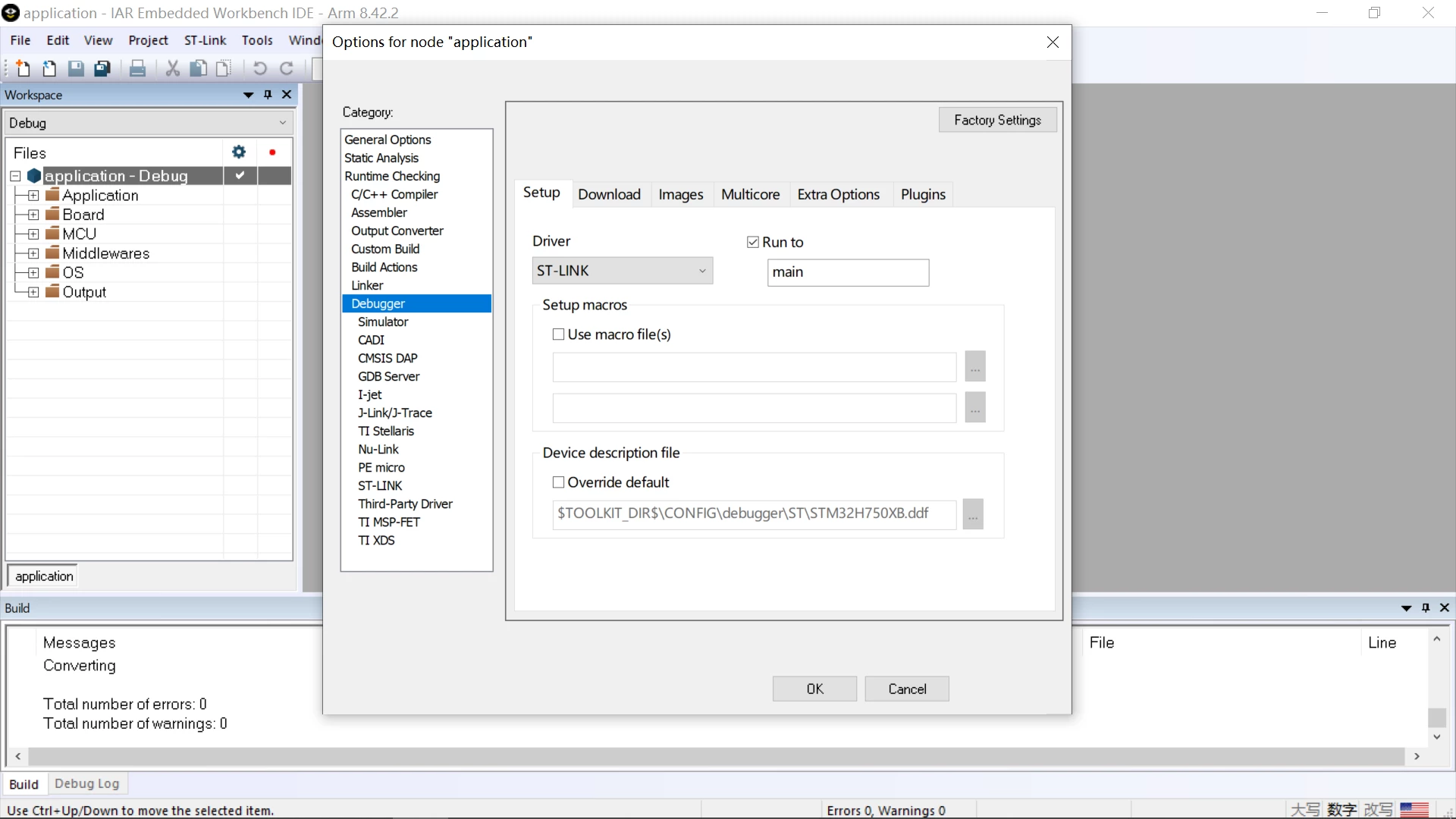
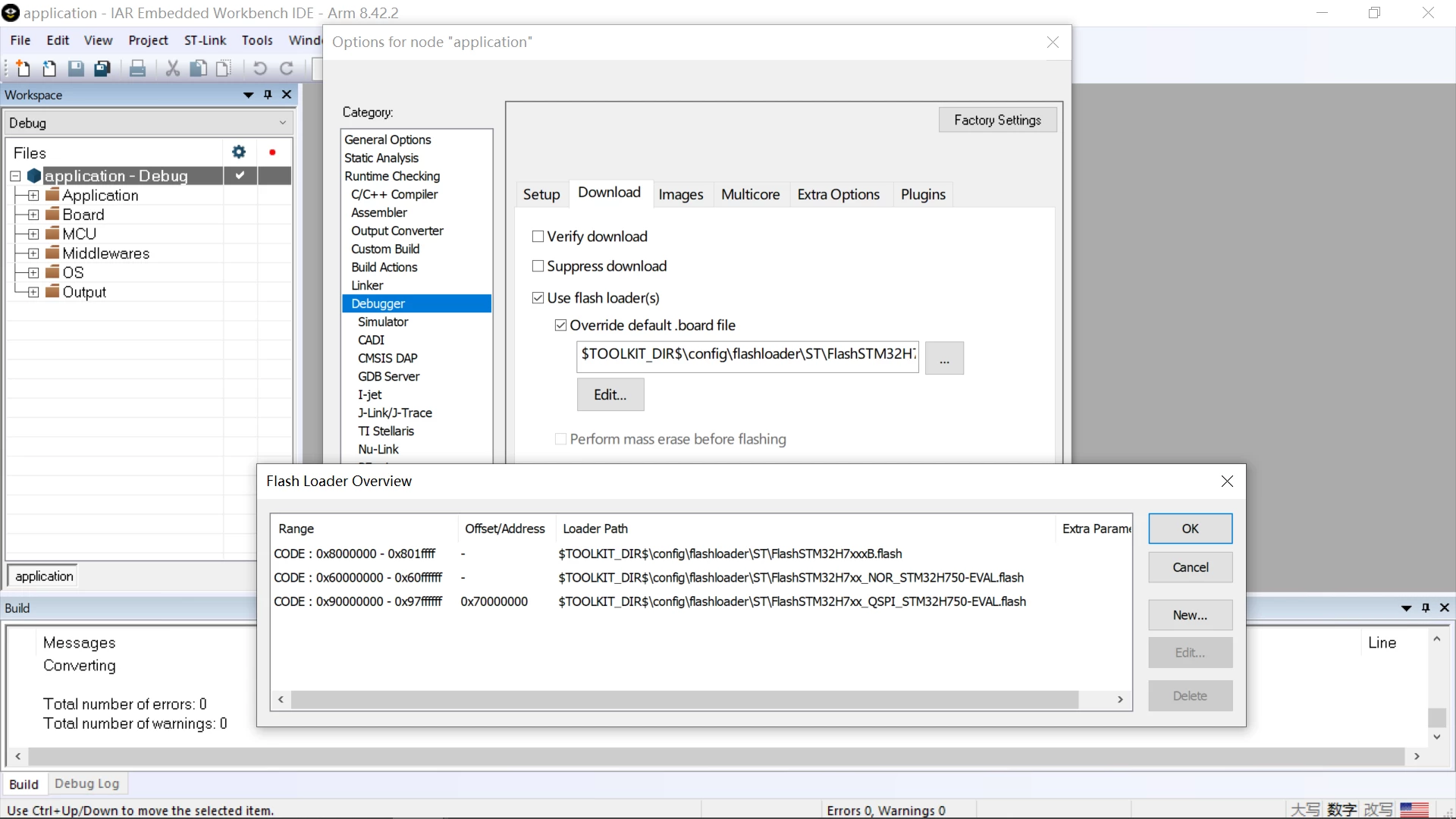
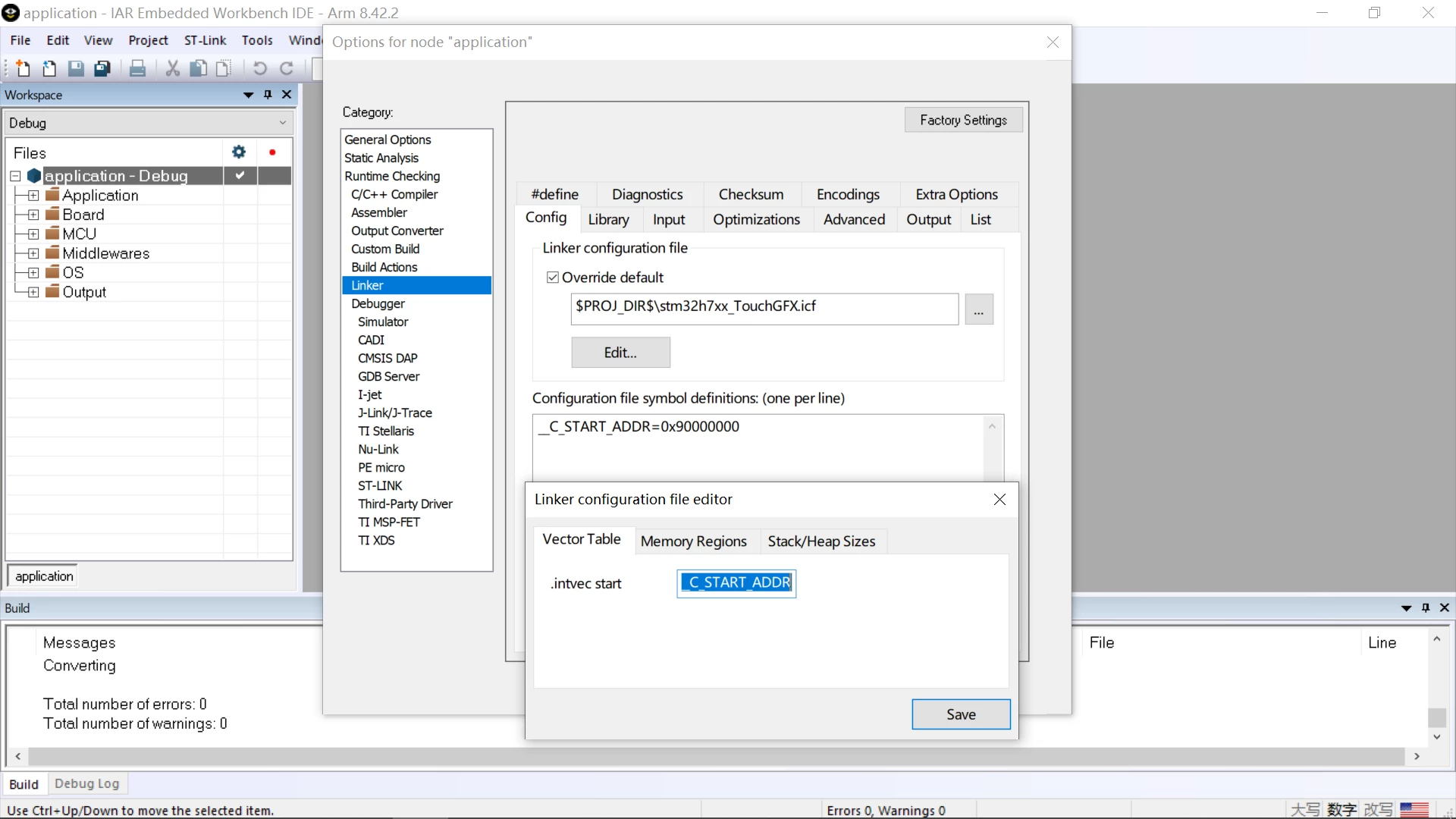
The settings of the IAR below.
0690X00000DXG5AQAX.png

0690X00000DXG5KQAX.png

0690X00000DXG5PQAX.png

0690X00000DXG5jQAH.png

0690X00000DXG6NQAX.png

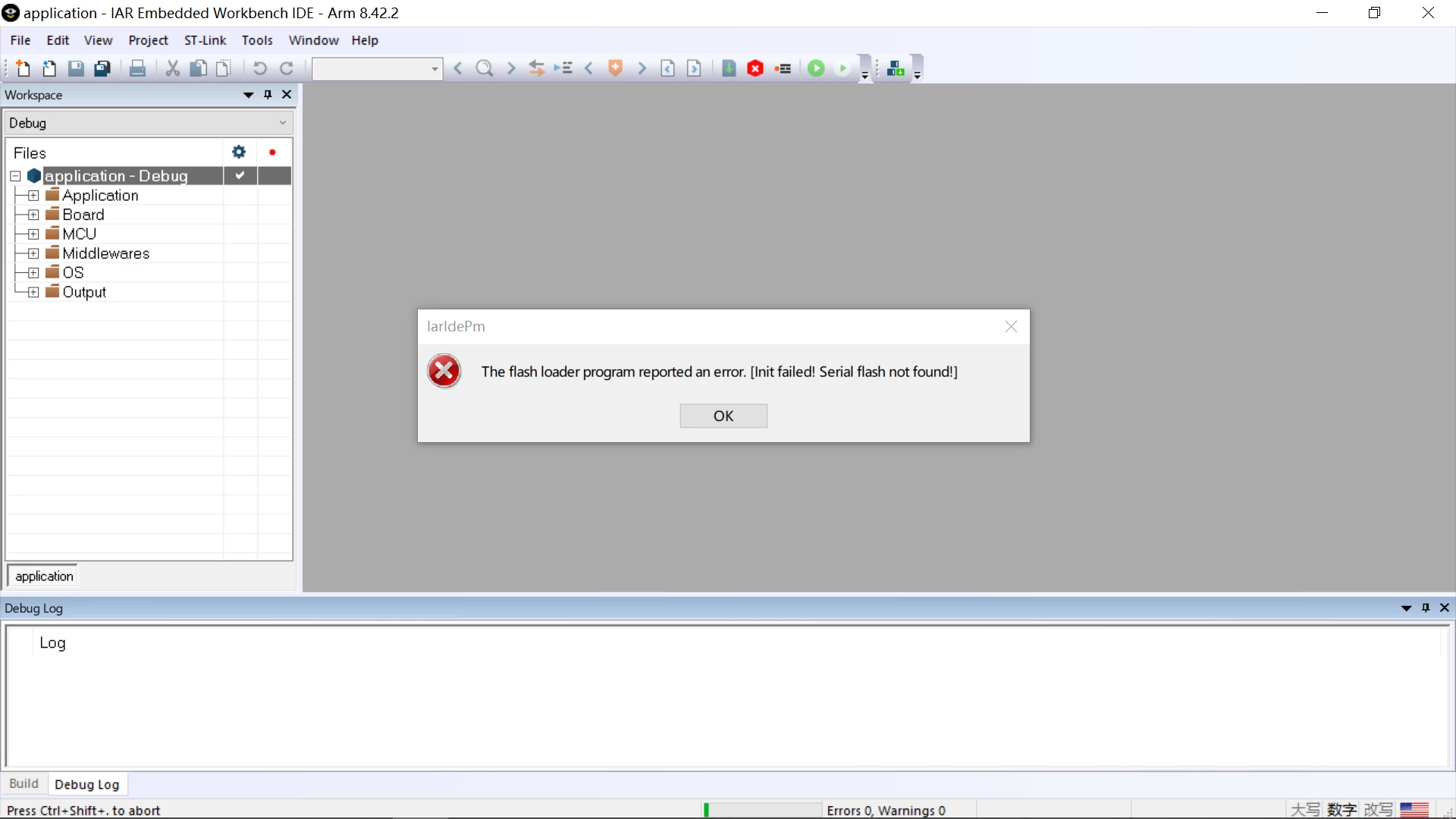
It compiles ok, but download failed, it show me that.
0690X00000DXG6cQAH.png

Thanks for your attention.

This topic has been closed for replies.
Best answer by Alexandre RENOUX

Hi,

The way to debug using IAR is to build your project on IAR, then using STM32CubeProgrammer download the generated .hex into your board making sure you selected the right external loader.

When the download is successful, disconnect your board from STM32CubeProgrammer and try to run debug mode on IAR.

IAR usually can only download code and data into the internal memories (from what I experienced). Therefore, if you use external Flash for example and you have assets that are supposed to be stored in an address space linked to the external flash accessed via QuadSPI, IAR will not be able to download these assets into the board. That is why we use STM32CubeProgrammer because this software can program both internal and external memories.

Hope it will help somehow,

/Alexandre

3 replies

Tesla DeLorean
Guru
February 25, 2020

Not an IAR user, but check if there is a DISCO rather than EVAL external flash loader algorithm. The boards are usually wired differently.​

Tips, Buy me a coffee, or three.. PayPal Venmo (See Profile) Up vote any posts that you find helpful, it shows what's working..
alivexiaoluo
Associate III
February 25, 2020

There is no DISCO in flashloader folder,thanks for your attention.

Tesla DeLorean
Guru
February 25, 2020

Like this one?

STM32Cube_FW_H7_V1.5.0\Utilities\PC_Software\IDEs_Patches\EWARM\arm\config\flashloader\ST\FlashSTM32H750B_QSPI-DISCO.flash

STM32Cube_FW_H7_V1.5.0\Utilities\PC_Software\IDEs_Patches\EWARM\arm\config\flashloader\ST\FlashSTM32H750B_QSPI-DISCO.out

Tips, Buy me a coffee, or three.. PayPal Venmo (See Profile) Up vote any posts that you find helpful, it shows what's working..
N. SANTINI
ST Employee
February 25, 2020

Hi,

Please be aware that some patches (board scripts) are needed to use properly IAR with the H7 family, could you please confirm that you installed the following :

STM32Cube\Repository\STM32Cube_FW_H7_V1.6.0\Utilities\PC_Software\IDEs_Patches\EWARM\EWARMv8_STM32H7xx_Support_V1.1.zip

Best regards,

alivexiaoluo
Associate III
February 25, 2020

Hi,Nicolas SANTINI

I installed the support package,but still can not download the source code to QSPI Flash.

Alexandre RENOUX is the right answer,I can download the compile file by stm32cube programmer and use the debug without downloading on IAR to debug the source code.

Thanks for your attention.​

Tesla DeLorean
Guru
February 25, 2020

>>I installed the support package, but still can not download the source code to QSPI Flash.

Unpack the patches, or look where you put them

...\EWARM\arm\config\flashloader\ST\FlashSTM32H750B_QSPI-DISCO.flash / .out

Object/executable code, not "source" code

Tips, Buy me a coffee, or three.. PayPal Venmo (See Profile) Up vote any posts that you find helpful, it shows what's working..
Alexandre RENOUX
Alexandre RENOUXBest answer
Visitor II
February 25, 2020

Hi,

The way to debug using IAR is to build your project on IAR, then using STM32CubeProgrammer download the generated .hex into your board making sure you selected the right external loader.

When the download is successful, disconnect your board from STM32CubeProgrammer and try to run debug mode on IAR.

IAR usually can only download code and data into the internal memories (from what I experienced). Therefore, if you use external Flash for example and you have assets that are supposed to be stored in an address space linked to the external flash accessed via QuadSPI, IAR will not be able to download these assets into the board. That is why we use STM32CubeProgrammer because this software can program both internal and external memories.

Hope it will help somehow,

/Alexandre

alivexiaoluo
Associate III
February 25, 2020

Hi,Alexandre RENOUX

I can download the compile file by stm32cube programmer and use the debug without downloading on IAR to debug the source code now.

I find an article that show me how to download and debug his project via IAR,but he didn't open his source code.I am tring to connect him.

Article link:https://blog.csdn.net/weixin_41608804/article/details/100728879

Thanks for your attention.