PTiha
Associate III
February 25, 2020
Question

SWV Exception Timeline Graph - How to use?

  • February 25, 2020
  • 6 replies
  • 3031 views

Hi!

I created a simple project in CubeIde to try out this function.

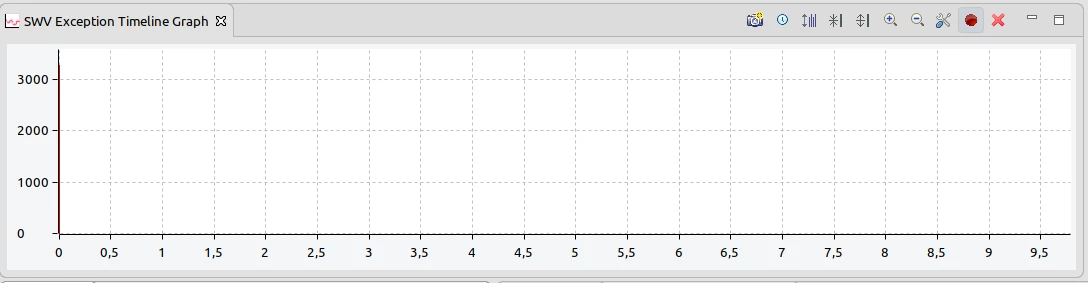
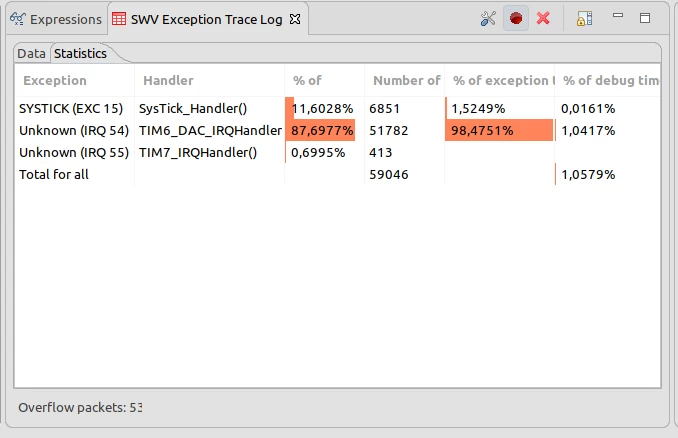
SWV Exception trace log works as it, but the timeline graph seems to me wrong.

Belong the debug session a moving vertical red line appears on the graph, and nothing else.

Could anyone help me?
0690X00000DXG7pQAH.png0690X00000DXG7fQAH.png0690X00000DXG7QQAX.png

This topic has been closed for replies.

6 replies

PTiha
PTihaAuthor
Associate III
February 28, 2020

Hello,

Nobody has any idea what is the problem?

In Atollic this function is worked.

PTiha
PTihaAuthor
Associate III
March 3, 2020

Hi!

Has anyone else had similar experience with this program feature?

PTiha
PTihaAuthor
Associate III
March 4, 2020

Hello,

Since I can't accept not being able to use this feature, I did some additional tests.

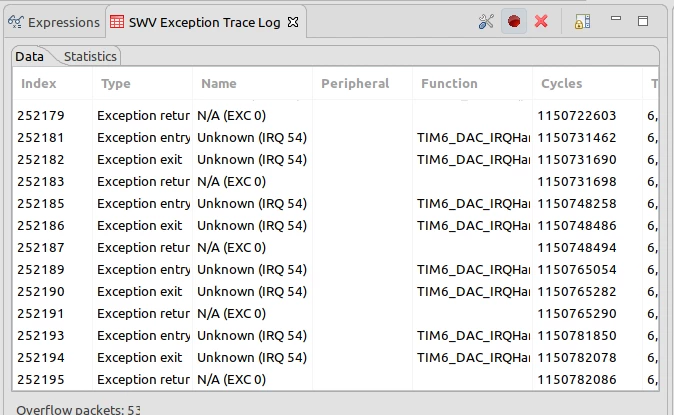
Here are some screenshot from the debug session of test project.

You can see that there is no packet overflow or other issues during the trace.

The graph is totally useless. When I pause the debug session, I cannot scroll the trace log because eclipse refreshes it periodically.

0690X00000DYejVQAT.png0690X00000DYejQQAT.png0690X00000DYejLQAT.png0690X00000DYej6QAD.png

BOzge.1
Visitor II
November 3, 2020

Hi @PTiha​, did you solve this issue? I am having the same problem.

AWeie.1
Visitor II
February 19, 2021

Hi @PTiha​ , I am having exactely the same issue. Using SM32CubeIDE 1.5.1 on linux.

Did you find any solution to make it work?

PTiha
PTihaAuthor
Associate III
February 28, 2021

Sorry for the late answer! Unfortunately, there is no positive change. The function has been removed from the latest 1.6.0 CubeIDE, if I see it correctly ... There is nothing to say about this ... :(