

Dejan Nedeljkovic
Associate III
November 21, 2019
Question

Disable any touchEvents on screen behind a CustomContainer

  • November 21, 2019
  • 14 replies
  • 4898 views

Hi

I have a CustomContainer (menuScreen) that opens when pressing the menu button on my taskbar.

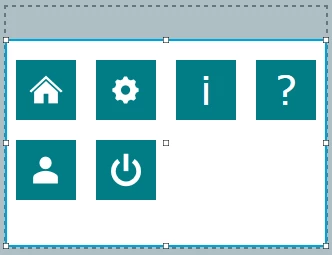
In the MenuClickHandler function the menuScreen is added and the following container appears:
0690X00000AsHYSQA3.png

By pressing a button the screen is being changed. The problem is when pressing on the white background it could happen that an interaction is triggered (e.g. button pressed) from the screen behind this container.

How can I set the entire screen behind the container inactive or not touchable?

Is there maybe another solution?

Regards Dejan

This topic has been closed for replies.

14 replies

Martin KJELDSEN
Principal III
November 21, 2019

try

 /**
 * @fn void Drawable::setTouchable(bool touch)
 *
 * @brief Controls whether this Drawable receives touch events or not.
 *
 * Controls whether this Drawable receives touch events or not.
 *
 * @param touch If true it will receive touch events, if false it will not.
 */
 void setTouchable(bool touch);

Dejan Nedeljkovic
Associate III
November 21, 2019

Hi @Martin KJELDSEN​ 

How can I get the current screen out of the container?

Regards Dejan

Martin KJELDSEN
Principal III
November 21, 2019

Did the above work?

You cannot get the current screen out of the container in an easy way, but you could construct your containers using some identifier and do it like that, if you really need the information.

/Martin

Dejan Nedeljkovic
Associate III
November 21, 2019

@Martin KJELDSEN​ 

It didn't work with setTouchable.

Do you have an idea how to get rid off those unwanted touch interaction behind the container (on a screen view)?

Regards Dejan

Martin KJELDSEN
Principal III
November 21, 2019

I don't understand why setTouchable(false) doesn't work if you call that on the white background. Can you double check?

Or call setTouchable(false) on the buttons behind the container. When you show them (hide the container) set them touchable again.

/Martin

Dejan Nedeljkovic
Associate III
November 21, 2019

@Martin KJELDSEN​ 

unfortunately it did not work with setTouchable(false) on the white background.

To call setTouchable(false) on the buttons behind the container is a lot of work, because the menu container can be shown from every screen in this touchgfx project.

Maybe it is easier when the menu is a screen instead of a custom container. If there is no easy way to avoid the touch interactions behind this container it's the only solution to go.

Regards Dejan

Martin KJELDSEN
Principal III
November 21, 2019

We're missing something, or i am, because z-order is respected, and if you have something covering the entire canvas that is not clickable, then elements beneath it will not receive touch events.

Maybe it's easier if you send the project.

/Martin

Dejan Nedeljkovic
Associate III
November 21, 2019

I've send you the project in a message.

I've added the TaskBar container to every screen and in the TaskBar.cpp I add the MenuScreen container when the menu button is pressed.

Regards Dejan

Dejan Nedeljkovic
Associate III
November 29, 2019

Hi @Martin KJELDSEN​ 

Could you already look at it?

Regards

Dejan

Martin KJELDSEN
Principal III
November 29, 2019

Taking a look now