

RebeccaLo
Associate
February 18, 2019
Solved

Do I need a separate ST linker to debug the ST25DV Discovery Board? Or is a mini-usb wire enough? (using Keil uVision 5)

  • February 18, 2019
  • 2 replies
  • 1447 views

Currently I'm working with the Mini Usb cable, but debugging doesn't work properly... on YouTube I didn't find a video that helped me. Because although I did everything exactly like in the video, the program doesn't jump to the beginning of the program at the beginning of debugging. Maybe someone can help me?0690X000006DgHsQAK.png
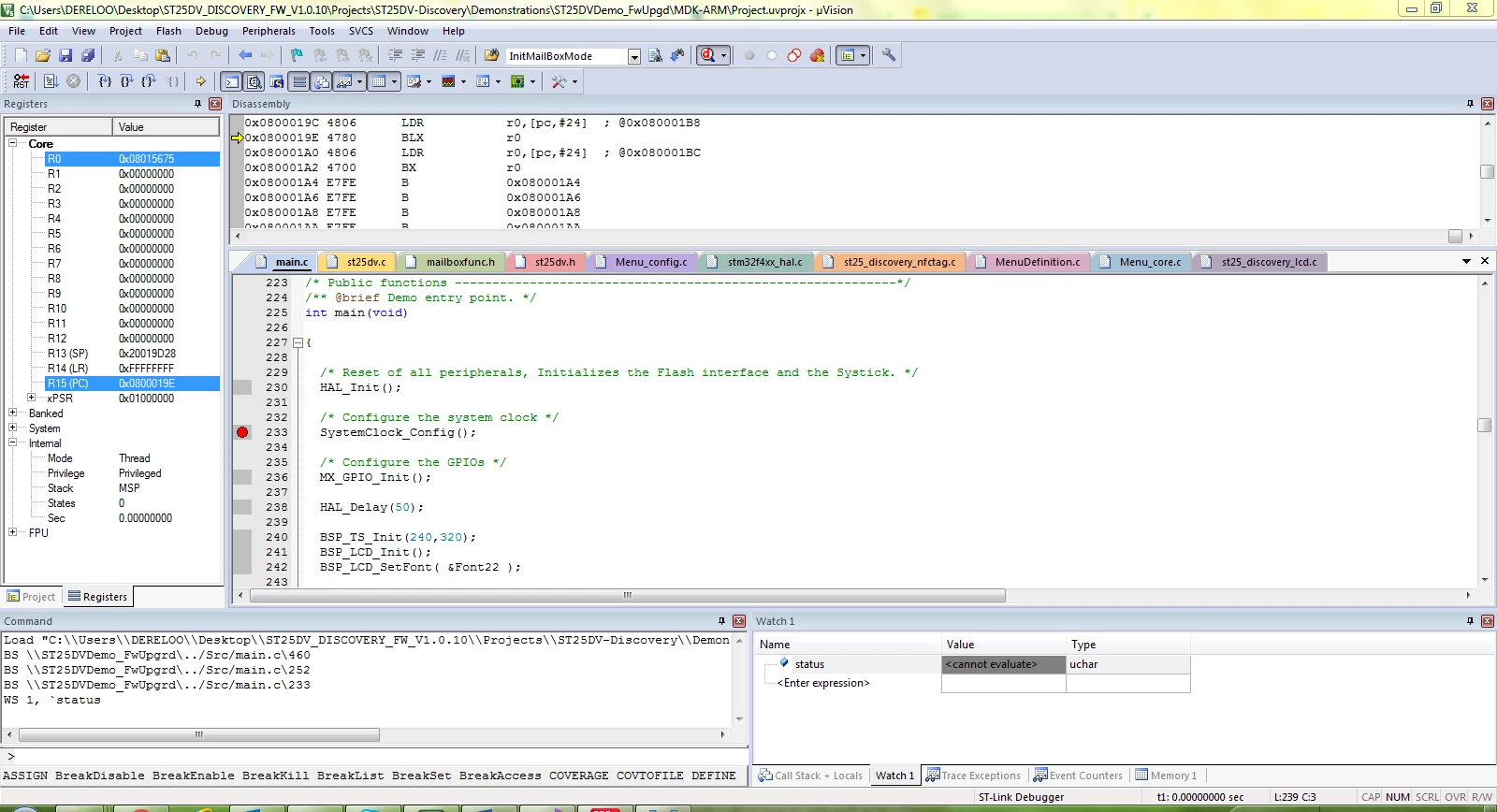
In the videos the yellow arrow was always in the Command Window and not in the Disassembly Window...

Furthermore I don't know how to check my variables I've changed... I add the variables to the Watch but I don't get anything reported.

Thank you in advance!

Best regards

Rebecca

    This topic has been closed for replies.
    Best answer by RebeccaLo

    I found the problem. I had to run the .exe "dpinst_amd64.exe" under the following path C:\Keil_v5\ARM\STLink\USBDriver.

    2 replies

    AvaTar
    Senior III
    February 18, 2019

    It has an onboard STLink debugger. If you can download and start a debug session, it seems to work fine.

    > Because although I did everything exactly like in the video, the program doesn't jump to the beginning of the program at the beginning of debugging. Maybe someone can help me?

    You might consult the uVision documentation/tutorials.

    For debug session settings, one can usually instruct the debugger to stop at the reset vector, or run to main. Not sure where this setting is located in Keil uVision.

    But Keil used to have both good tutorials, and a responsive forum as well.

    > Furthermore I don't know how to check my variables I've changed... I add the variables to the Watch but I don't get anything reported.

    Stop the application on a breakpoint, and you see the values.

    Some/many debuggers have realtime-variable views, but they are mostly of very limited value. And they use to "overload" the debug connection.

    RebeccaLo
    RebeccaLoAuthorBest answer
    Associate
    February 19, 2019

    I found the problem. I had to run the .exe "dpinst_amd64.exe" under the following path C:\Keil_v5\ARM\STLink\USBDriver.