


Convert CubeMX project in Atollic to C++: Pane to input symbols for C++ missing
Hello,
I am trying to convert a project generated by CubeMX to a C++ project in Atollic True Studio.
From various sources, I got hints how to do. I fail when trying to copy the symbols e.g. processor type to C++ because the input pane is missing. Here is in detail what I tried so far:
- Created the project in CubeMX and converted to C++ by using New... / Convert to a C/C++Project (Adds C/C++ Nature)
- Copied the include paths in Project > Properties > C/C++ General / Includes from GNU C to GNU C++
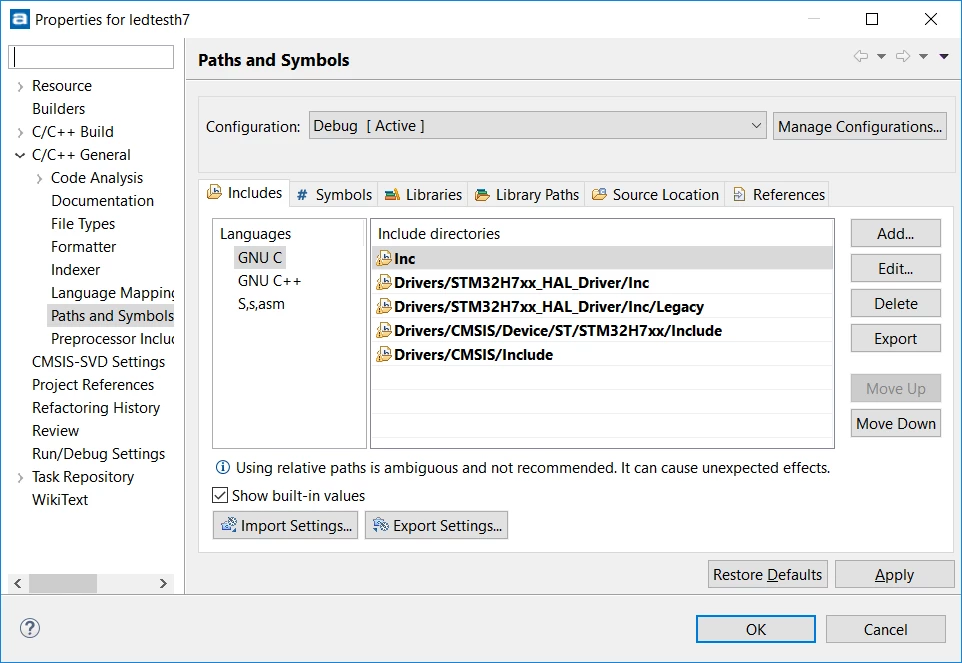
- Now I want to do the same thing for the symbols Project > Properties > C/C++ General / Symbols. However, there is no entry for GNU C++, only GNU C and S,s,ams.
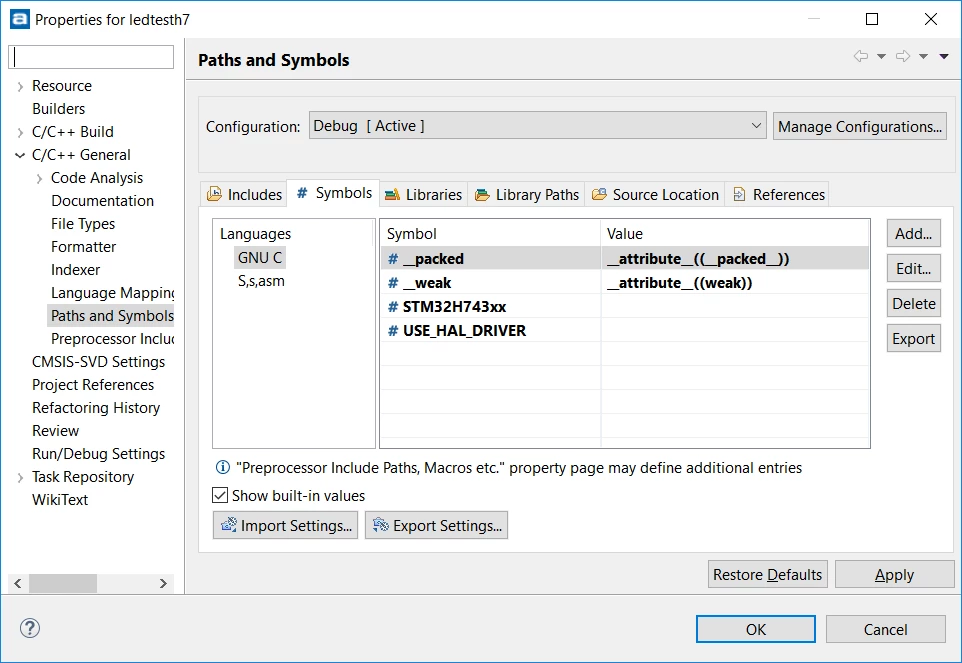
When I create a C++-Project directly using Atollic, there are entries for GNU C++ on both the includes and the symbols tab.
I tried to figure out what was the difference between both .project and .cproject files.
In both .project-files, the org.eclipse.cdt.core.ccnature is present
In the .cproject of the native Atollic-project, I see the entry for my symbol:
<tool id="com.atollic.truestudio.exe.debug.toolchain.gpp.165402641" name="C++ Compiler" superClass="com.atollic.truestudio.exe.debug.toolchain.gpp">
<option id="com.atollic.truestudio.gpp.symbols.defined.287854650" name="Defined symbols" superClass="com.atollic.truestudio.gpp.symbols.defined" valueType="definedSymbols">
<listOptionValue builtIn="false" value="STM32H743xx"/>
</option>
In the project migrated from CubeMX, I see the same options, however they are populated with nonsense values and they seem to be ignored:
<tool id="com.atollic.truestudio.exe.debug.toolchain.gpp.981298185" name="C++ Compiler" superClass="com.atollic.truestudio.exe.debug.toolchain.gpp">
<option id="com.atollic.truestudio.gpp.symbols.defined.1619552487" name="Defined symbols" superClass="com.atollic.truestudio.gpp.symbols.defined" valueType="stringList">
<listOptionValue builtIn="false" value="STM32F10X_MD"/>
<listOptionValue builtIn="false" value="USE_STDPERIPH_DRIVER"/>
</option>
Does anyone has any clue why Atollic does neither display those values nor use the during compilation?
Best regards
Axel Jäger