stst9191
Associate II
March 6, 2015
Question

STM32CubeMX Bug report: LTDC

  • March 6, 2015
  • 3 replies
  • 905 views
Posted on March 06, 2015 at 09:29

STM32CubeMX, Version 4.6.0

LTDC Configuration (STM32F429VITx)

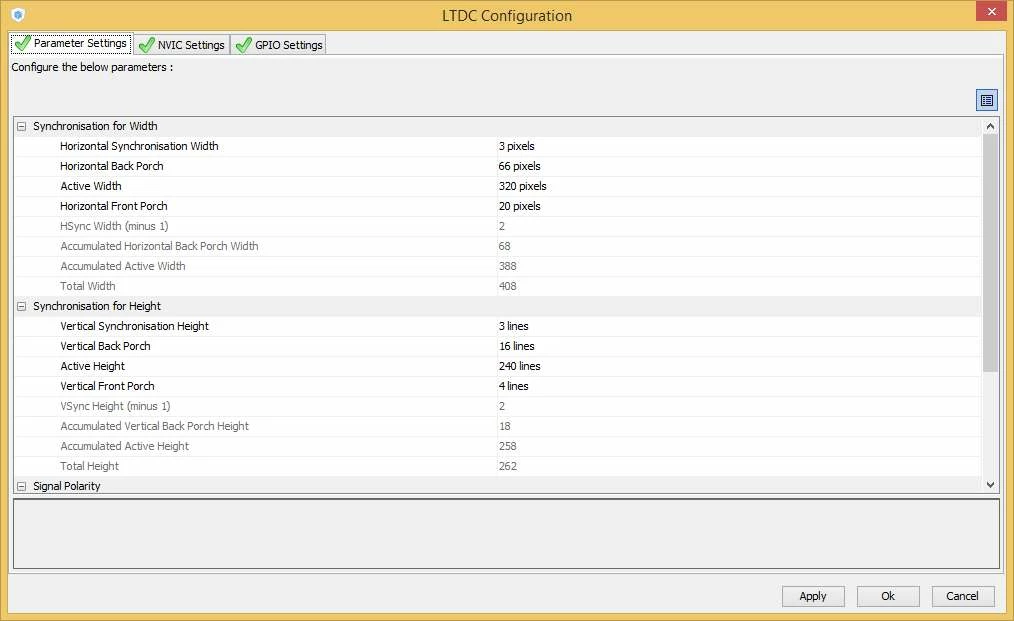
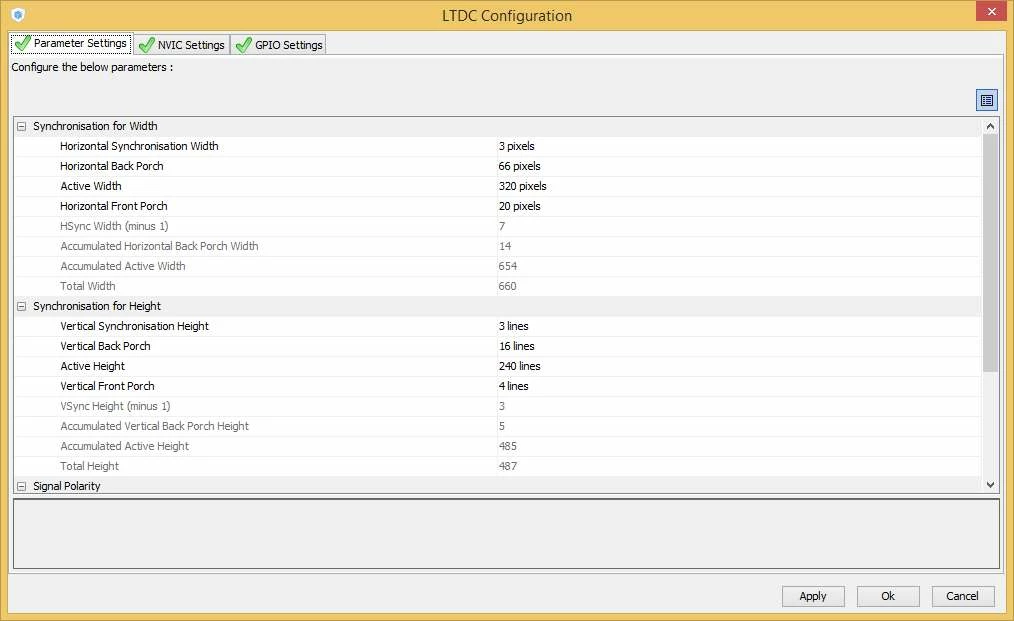
When a Project is saved and reopened, the Calculated Values of the LTDC Configuration are set to some Default values of a 640x480 Display instead of using the last calculated values. To get back the correct values at least one Parameter of Width and one of Height must be changed to trigger a new calculation.

0690X00000603RiQAI.jpg

Configuration just after the values was entered
0690X00000603RnQAI.jpg

Configuration after re-opening the project

    This topic has been closed for replies.

    3 replies

    hbarta2
    Associate III
    April 9, 2015
    Posted on April 09, 2015 at 14:20

    I have seen what may be similar issues with 4.7. It seems that the X and Y coordinates get swapped. Note all calculated values that start with ''Accumulated.''

    0690X00000605gGQAQ.png

    I make no claim to be an expert with LCD configuration but these just do not look right. In my case modifying a value does not seem to fix the problem.

    stst9191
    stst9191Author
    Associate II
    April 13, 2015
    Posted on April 13, 2015 at 13:28

    In the mean time I use Version 4.7, too. Unfortunately the behaviour is not changed in this version. But I am pretty sure that the X and Y values are not swapped. The values you see are the Default values, because a re-calulation was not triggered.

    Only selecting a value and typing the same value again does not help. For a re-triggering the new value must be different. Example: Vertical Synchronisation height: Change from 3 to 2, enter. => New values will be caluculated. Next step: Change the 2 back to 3 again.

    stm32cube-t
    ST Employee
    July 1, 2015
    Posted on July 01, 2015 at 11:54

    Hello, the issue is solved with MX 4.8.