How to use semihosting with STM32CubeIDE and STM32
Summary
Semihosting can be used to enable code running on STM32 to communicate with the host computer during a debug session. This makes it possible to use host computer I/O (for example keyboard, display, or file system) instead of having such input/output resources on the embedded system during development.
1. Using semihosting with STM32CubeIDE
To use semihosting with STM32CubeIDE some updates are needed to be done in the project. A debugger supporting semihosting is also required. This article guides on how to enable semihosting when using OpenOCD, ST-LINK and STM32 devices.
Note1: ST-LINK GDB server does not support semihosting!
Note2: Please consult SEGGER documentation if semihosting with SEGGER J-LINK is preferred.
2. Update STM32CubeIDE project
2.1. Remove default syscalls.c
Remove default <syscalls.c> file from build if this file is included in STM32CubeIDE project.
2.2. Update main.c
Add the following two lines in beginning of main.c to include <stdio.h> and to use initialise_monitor_handles() prototype.
#include <stdio.h>
extern void initialise_monitor_handles(void);
Add a call to initialise_monitor_handles() function in the beginning of main() function and some variables to be used for semihosting.
int main(void)
{
 /* USER CODE BEGIN 1 */
 initialise_monitor_handles();

 char s[50];
 char *p;
 FILE *fp;
 p=s;
Add some semihosting commands into main() function. Example: Using scanf, printf, fopen, fclose, and fprintf.
 /* Infinite loop */
 /* USER CODE BEGIN WHILE */
 printf("Hello, World!\n");
 fp=fopen("c:\\dev\\mytest.txt", "w");

 while (1)
 {
	 printf("Enter string:\n");
	 scanf("%s", p);
	 printf("\nReceived string: ");
	 printf(p);
	 printf("\n");
	 fprintf(fp,p);
	 fprintf(fp,"\n");
	 fclose(fp);

	 HAL_Delay(500);
	 fp=fopen("c:\\dev\\mytest.txt", "a");

 /* USER CODE END WHILE */

 /* USER CODE BEGIN 3 */
 }
2.3. Update GCC Linker configuration
In Libraries add “rdimon” library.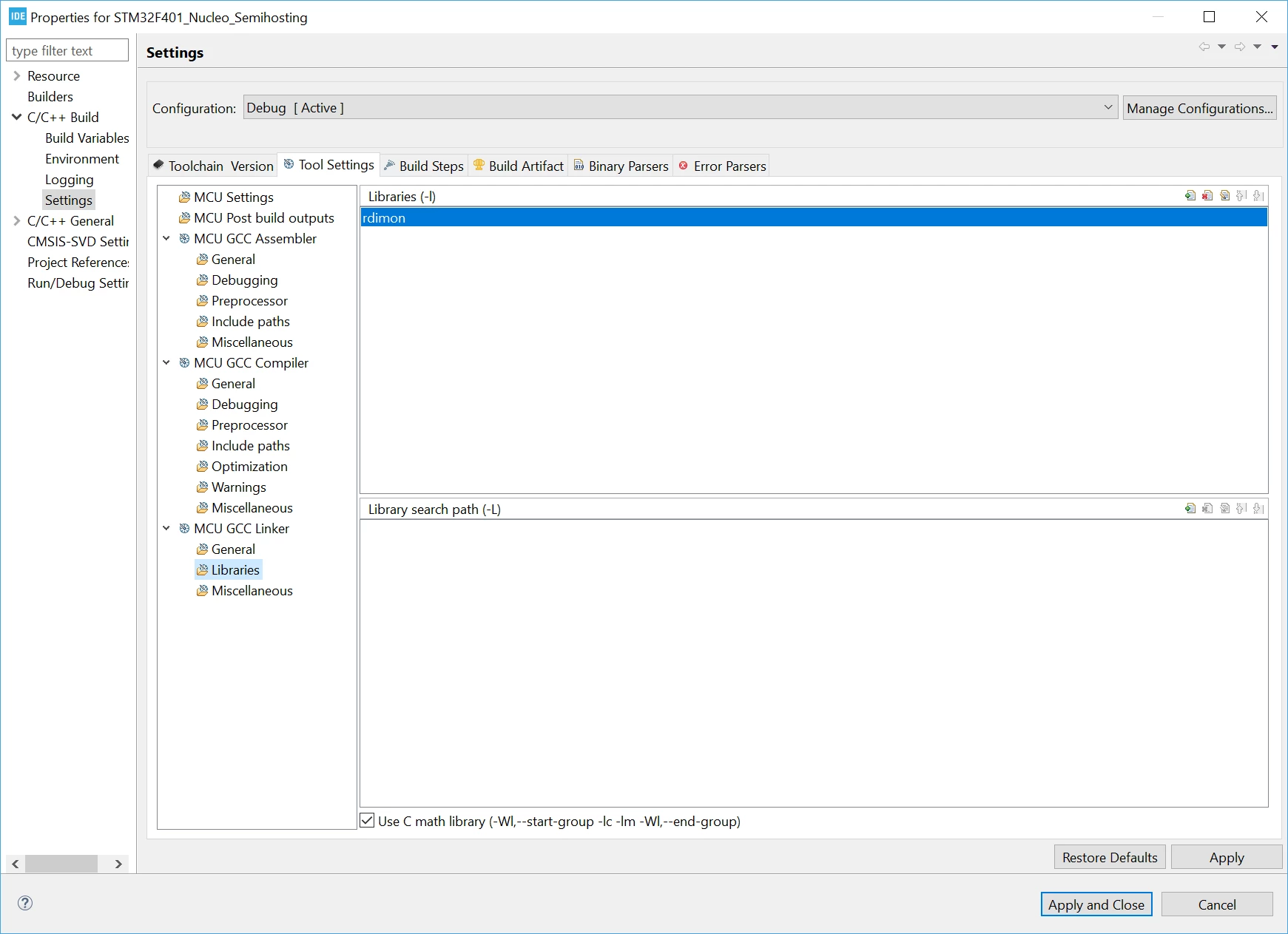
In Miscellaneous add Other flags “-specs=rdimon.specs”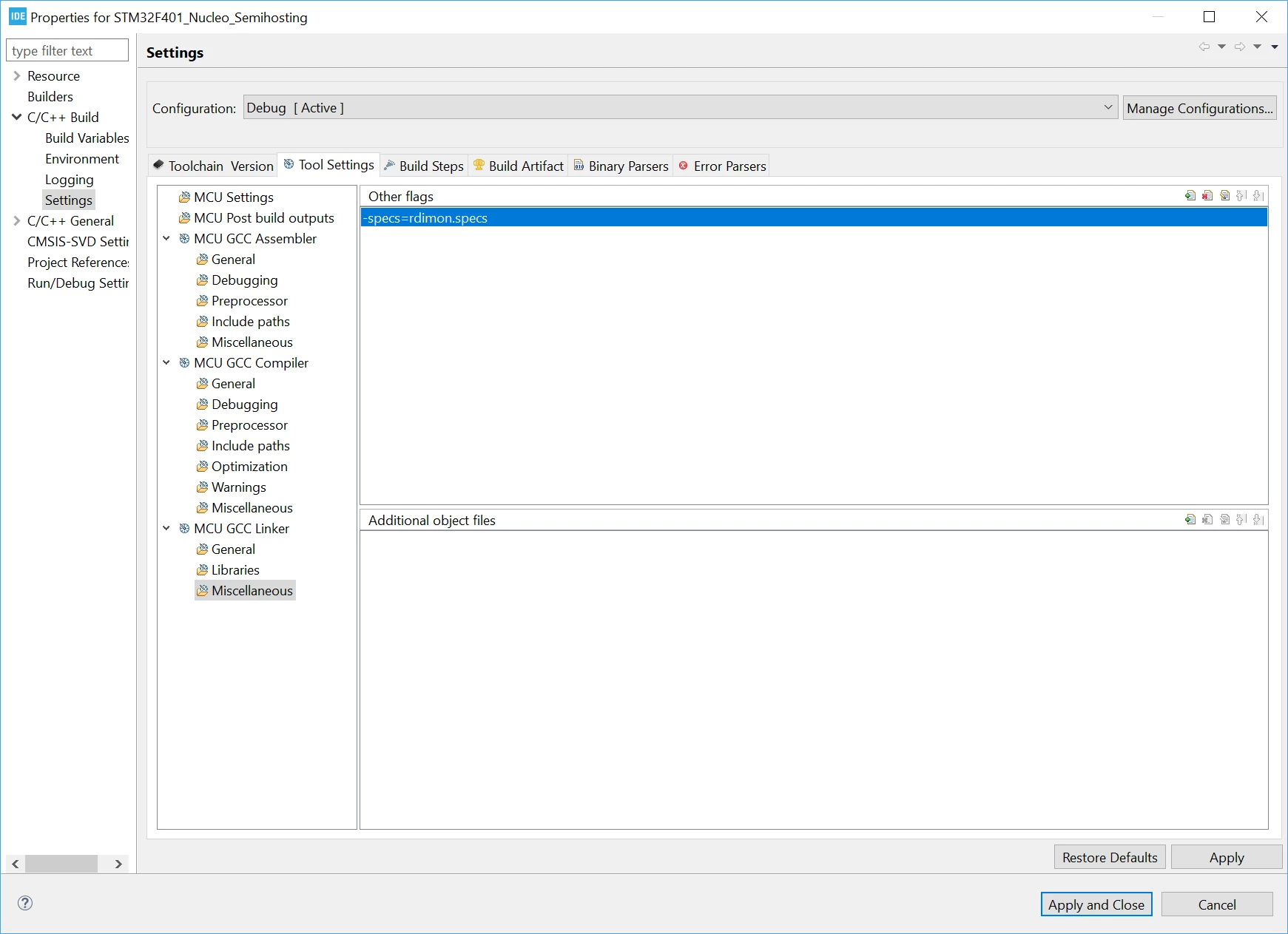
2.4. Build
The project is now updated to use semihosting. Build the project.
3. Debug with semihosting
3.1. Create/Update OpenOCD debug configuration
Create a new debug configuration for the project or update an existing one. Make sure that OpenOCD is used.
Note: ST-LINK GDB server does not support semihosting.
Add “monitor arm semihosting enable” initialization command in Debug Configurations - Startup tab.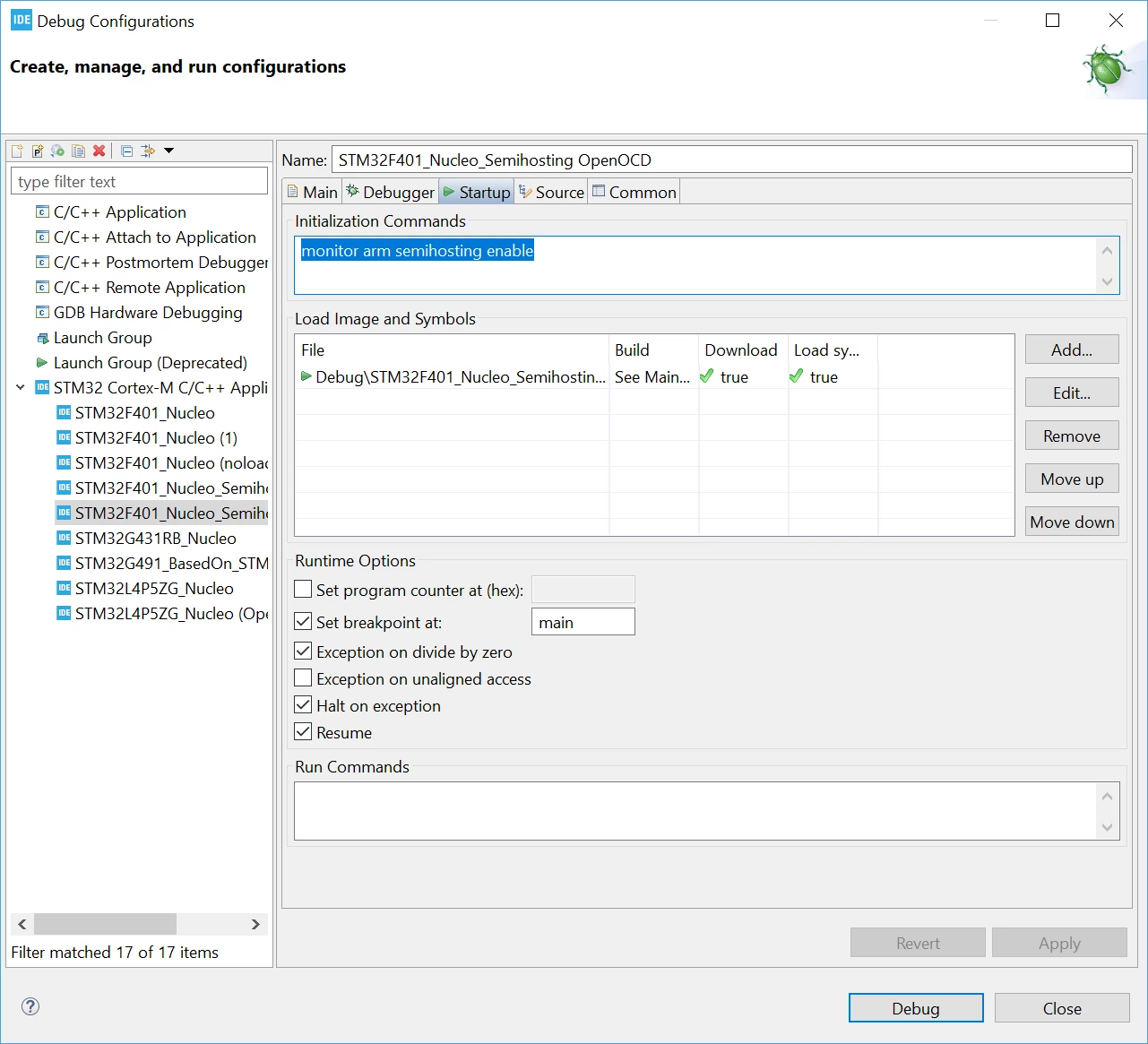
3.2. Debug
The Debug Console view is used for semihosting input/output and when debugging it will ask to enter strings…
Example: Entering “TEST” and “123456”
Open On-Chip Debugger 0.10.0+dev-01288-g7491fb4 (2020-10-27-17:36)
Licensed under GNU GPL v2
For bug reports, read
	http://openocd.org/doc/doxygen/bugs.html
Info : Listening on port 6666 for tcl connections
Info : Listening on port 4444 for telnet connections
Info : STLINK V2J37M26 (API v2) VID:PID 0483:374B
Info : Target voltage: 3.244649
..
..
semihosting is enabled

target halted due to debug-request, current mode: Thread
xPSR: 0x01000000 pc: 0x08000860 msp: 0x20018000, semihosting
configuring PLL
Info : Unable to match requested speed 8000 kHz, using 4000 kHz
Info : Unable to match requested speed 8000 kHz, using 4000 kHz
Info : Padding image section 0 at 0x08000194 with 12 bytes
target halted due to debug-request, current mode: Thread
xPSR: 0x01000000 pc: 0x08000a04 msp: 0x20018000, semihosting
Hello, World!
Enter string:
TEST

Received string: TEST
Enter string:
123456

Received string: 123456
Enter string:
Stop the debug session to analyze the log file.
4. Analyze debug session
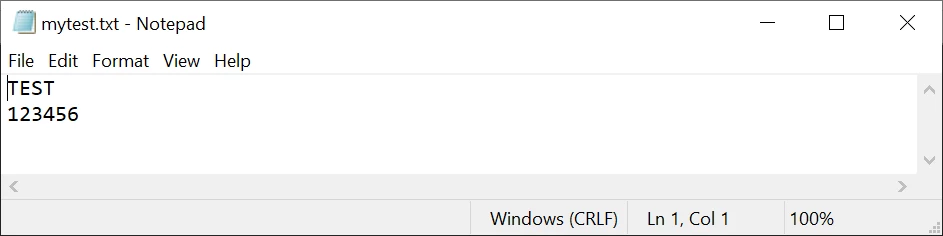
The program opens and writes to the file c:\dev\mytest.txt. Open the <mytest.txt> file and information from the debug session can be seen.