


AneeshMuraliNariyampully
Visitor II
Apr 9, 2026 7:03 PM UTC
Solved

AMN STM32 Flasher — Drag, Drop and Flash. No Terminal. No Setup.
506059719-5094becb-86de-4500-a479-d2cc75438f26.png

Hi everyone,
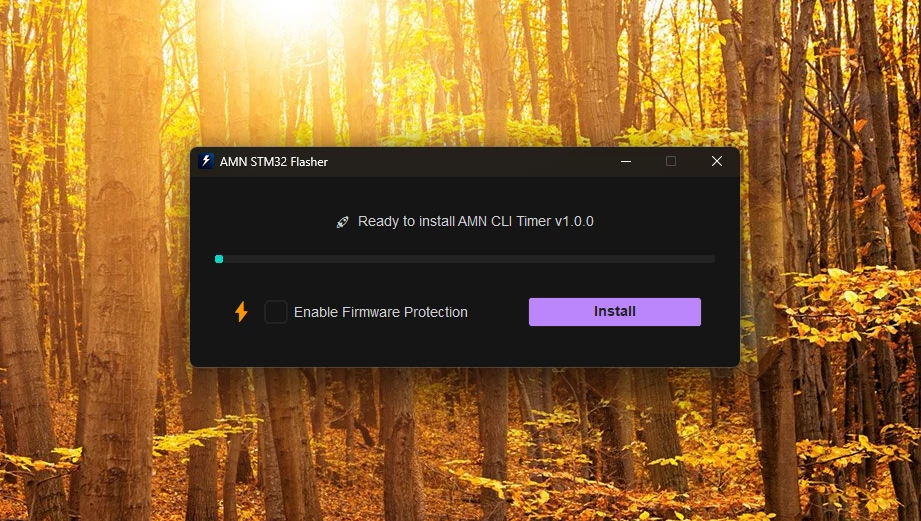
I built a Windows tool — a simpler frontend for ST-LINK CLI that replaces the entire command loop with a single drag-and-drop action. Designed to simplify the process for beginners and save time for experts.
506063797-b305e860-ac6f-495f-872f-67739d9a49b6.png

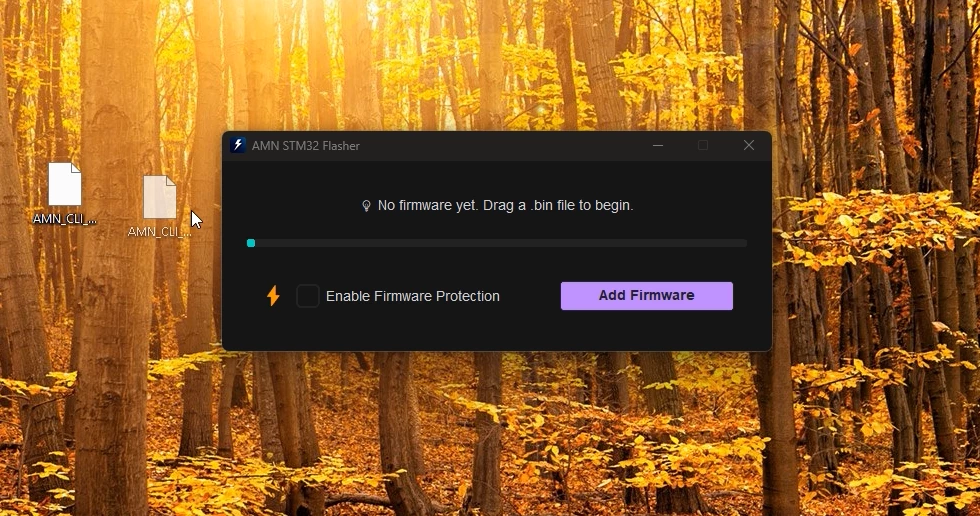
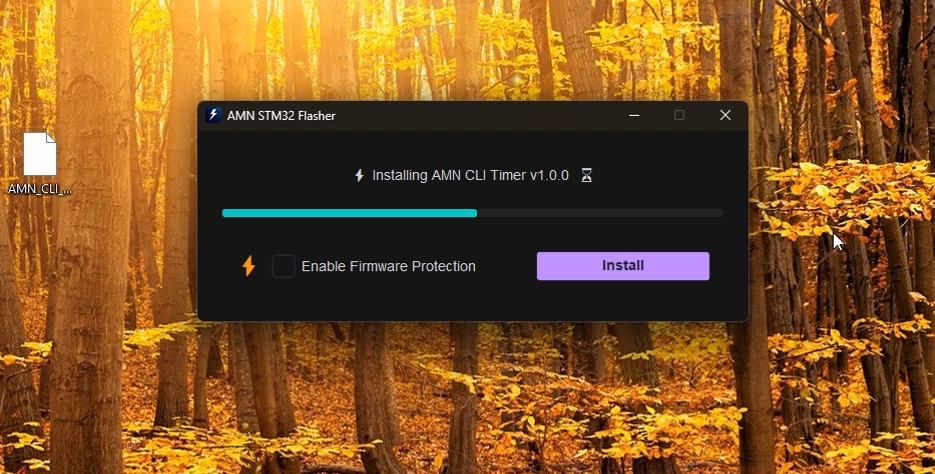
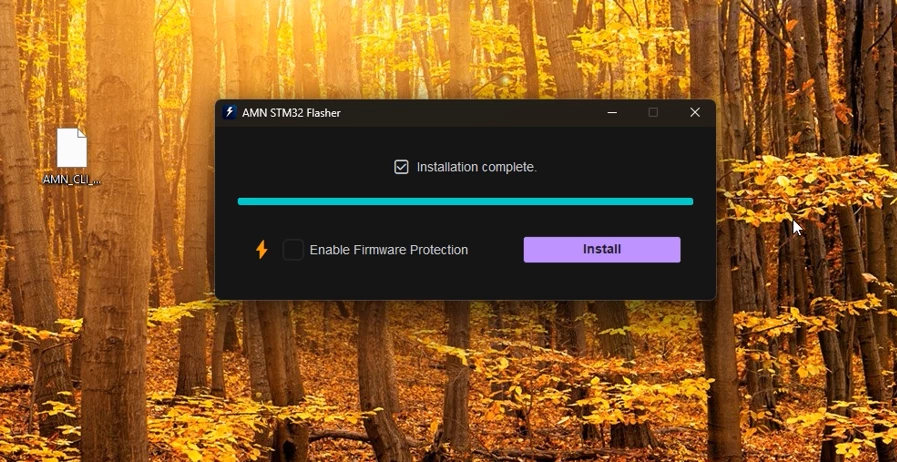
AMN STM32 Flasher — drop your .bin file onto the window and it automatically handles the full pipeline: erase → program → verify → read protection. No commands, no configuration, no setup.
506064132-07a2c6a7-20e9-4119-864a-478bc3c8ca7f.png

Key features:

  • Auto-detects ST-LINK CLI path — no manual configuration
  • Instant Flash Mode — flashes the moment you drop the file, no button click needed
  • One-click RDP1 read protection toggle
  • Native Win32 drag-and-drop via ctypes
  • Full keyboard shortcut support
  • Works with STM32 over SWD. Requires ST-LINK Utility installed — the app finds it automatically.
  • Free and open source under Apache 2.0.
506064525-56165bdf-e8cd-4e22-ac78-3aec1aa1b57f.png

DOWNLOAD:  AMN STM32 Flasher


Would appreciate feedback from the community.

Aneesh Murali Nariyampully
 

mƎALLEm
mƎALLEmBest answer
ST Technical Moderator
Nov 4, 2026 10:38 AM UTC

Hello ​@AneeshMuraliNariyampully ,

Thank you for sharing the solution.
I’m marking my reply as the solution to make this discussion easier for others to find.


AMN STM32 Flasher — Drag, Drop and Flash. No Terminal. No Setup


506059719-5094becb-86de-4500-a479-d2cc75438f26.png

Hi everyone,
I built a Windows tool — a simpler frontend for ST-LINK CLI that replaces the entire command loop with a single drag-and-drop action. Designed to simplify the process for beginners and save time for experts.

506063797-b305e860-ac6f-495f-872f-67739d9a49b6.png

AMN STM32 Flasher — drop your .bin file onto the window and it automatically handles the full pipeline: erase → program → verify → read protection. No commands, no configuration, no setup.

506064132-07a2c6a7-20e9-4119-864a-478bc3c8ca7f.png

Key features:

  • Auto-detects ST-LINK CLI path — no manual configuration
  • Instant Flash Mode — flashes the moment you drop the file, no button click needed
  • One-click RDP1 read protection toggle
  • Native Win32 drag-and-drop via ctypes
  • Full keyboard shortcut support
  • Works with STM32 over SWD. Requires ST-LINK Utility installed — the app finds it automatically.
  • Free and open source under Apache 2.0.

506064525-56165bdf-e8cd-4e22-ac78-3aec1aa1b57f.png

DOWNLOAD:  AMN STM32 Flasher


To give better visibility on the answered topics, please click "Best answer" on the reply which solved your issue or answered your question.

7 replies

mƎALLEm
mƎALLEmBest answer
ST Technical Moderator
Nov 4, 2026 10:38 AM UTC

Hello ​@AneeshMuraliNariyampully ,

Thank you for sharing the solution.
I’m marking my reply as the solution to make this discussion easier for others to find.


AMN STM32 Flasher — Drag, Drop and Flash. No Terminal. No Setup


506059719-5094becb-86de-4500-a479-d2cc75438f26.png

Hi everyone,
I built a Windows tool — a simpler frontend for ST-LINK CLI that replaces the entire command loop with a single drag-and-drop action. Designed to simplify the process for beginners and save time for experts.

506063797-b305e860-ac6f-495f-872f-67739d9a49b6.png

AMN STM32 Flasher — drop your .bin file onto the window and it automatically handles the full pipeline: erase → program → verify → read protection. No commands, no configuration, no setup.

506064132-07a2c6a7-20e9-4119-864a-478bc3c8ca7f.png

Key features:

  • Auto-detects ST-LINK CLI path — no manual configuration
  • Instant Flash Mode — flashes the moment you drop the file, no button click needed
  • One-click RDP1 read protection toggle
  • Native Win32 drag-and-drop via ctypes
  • Full keyboard shortcut support
  • Works with STM32 over SWD. Requires ST-LINK Utility installed — the app finds it automatically.
  • Free and open source under Apache 2.0.

506064525-56165bdf-e8cd-4e22-ac78-3aec1aa1b57f.png

DOWNLOAD:  AMN STM32 Flasher


To give better visibility on the answered topics, please click "Best answer" on the reply which solved your issue or answered your question.
Andrew Neil
Super User
Nov 4, 2026 10:44 AM UTC

DOWNLOAD:  AMN STM32 Flasher

That link isn’t working:


There is no ‘AMN STM32 Flasher’ repository shown at https://github.com/aneeshmurali-n?tab=repositories - are you sure you’ve made it public ?

A complex system that works is invariably found to have evolved from a simple system that worked.A complex system designed from scratch never works and cannot be patched up to make it work.
mƎALLEm
ST Technical Moderator
Nov 4, 2026 10:49 AM UTC

I think it’s available on Microsoft Apps over this link: https://apps.microsoft.com/detail/9pp1dcrrclkp?hl=en-US&gl


To give better visibility on the answered topics, please click "Best answer" on the reply which solved your issue or answered your question.
Andrew Neil
Super User
Nov 4, 2026 11:04 AM UTC

​@AneeshMuraliNariyampully - it says it depends on STLink Utility:


STLink Utility has been obsolete for a long time - so is that correct ?

A complex system that works is invariably found to have evolved from a simple system that worked.A complex system designed from scratch never works and cannot be patched up to make it work.
mƎALLEm
ST Technical Moderator
Nov 4, 2026 11:24 AM UTC

Indeed limited to old devices. I think starting from STM32H7 family this is no more supported.

To give better visibility on the answered topics, please click "Best answer" on the reply which solved your issue or answered your question.