

Associate
June 9, 2026
Question

STEVAL-STWINKT1B not showing up as a USB device, possible firmware flashing issues

  • June 9, 2026
  • 1 reply
  • 111 views

I am trying to flash the HSDatalog.bin (from Datalog1) firmware onto the STEVAL_STWINKT1B board using the STLINK_V3MINIE and the STM32 Cube Programmer, following the user manual provided. When I connect to the STLINK on the Cube Programmer, the led flashes red and green. After opening the HSDatalog file and clicking download, the USB light on the STEVAL_STWINKT1B turns off, and the STLINK continues to flash green and red, pausing on green for a second, before continuing to flash. A popup comes up in the Cube Programmer that the file download is complete. I then disconnected the STLINK from my laptop and the development board, leaving just the development board connected. The power LED is on and the USB LED flashes, but it does not come up as a USB device. When I try to open the USB_DataLog_Run file, it says that there is no device detected. 
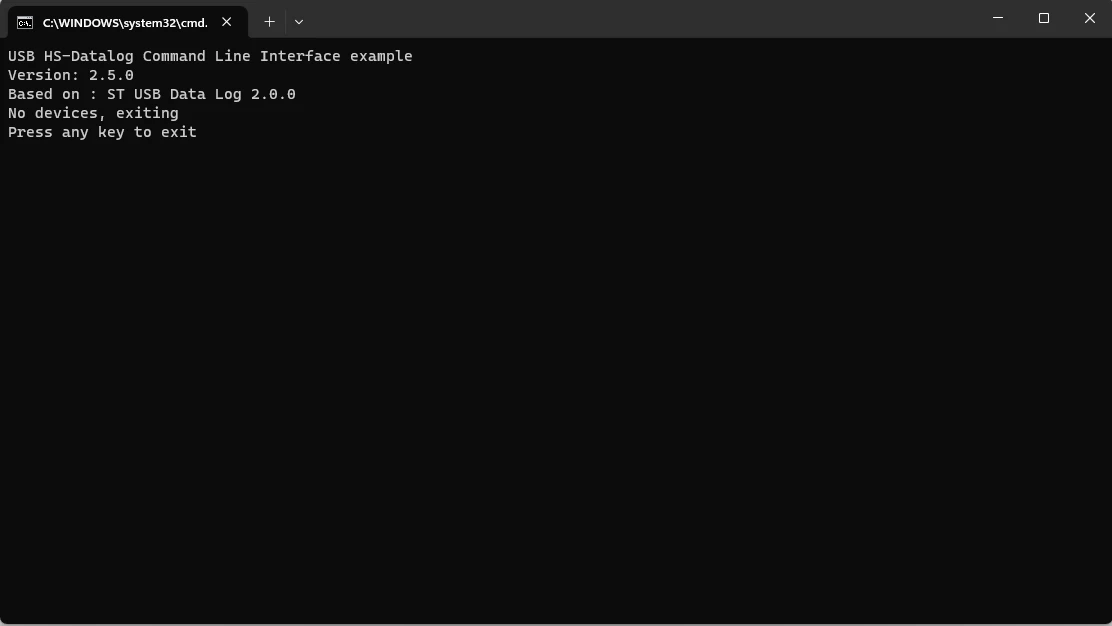
I am wanting to use direct data transfer via the USB for conditional monitoring, but cannot figure out why it is not showing up as a USB device. I was wondering if because the LED on the STLINK did not turn a solid green means that the firmware did not properly flash onto the board. I have tried several USB cables, 4 different STEVAL_STWINKT1B boards, as well as the Datalog2 files instead of Datalog1. 


Serial number: STM32L4R9ZIJ6U

                         STM32F723IEK6

1 reply

SimonePradolini
ST Technical Moderator
June 16, 2026

Hello ​@mia001 

Can you confirm that you are referring to FP-SNS-DATALOG1 v1.5.1?

Once flashed, the board must be reset. Pressing the RESET button should be fine, but you can also unplug and reconnect the USB cable to the STWINKT1B. If no SD card is inserted, you should see two LEDs blinking: the red one and the orange one.

If this is not the case, the binary may have been flashed to the wrong flash bank. The STM32L4+ microcontroller supports double-bank flash memory. Moreover, two different firmware images can be downloaded separately, one for each bank, and the boot bank is controlled through the STM32 option bytes. Please use STM32CubeProgrammer to check the option byte configuration. The default configuration should have the BFB2 field unchecked (for STWIN), and the binary should be flashed at address 0x08000000.

You can refer to DATALOG2 User Manual chapter 2.1 (this section is also valid for DATALOG1 firmware also)


Datalog2 binary is not compatible with the USB_DataLog_Run utility script. If you’d like to test FP-SNS-DATALOG2 firmware, I suggest you using the STDATALOG-PYSDK Python framework.

I strongly suggest you upgrading you setup and use DATALOG2 + PYSDK. It is our most up-to-date and advanced datalogging solution, and it was recently updated. DATALOG1 is a much older solution; its last update was in November 2023.


Best regards

Simone

In order to give better visibility on the answered topics, please click on 'Best answer' on the reply which solved your issue or answered your question.
mia001Author
Associate
June 17, 2026

It ended up being a USB cable issue.

I will be sure to upgrade to the DATALOG2 + PYSDK. I tried downloading the PYSDK from Github and ran into some issues when installing. I followed all the steps provided and keep getting these issues. Any idea on what I am doing incorrectly? 

Is DATALOG2 + PYSDK required to use MEMS Studio for real time data monitoring? I am trying to connect via USB and it is failing to detect the board even when it shows up as a USB device in Device Manager (I currently have the DATALOG1 flashed). 


Thanks, 

Mia

SimonePradolini
ST Technical Moderator
June 18, 2026

Which version of Python are you using? The installer automatically downloads some packages, so your PC must be connected to the internet. Are you using a proxy? Do you have some antivirus/firewall?

Please launch the installer from the command line, as described in the [NOTE] section. The errors you are seeing indicate that PYSDK has not been installed correctly, so it can’t work.

Regarding your second question: DATALOG2 + PYSDK can work standalone. In addition to PYSDK, you will find several Python scripts that can be used for live data logging, post-processing, and dataset refactoring.

Once DATALOG2 is flashed onto the board, you can connect via USB and launch the stdatalog_GUI.py script from your virtual environment, where PYSDK has been installed.

DATALOG2 firmware is also compatible with MEMS Studio, which provides a proper GUI for live data monitoring. I’m not aware about DATALOG1 support into MEMS Studio.


Best regards

Simone

In order to give better visibility on the answered topics, please click on 'Best answer' on the reply which solved your issue or answered your question.