Associate III
Nov 28, 2024 3:21 PM UTC
Solved

MKBOX PRO - hsdatalog_GUI.py PYthonSDK

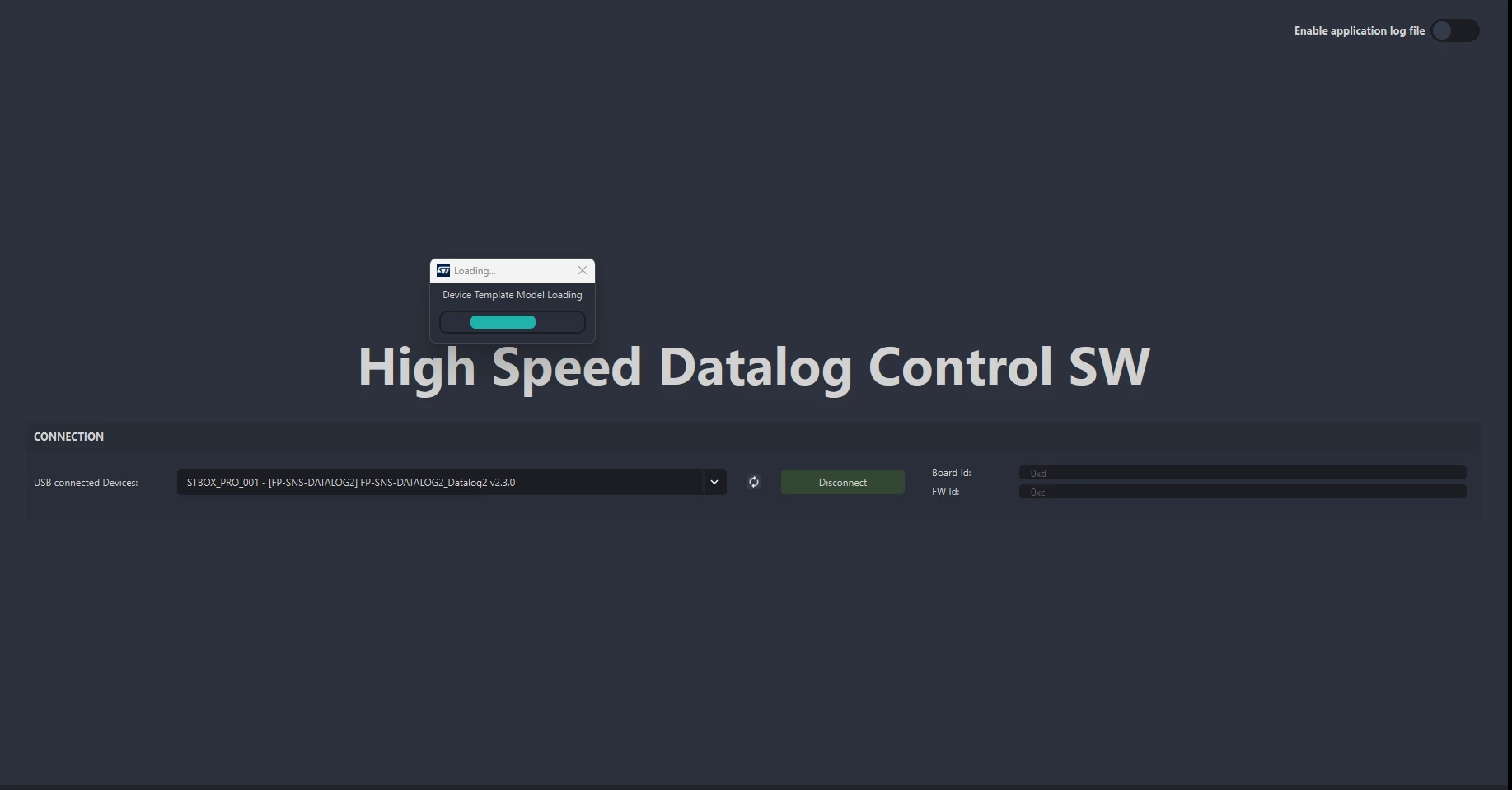
I am trying to do USB sensor data streaming Real Time Plot by conecting  my steval mkboxpro with hsdatalog_GUI.py but it keeps saying "Device Template Model Loading". Anyone can help?

Thanks
FilipeLoureno_0-1732807111637.png


This topic has been closed for replies.
Federica Bossi
Federica BossiBest answer
ST Technical Moderator
Dec 4, 2024 8:56 AM UTC

Hi @FilipeLourenço ,

The HSDPython_SDK is compatible only with FP-SNS-DATALOG2 fw flashed on sensortile.box Pro board.
you can download the fw tools here
hsdatalog_GUI.py works within the HSDPython_SDK, developed in Python 3.10 on Windows and Linux
environments.
HSDPython_SDK requires different Python modules, distributed together with FP-SNS-DATALOG2. 
By installing them through the provided installers, all the required dependencies are automatically solved – see HSDPython_SDK to fully setup your Python environment.
Execute hsdatalog_GUI.py
Once the board is connected via USB and the Python environment has been properly updated, you can launch the real time plot by just executing hsdatalog_GUI.py available in Utilities/HSDPython_SDK/examples
To execute the script you can open a command shell there and run python hsdatalog_GUI.py

In order to give better visibility on the answered topics, please click on 'Best answer' on the reply which solved your issue or answered your question.

3 replies

Federica Bossi
Federica BossiBest answer
ST Technical Moderator
Dec 4, 2024 8:56 AM UTC

Hi @FilipeLourenço ,

The HSDPython_SDK is compatible only with FP-SNS-DATALOG2 fw flashed on sensortile.box Pro board.
you can download the fw tools here
hsdatalog_GUI.py works within the HSDPython_SDK, developed in Python 3.10 on Windows and Linux
environments.
HSDPython_SDK requires different Python modules, distributed together with FP-SNS-DATALOG2. 
By installing them through the provided installers, all the required dependencies are automatically solved – see HSDPython_SDK to fully setup your Python environment.
Execute hsdatalog_GUI.py
Once the board is connected via USB and the Python environment has been properly updated, you can launch the real time plot by just executing hsdatalog_GUI.py available in Utilities/HSDPython_SDK/examples
To execute the script you can open a command shell there and run python hsdatalog_GUI.py

In order to give better visibility on the answered topics, please click on 'Best answer' on the reply which solved your issue or answered your question.
Associate III
Dec 11, 2024 2:49 PM UTC

Hi, @Federica Bossi 

Thanks for the Help.

I already have the FP-SNS-DATALOG2 fw flashed on sensortile.box Pro board, Python 3.12 installed, and the HSDPython_SDK installed. 
But when i execute hsdatalog_GUI.py it detects the board, but keeps giving the message "Device Template Model Loading"
Do you have any other recommendation?

Associate III
Dec 11, 2024 3:08 PM UTC

I wanted to use the  hsdatalog_GUI.py to see the real time plot of the acc and mic measurements, because i am getting negative timestamps in the data from microSD. I don't know if it is because of the files from the SDcard or because of the .dat to .csv file conversion done.

When i used the normal fw from the mkboxpro everything was ok, but the files that i got from the SDcard was .csv. Now, with the high speed data logging, the files are .dat and after the conversion i am getting very low timestamps like 1^-12, and a lot of negative timestamps.