

How to detect door opening with the SensorTile.box and the STBLE sensor app
Table of the contents
- Why it is important to detect Door opening?
- Problem Scenario
- Sensor Configuration
- Data Collection
- Algorithm (MLC) Configuration
- Data visualization on the STE BLE Sensor app
Why it is important to detect Door opening?
The "door opening" detection is an important application that can be used to detect the status of a house door, and can be used as an intrusion detector or alarm. In this article a SensorTile.box and the LSM6DSOX low power Machine Learning Core (MLC) fed by the gyroscope data have been used.Problem Scenario
The SensorTile.Box can fit the needs of this application, since its form factor enables a precise positioning on the door, and the data can be stored locally on the onboard SD card.
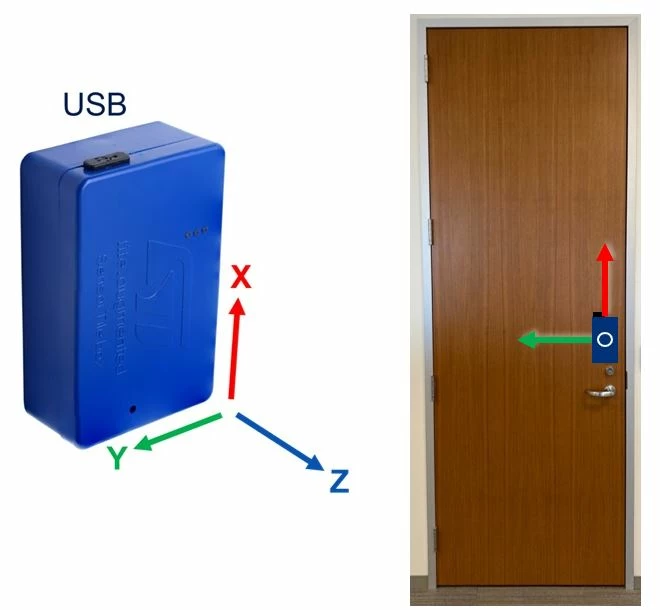
The tool is placed as shown in the picture below. Other devices can be used as well, provided that the orientation of the sensor axes is correct.
- X-axis parallel to the door, pointing up.
- Y-axis parallel to the door, pointing to the door hinges.
- Z-axis pointing towards the direction of the door opening.
Sensor Configuration
Among the onboard sensor, the gyroscope (LSM6DSOX) has been chosen for this application, since it is more sensitive than the accelerometer, and can detect the rotation of the door on its hinges. It is configured with ±2000 dps full scale and 52 Hz output data rate, that is enough for an accurate door movement detection.Data Collection
The SensorTile.box has been configured for acquiring various sensors at ODR 52Hz, storing raw data on the onboard SD card. The default "Data recorder" app can be used for this scope. A detailed description of the ST BLE Sensor app configuration can be found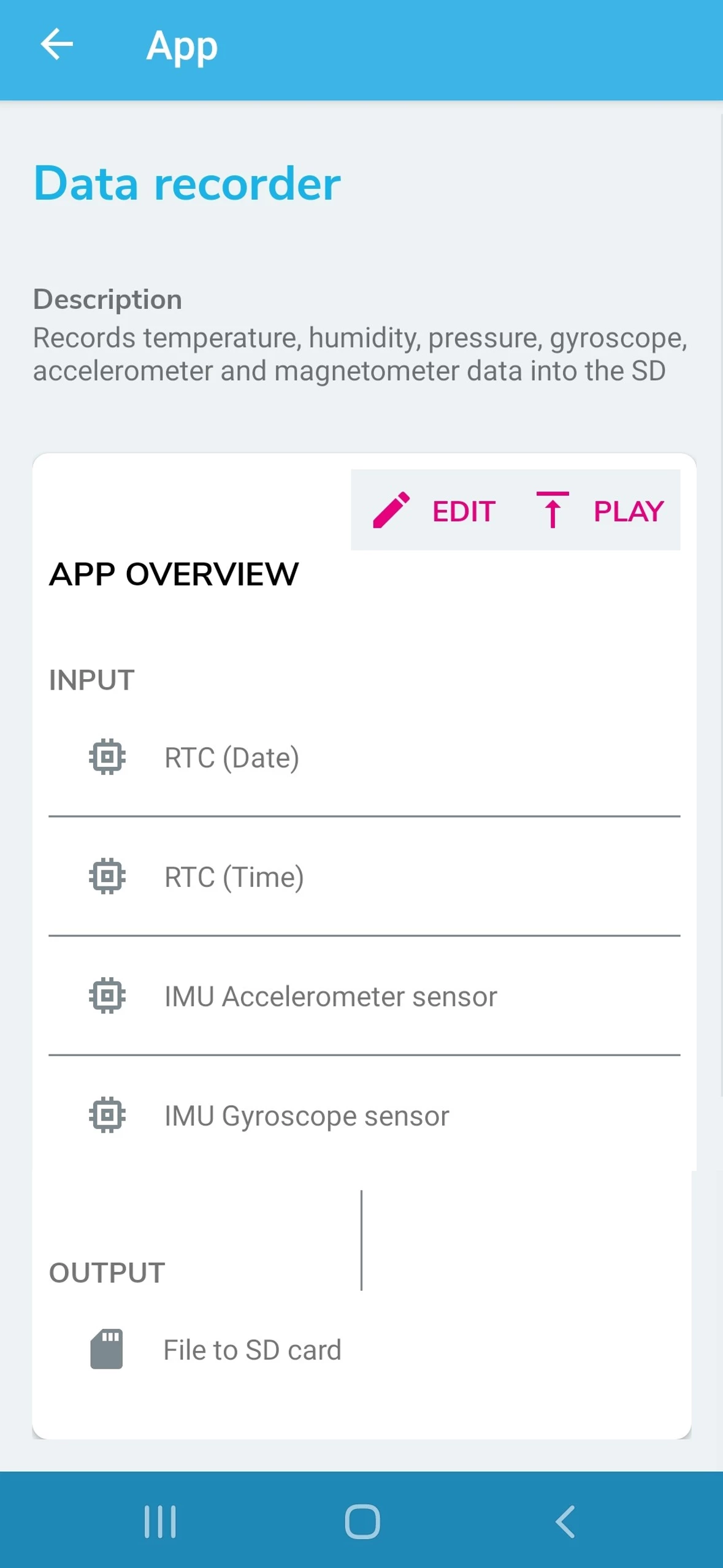
The acquired dataset (a limited subset of data logs for this example is available here) is then uploaded on Unico. Once uploaded, the following steps must be followed in order to build the code for the LSM6DSOX Machine Learning Core (and for the related decision tree definition).
- Set the configuration tab (labels, features and ARFF file);
- Design the Decision Tree Classifier;
- Generate the MLC Configuration file .
A detailed description of the whole procedure can be found here.
Algorithm (MLC) Configuration (details)
The LSM6DSOX machine learning core (MLC) is configured to run at 52 Hz, computing features on windows of 13 samples, therefore the decision tree classifier output is updated 4 times per second (52 Hz / 13 = 4 Hz).
Only one feature is computed:
- Mean on gyroscope X-axis
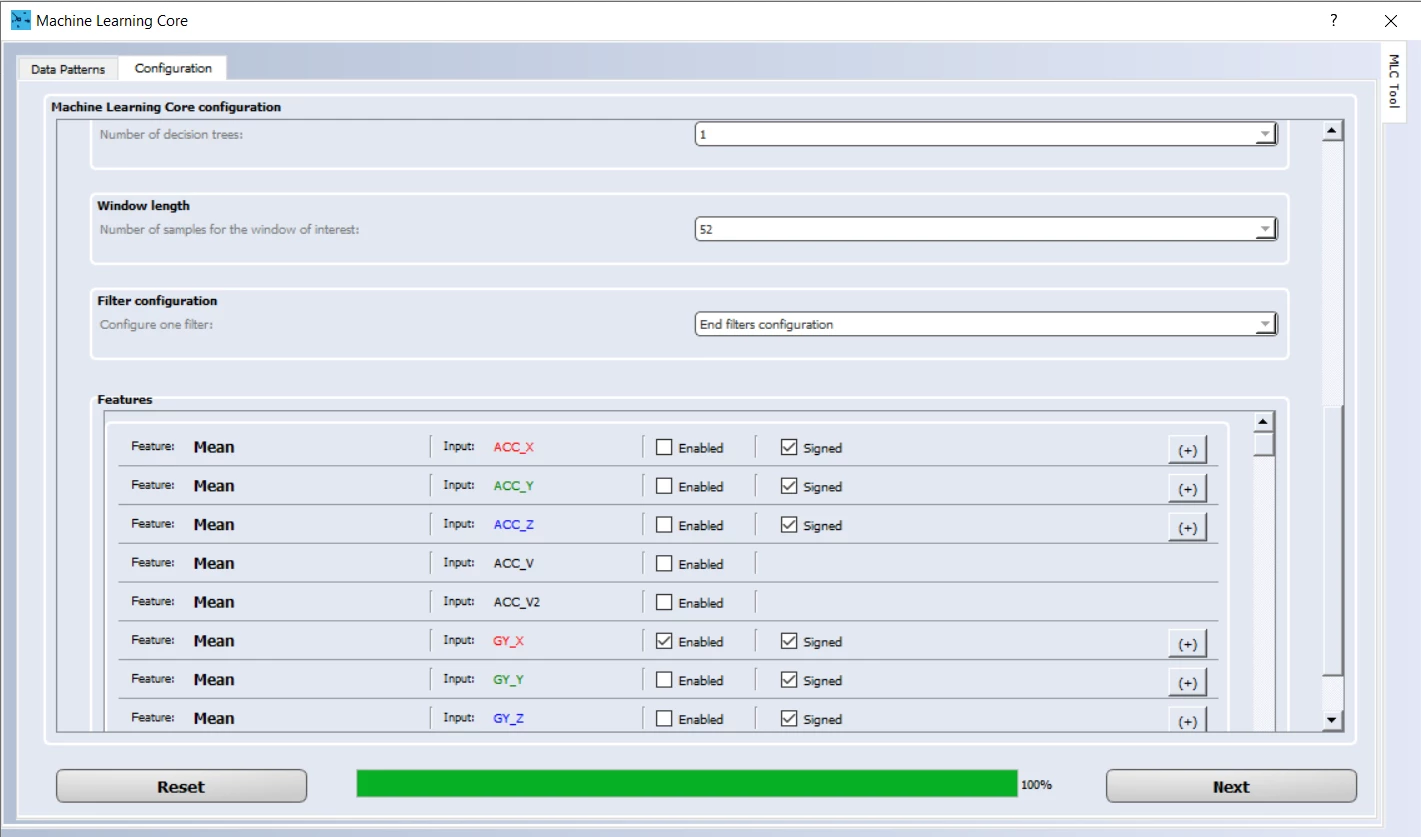
One decision tree with around 4 nodes has been configured to detect the different classes. A meta-classifier has not been used.
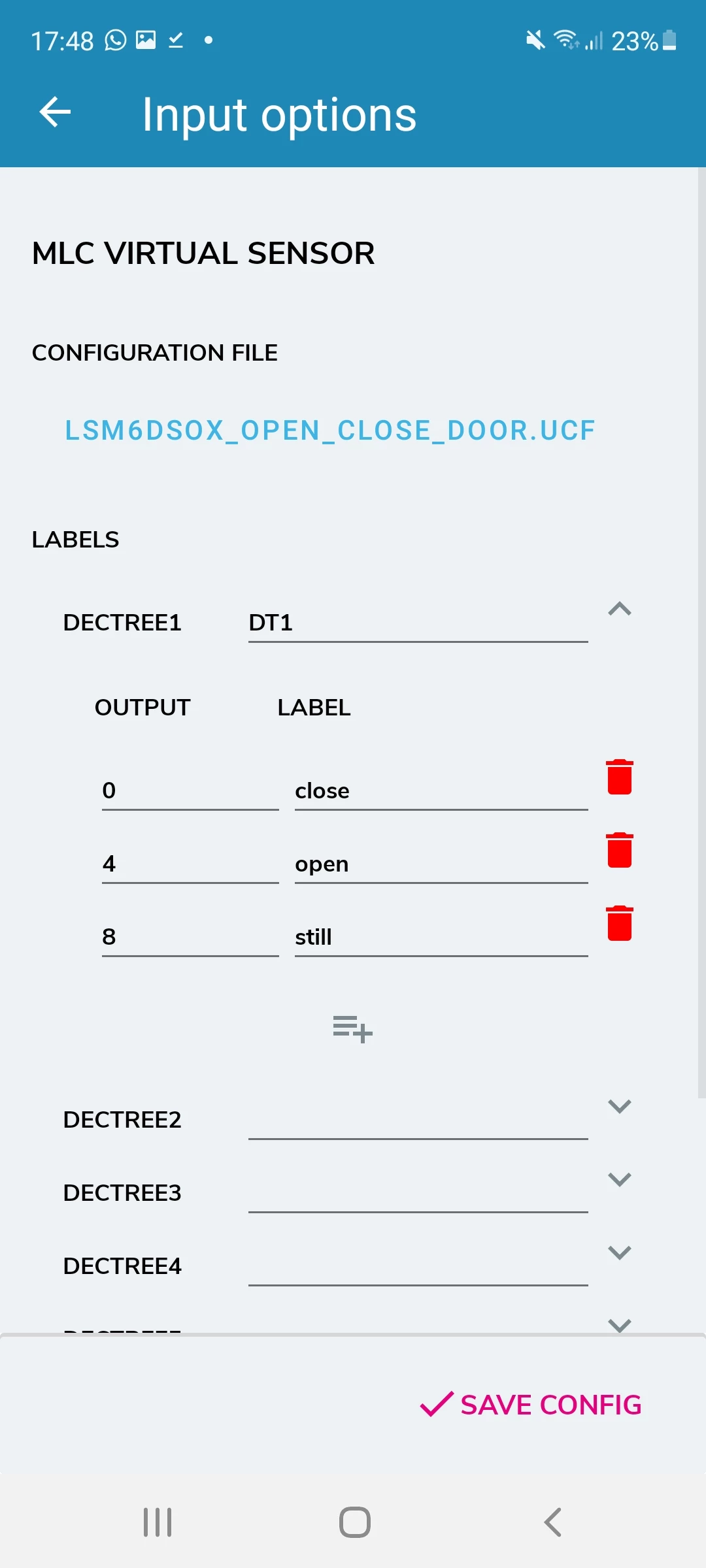
The decision tree classifiers detect 3 different classes corresponding to 3 different door states. The output of the decision tree classifier is stored in the register MLC0_SRC (address 70h).
- MLC0_SRC (70h) register values
- 0 = Closing
- 4 = Opening
- 8 = Still
Data visualization with the ST BLE Sensor app
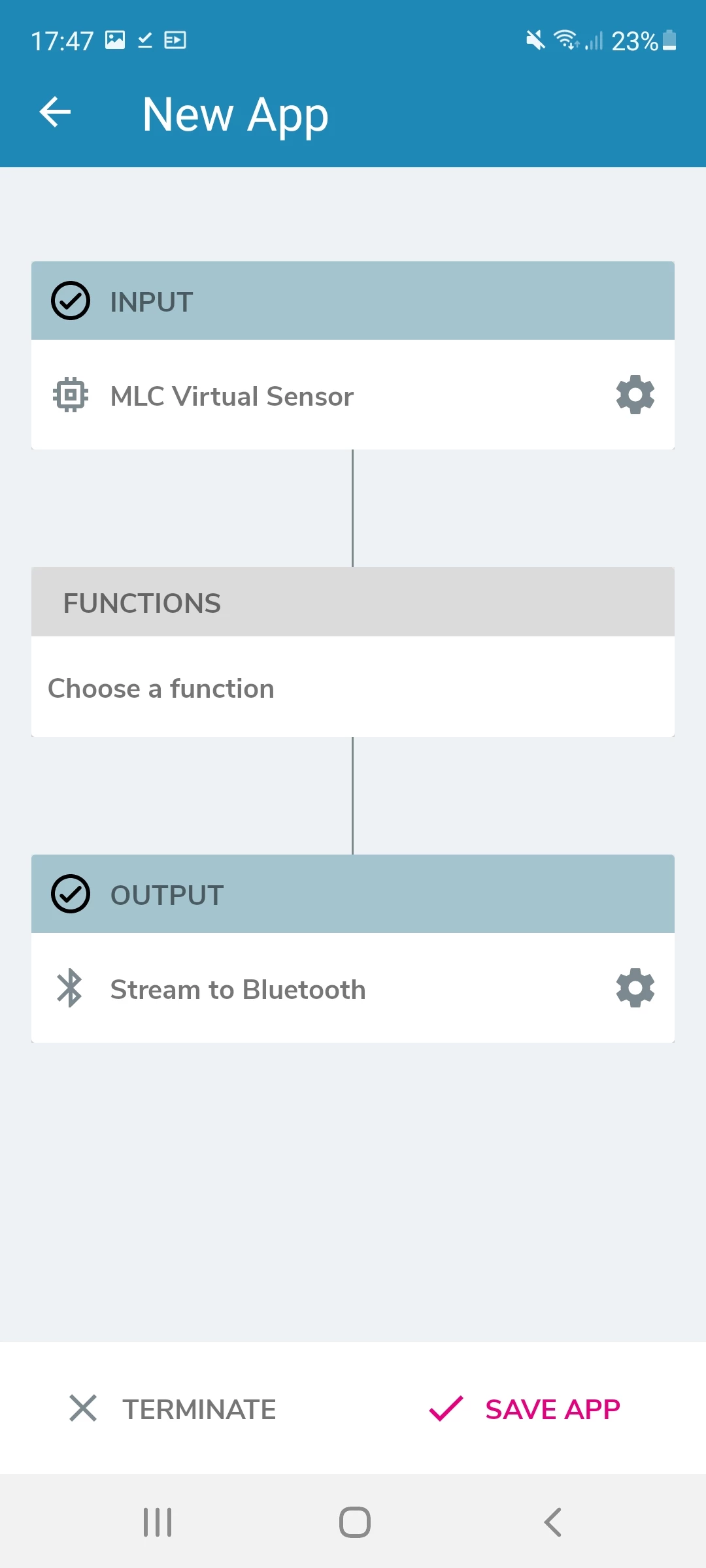
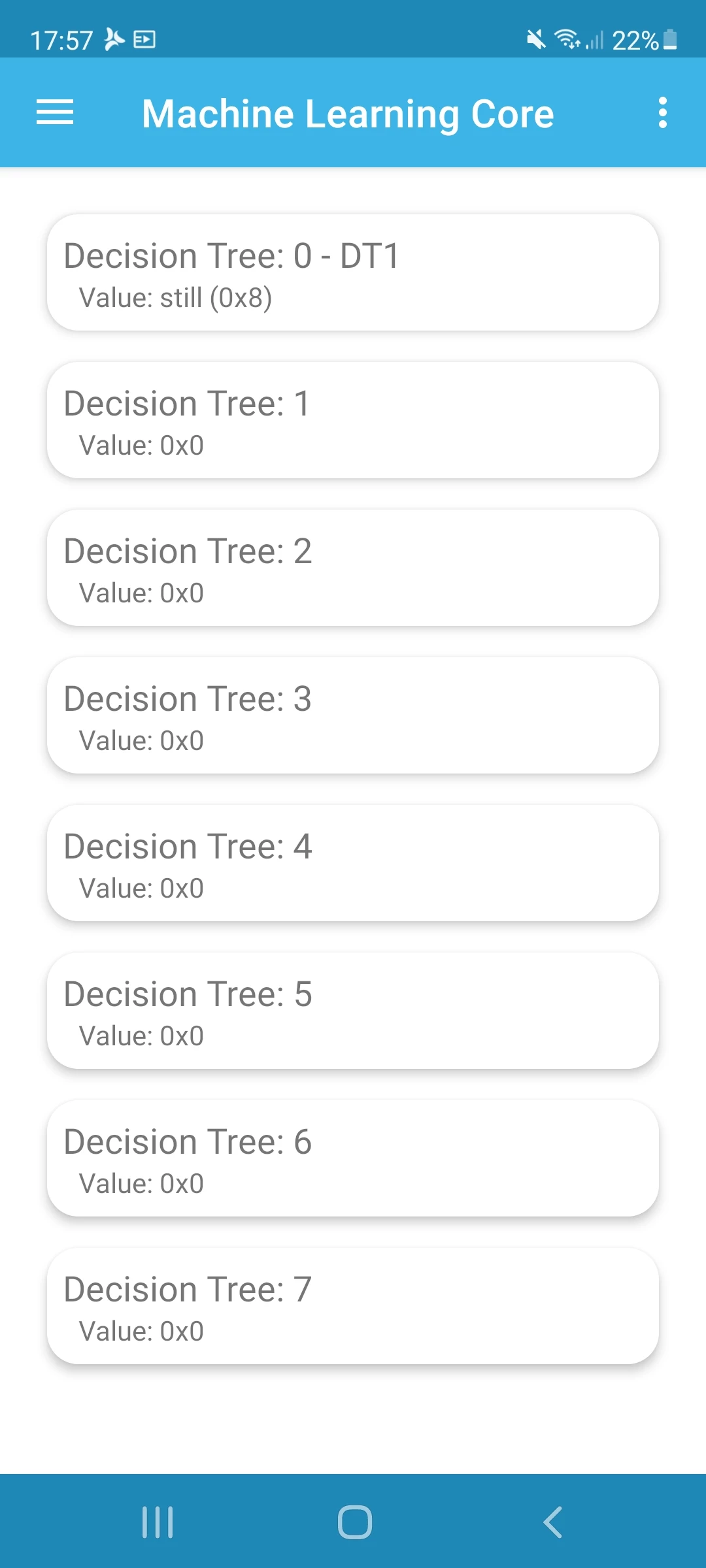
To test the decision tree, STBLE Sensor app visualization method has been preferred. The value of the Decision Tree: 1 varies according to the class label described in the previous paragraphs.Other methods (related to the interface with Unicleo GUI and AlgoBuilder GUI tools) will be described in the next articles.
Find more information on: STMems_Machine_Learning_Core/application_examples/lsm6dsox/Door OpeningClosingStill
