Hi Ulter,
VCOM port is not required to program BlueNRG-1 device via SWD.
--
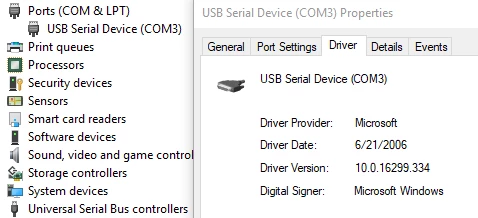
In case VCOM is needed, Windows 10 has inbox VCOM driver which works well:
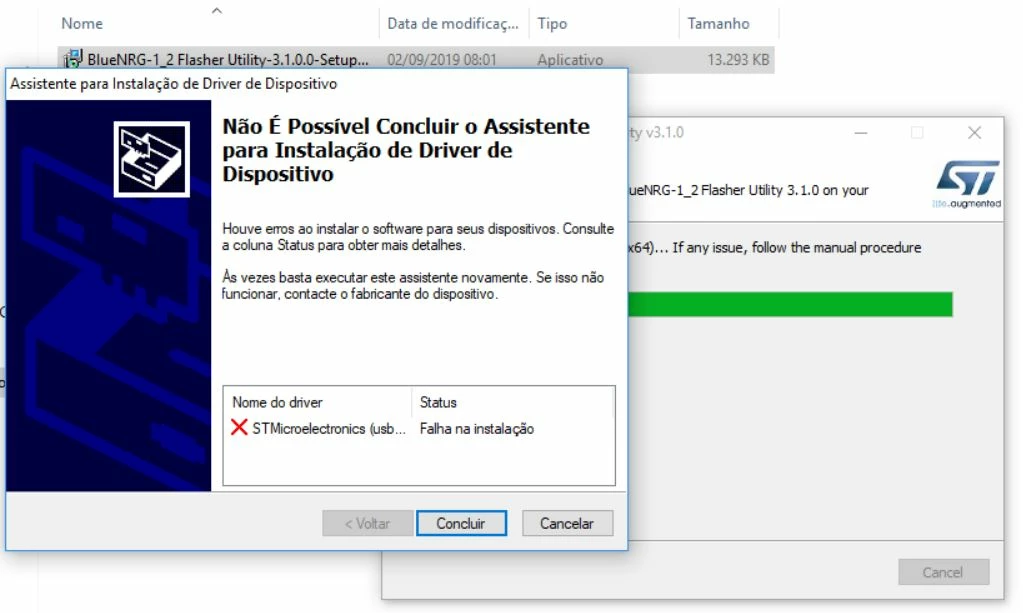
So for most cases, please just ignore the error by clicking "Complete"(Concluir). Then it shall work for you.
Please in Device Manager look for the Ports | USB Serial Device.
When the inbox driver doesn't work, please manually install the driver:
- Go to PC, Windows Device Manager.
- Look for "Other devices" tab: on the available reported device, related to the not recognized STEVAL-IDB007Vx device (label: Unknown Device or STMicrolectronics), right click on mouse and select "Update Driver Software" option.
- Browse to BlueNRG-1 BlueNRG-2 Flasher Utility SW package installation folder (default path is C:\Program Files (x86)\STMicroelectronics\BlueNRG-1_2 Flasher Utility x.x.x) and select PCDriver\Virtual COM Port Driver and proceed with "Next" button.
- If asked, allow the driver installation by selecting: "Install this driver software anyway" option.
- Installation is completed and STEVAL-IDB007Vx devices are correctly recognized and reported on Device Manager, Ports (COM & LPT) tab, with associated COM port number.
Best Regards,
Winfred


 Hi Guys!