

Associate II
Jul 16, 2026 9:09 AM UTC
Solved

VL53L9 compiled demo binary

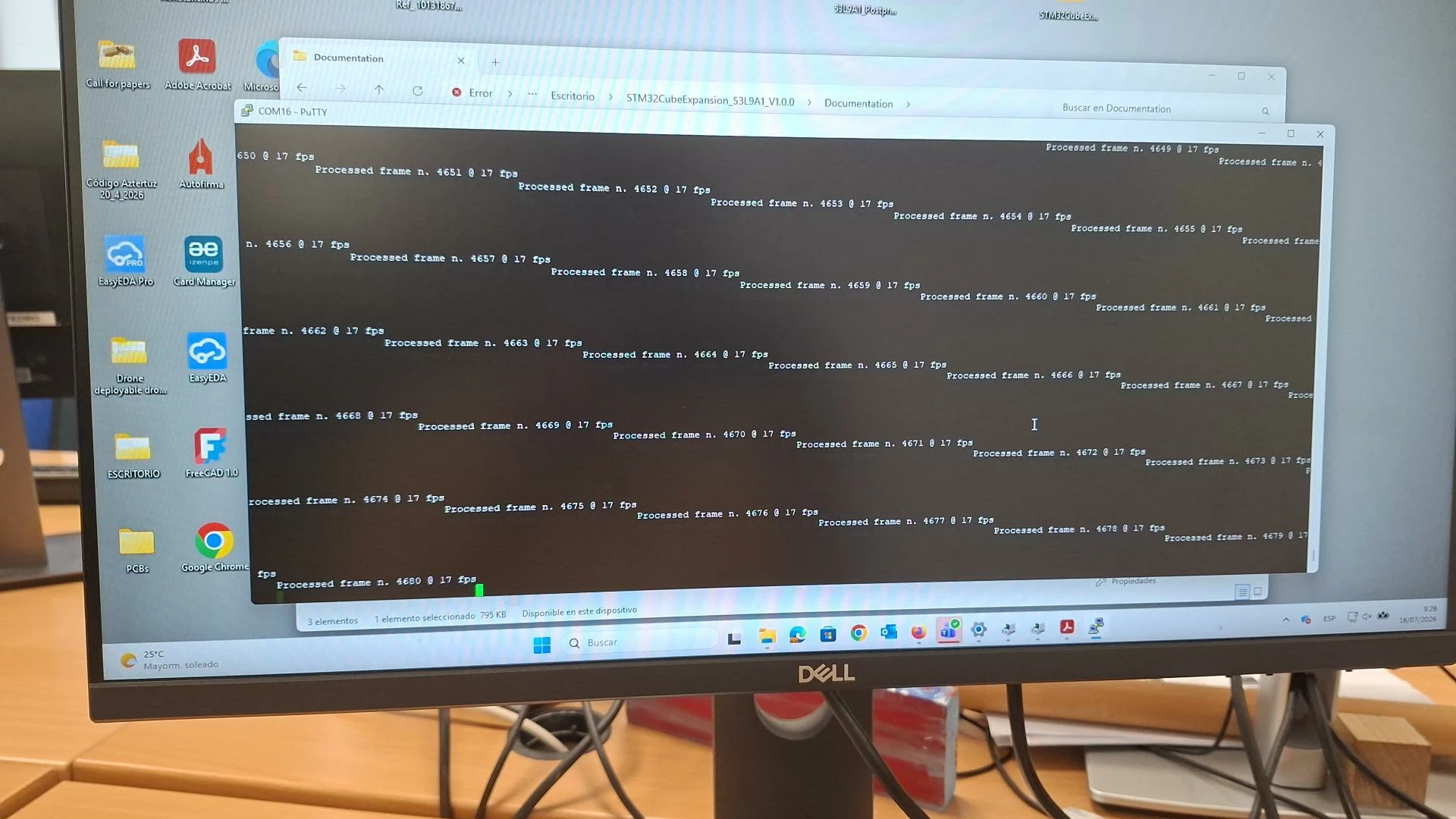
I have the X-NUCLEO-53L9A1 board and NUCLEO.H563ZI. I load the binary provided by ST (53L9A1_PostprocessSingle.bin) and I attach what I get in the serial terminal. I was expecting different data, like a distance value array that I could draw as bitmaps. How is this supposed to work?
 

BinBest answer
ST Technical Moderator
Aug 14, 2026 8:54 AM UTC

Hi:

please refer to below modification, rebuild driver code and flash the sample application.

then you will get distance array.


Best regards,

Bin FAN

In order to give better visibility on the answered topics, please click on 'Accept as Solution' on the reply which solved your issue or answered your question.

5 replies

Andrew Neil
Super User
Jul 16, 2026 9:46 AM UTC

When you get a display like that on a serial terminal, it means that your line endings configuration is wrong.

The software is terminating lines with just a Line-Feed (LF, ASCII 0x0A), but the terminal is expecting Carriage-Return (CR, 0x0D) and LF (sometimes written “CRLF”).

It looks like you’re using PuTTY - for that, you need to enable the ‘Implicit CR in every LF’  option.


See also How to get a proper screenshot.


#LineEndings #TerminalLineEndings #TerminalCRLF

A complex system that works is invariably found to have evolved from a simple system that worked.A complex system designed from scratch never works and cannot be patched up to make it work.
Associate II
Jul 16, 2026 10:08 AM UTC

Thank you very much, 
The line endings configuration looks right now. But I still was expecting to get an array of distance reading values… not “processed frame nº”.


Associate II
Jul 23, 2026 6:47 AM UTC

Hi, is there any info on this?

Associate II
Aug 13, 2026 9:11 AM UTC

Hello, ST, any news about this issue?

BinBest answer
ST Technical Moderator
Aug 14, 2026 8:54 AM UTC

Hi:

please refer to below modification, rebuild driver code and flash the sample application.

then you will get distance array.


Best regards,

Bin FAN

In order to give better visibility on the answered topics, please click on 'Accept as Solution' on the reply which solved your issue or answered your question.