

Associate
May 7, 2026
Question

2x VD66GY on STEVAL P-board with Raspberry Pi 5 — CSI1 V4L2 failed to queue buffe

  • May 7, 2026
  • 2 replies
  • 197 views

I am trying to capture video streams from two VD66GY cameras connected to the CSI0 and CSI1 ports of a Compute Module 5 IO Board. My OS is : Linux raspberrypi 6.12.75+rpt-rpi-2712 #1 SMP PREEMPT Debian 1:6.12.75-1+rpt1~bookworm (2026-03-11) aarch64 GNU/Linux

Both seem to be recognized:
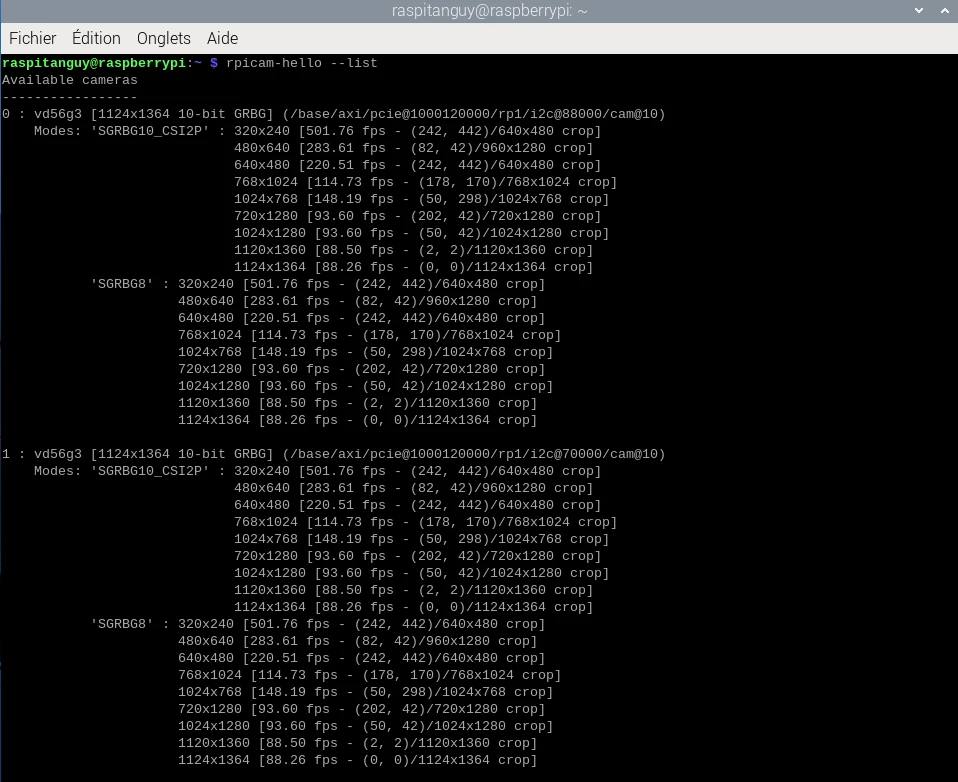
screen1_cam_detect.png

However, when I try to capture video from both cameras simultaneously, only the CSI0 port works. The CSI1 port returns the following error with this command ( rpicam-hello --camera 1):
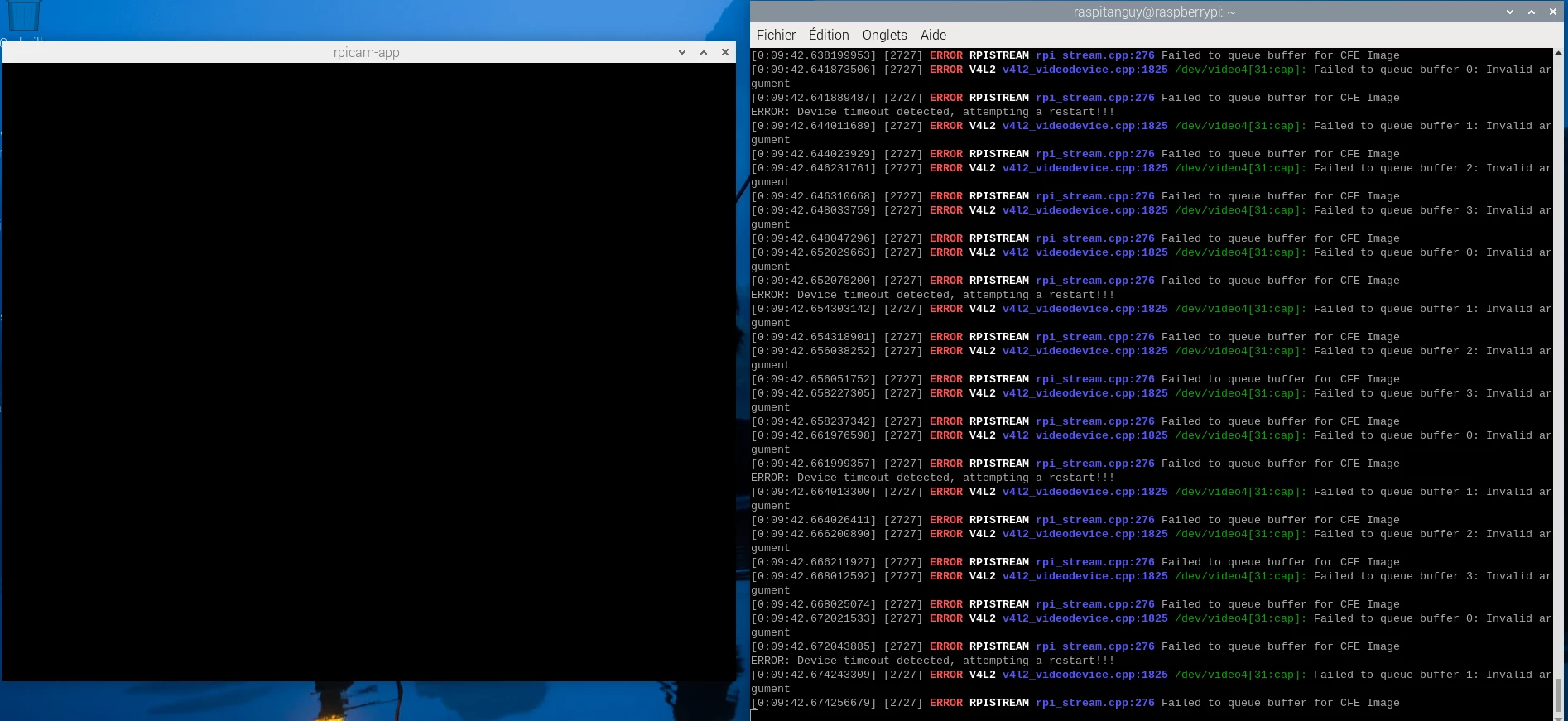
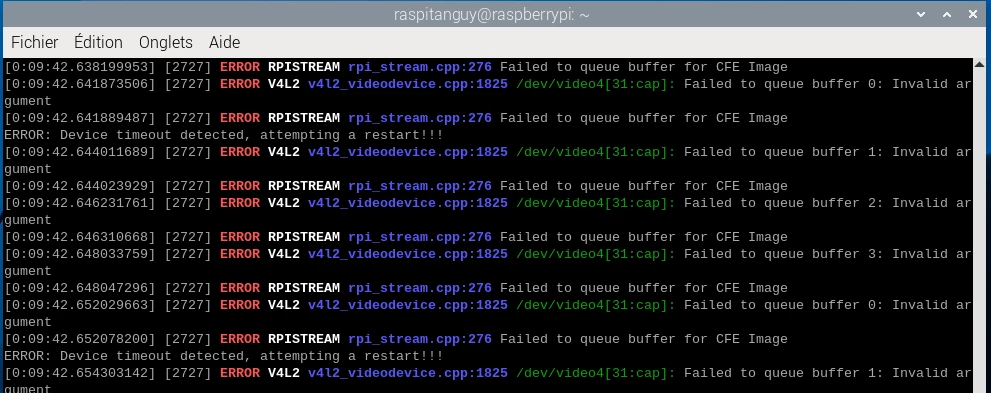
screen2_error_V4L2.png

2screen2_error_V4L2.png

I also tried a GStreamer command, but it didn't make any difference.

I don't have much experience with V4L2 or camera systems in general, so I'm not really sure how to fix this problem. Maybe I missed a step during setup, but that seems unlikely. Even after searching for similar issues, I haven't found anything conclusive.

What I have already tested:

  • When using two different cameras — CSI0 = VD66GY and CSI1 = IMX296 — I can capture both video streams successfully. The reverse configuration does not work if VD66GY is connected to csi1.
  • I tested different resolutions and frame rates, but the issue remains the same.
  • I correctly modified the /boot/firmware/config.txt file with:
    • camera_auto_detect=0
    • dtoverlay=pcb4280_vd66gY,cam0
    • dtoverlay=pcb4280_vd66gY,cam1
  • I tested both VD66GY cameras individually, and both work correctly when connected to CSI0.
  • I tried the v4l2vd56g3 driver from both the main and Debian branches, but the issue persists.
    Driver: https://github.com/STMicroelectronics/vd56g3-linux-driver
  • I also tried installing libcamera from both the main and Debian branches, and I still have the same problem.
    Libcamera: https://github.com/STMicroelectronics/libcamera

It seems to me that even though both cameras are detected correctly, V4L2 may somehow confuse them at some point.

Does anyone have any ideas on how to solve this problem?

Thanks in advance for your help.


2 replies

ST Employee
May 19, 2026

Hello @tanguy1 ,


I am not able to reproduce your error. That works fine on my side.

Here are some questions/tests to run to try to understand a bit better the issue:

  1. Are you able to stream with vd66gy on cam1 when doing single camera streaming?
  2. The error you mention only occurs when streaming simultaneously or it also occurs when streaming only with cam1 while cam0 is connected but not streaming?

Can you also check if you have more details about the error in dmesg?


Best regards,

Jean

tanguy1Author
Associate
September 10, 2026

Hello,

Please excuse the delay in my reply. I've just realised that my previous answer was deleted from the forum.

  1. No — whatever I do, I cannot stream the camera feed on port 1.
  2. I get the problem both when the camera on port 0 is unplugged and when it is plugged in but not streaming.

I have continued investigating, and it seems the problem comes partly from the camera's C driver and partly from the Raspberry Pi evaluation board.

When starting the camera on port 1, the camera returns an error coming from the C driver:

In the vd56g3_power_on function of the C driver, the code sends an I2C command to find out which state the camera is in. It expects the camera to be in the Ready_to_boot state (0x01) at startup. However, the camera on CSI1 goes straight to SW_Standby (0x02), so the function returns an error.


Since the camera is directly in SW_standby, I don't know whether or not it was configured by the driver. In any case, its state seems stuck in this mode; I couldn't switch it back to ready_to_boot or streaming.


This is where my understanding of the driver stops — I can't work out what the driver does after that. I saw that there are "CUT" and "fast boot" functions, and I don't know whether the camera goes through them or not, or whether the problem could also originate there.

  1. Could you give me a few more details on this?
  2. Would it be worth looking into that in my case?


I also looked at the schematics of the IO Board 5 on which my Compute Module 5 is mounted, and I noticed that the CSI0 port has a GPIO on the camera's reset pin. That pin goes from its initial low state to high when I start streaming. On port 1, however, this GPIO is replaced by a simple resistor tied to 3.3 V. That means the camera can never be reset, and therefore never used by the driver.


So I desoldered resistor R8 and connected pin 17 of the MIPI port to a GPIO on the Raspberry Pi. I then modified the overlay to create a custom one and assign that GPIO to the reset.

As a result, I am now able to use both cameras at the same time.

  1. Do you think this was the right way to solve the problem?
  2. Do you also use an official IO board 5, or a custom board with a reset on each port?
  3. When you told me you weren't experiencing this problem, were you using the v4l2 driver available on GitHub, or a different one?
  4. Would there be a way to reset the camera purely in software?

Thank you in advance for your reply.