


Andrew Neil
Super User
July 22, 2026
Question

YouTube preview size excessive ?

  • July 22, 2026
  • 1 reply
  • 28 views

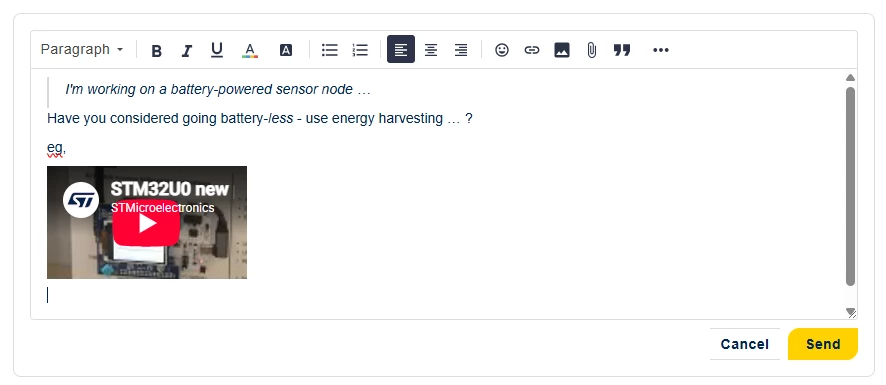
When you type a YouTube URL while creating a post, you get a nice little preview:
But when it’s actually posted, it becomes huge:

 

I think this is excessive - especially when linking multiple videos!


See also:


1 reply

Zita LASZLOFI
ST Community Manager
July 24, 2026

Thank you for sharing this feedback with us, ​@Andrew Neil

After checking with the platform provider, we learnt that the size of the embedded YouTube video is working as intended at the moment. The reason of the difference between the preview and the posted content is that after posting, the video iframe returns a fixed width and height, which always occupies the full width. It is not customizable on their end right now. Since it is not related to the enhancement to enable image resizing, we shared this request for future considerations. 

I hope this helps and please keep sharing your feedback! 

Andrew Neil
Super User
July 24, 2026

The reason of the difference between the preview and the posted content is that after posting, the video iframe returns a fixed width and height, which always occupies the full width. 

So why doesn’t it do the same in the editor?

Yet another case of WYSINWYG = What You See Is Not What You Get.

A complex system that works is invariably found to have evolved from a simple system that worked.A complex system designed from scratch never works and cannot be patched up to make it work.
Zita LASZLOFI
ST Community Manager
July 24, 2026

My understanding is that it happens because the video iframe in the published post is generated by an embed provider, hence the preview and the posted content has a different size.

I completely understand your point when it comes to multiple videos. Depending on the amount of videos, a workaround can be to add them as links, and not all as embed.