

Associate
July 13, 2026
Question

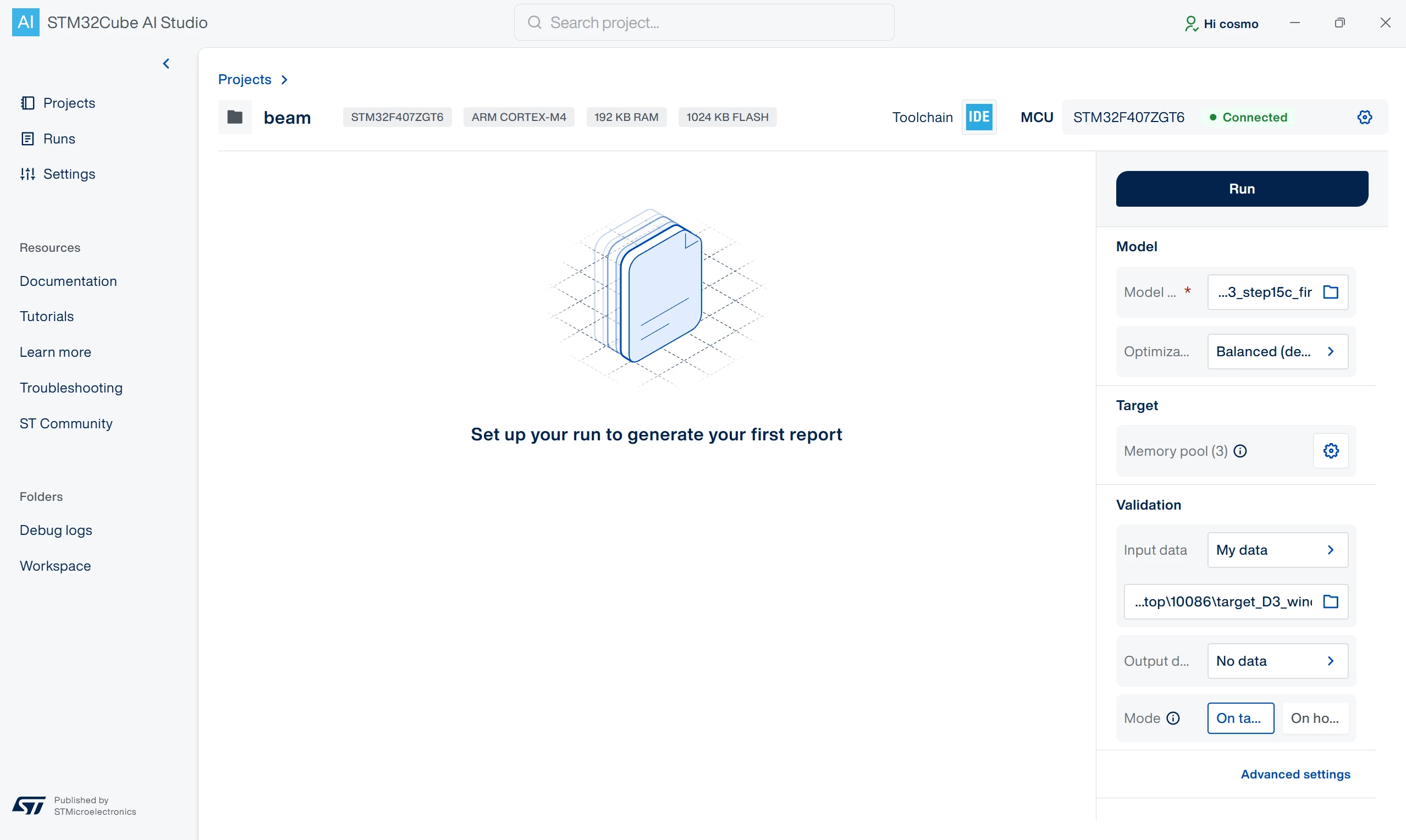
The problem occurs when I use the On Target mode in STM32Cube AI Studio.

  • July 13, 2026
  • 4 replies
  • 81 views

我在尝试用STM32Cube AI Studio运行一个STM32F407ZGT6项目时遇到了“启动失败运行”错误,我不确定问题的原因。一开始
运行正常,但之后错误一直出现。使用“主机”模式时
,它正常工作。
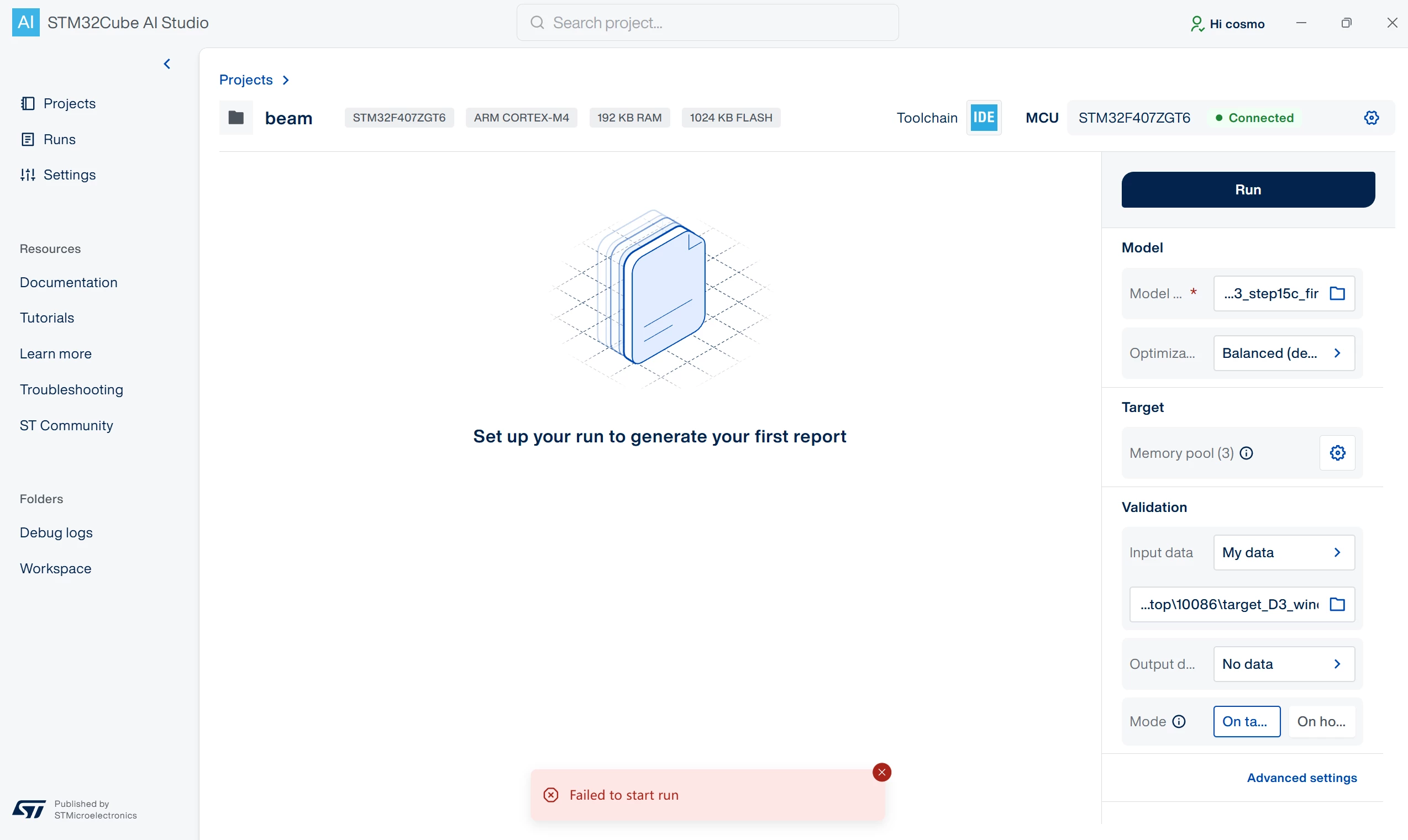
2026-07-13 10:49:46 错误:以下路径中找不到4.0.0版本的可执行文件:C:/*ST*/*STEdgeAI*/4.0,C:/*ST*/*STEdgeAI*/*
2026-07-13 10: 49:47 错误:以下路径中找不到4.0.0版本的可执行文件:C:/*ST*/*STEdgeAI*/4.0,C:/*ST*/*STEdgeAI*/*
2026-07-13 11:14:59 错误:从公共IP获取国家时出现错误:获取失败
2026-07-13 11:15:00 错误:以下路径中找不到4.0.0版本的可执行文件:C:/*ST*/*STEdgeAI*/4.0,C:/*ST*/*STEdgeAI*/*
2026-07-13 11:15:01 错误:以下路径中找不到4.0.0版本的可执行文件:C:/*ST*/*STEdgeAI*/4.0,C:/*ST*/*STEdgeAI*/*

4 replies

CosmosAuthor
Associate
July 14, 2026

2026-07-14 11:20:51 DEBUG:     STM32CubeProgrammer connect error output: 
2026-07-14 11:20:51 INFO:     POST /stm32cubeprog/connect/R%C3%BFq%06q%C2%80VT%19$%04%C2%87 200 172.414 ms - Content-Length: -
2026-07-14 11:20:51 INFO:     Found 0 serial ports: []
2026-07-14 11:20:51 INFO:     Listing STM32CubeProgrammer boards... []
2026-07-14 11:20:51 INFO:     GET /stm32cubeprog/probes 304 3.617 ms - Content-Length: -
2026-07-14 11:20:51 DEBUG:     ProjectSettingsManager: Loading existing project settings from C:\Users\Administrator\.stm32cubeaistudio\workspace\bear\project.stai
2026-07-14 11:20:51 INFO:     GET /projects/uartpins?projectPath=C:%5CUsers%5CAdministrator%5C.stm32cubeaistudio%5Cworkspace%5Cbear 304 20.313 ms - Content-Length: -
2026-07-14 11:20:51 DEBUG:     ProjectSettingsManager: Loading existing project settings from C:\Users\Administrator\.stm32cubeaistudio\workspace\bear\project.stai
2026-07-14 11:20:51 INFO:     GET /projects/uartpins?projectPath=C:%5CUsers%5CAdministrator%5C.stm32cubeaistudio%5Cworkspace%5Cbear 304 15.007 ms - Content-Length: -
2026-07-14 11:21:11 INFO:     POST /byom/run 422 0.552 ms - Content-Length: -
2026-07-14 11:21:14 INFO:     POST /byom/run 422 1.086 ms - Content-Length: -
2026-07-14 11:21:15 INFO:     POST /byom/run 422 0.502 ms - Content-Length: -

Julian E.
ST Technical Moderator
August 7, 2026

Hi ​@Cosmos,


Do you have a ST link on your board?


Have a good day,

Julian

​In order to give better visibility on the answered topics, please click on 'Accept as Solution' on the reply which solved your issue or answered your question.
CosmosAuthor
Associate
August 7, 2026

Hi Julian,

No, my board does not have an ST-Link built-in. I'm using an ALIENTEK ST-LINK V2 emulator/debugger to connect to the board.

But the very first time I followed the tutorial to set up STM32Cube AI Studio, it did seem to connect and work successfully — only that once. Ever since then, I keep running into the issue shown above.

Do you have any idea what might be causing this one-time-success behavior, or how I can get it working again?

Thanks,
Cosmos

hamitiya
ST Technical Moderator
August 10, 2026

Hello ​@Cosmos 

It may be due to the fact that since you are not using an official ST-LINK, enumeration returns a product vendor other than STMicroelectronics.

To be sure about that, feel free to execute this command in a PowerShell:

Get-CimInstance Win32_PnPEntity | Where-Object { $_.Caption -match 'COM\d+' } | Format-Table Caption, Manufacturer, DeviceID

If enumeration returns, for example, Alientek, instead of “STMicroelectronics” the best would be to get an official ST-LINK.

I still take the point to see if we can support this.

Best regards,

Yanis

​In order to give better visibility on the answered topics, please click on 'Best answer' on the reply which solved your issue or answered your question.