STM32N6570-DK: Custom 5-Class ST YOLOX Model Freezes After Few Frames and Unexpected LED Turns On
Hello ST Community,
I am working with the STM32N6570-DK and running a custom-trained ST YOLOX Nano object detection model using the STM32N6 Getting Started Object Detection application.My custom model has 5 classes.
The model is successfully generated and integrated into the STM32N6570-DK object detection project. The application starts correctly, the camera/display starts running, and I can see a few frames initially.
However, after processing a few frames, the display freezes/stops updating. The board itself does not appear to continue normal inference after this point.
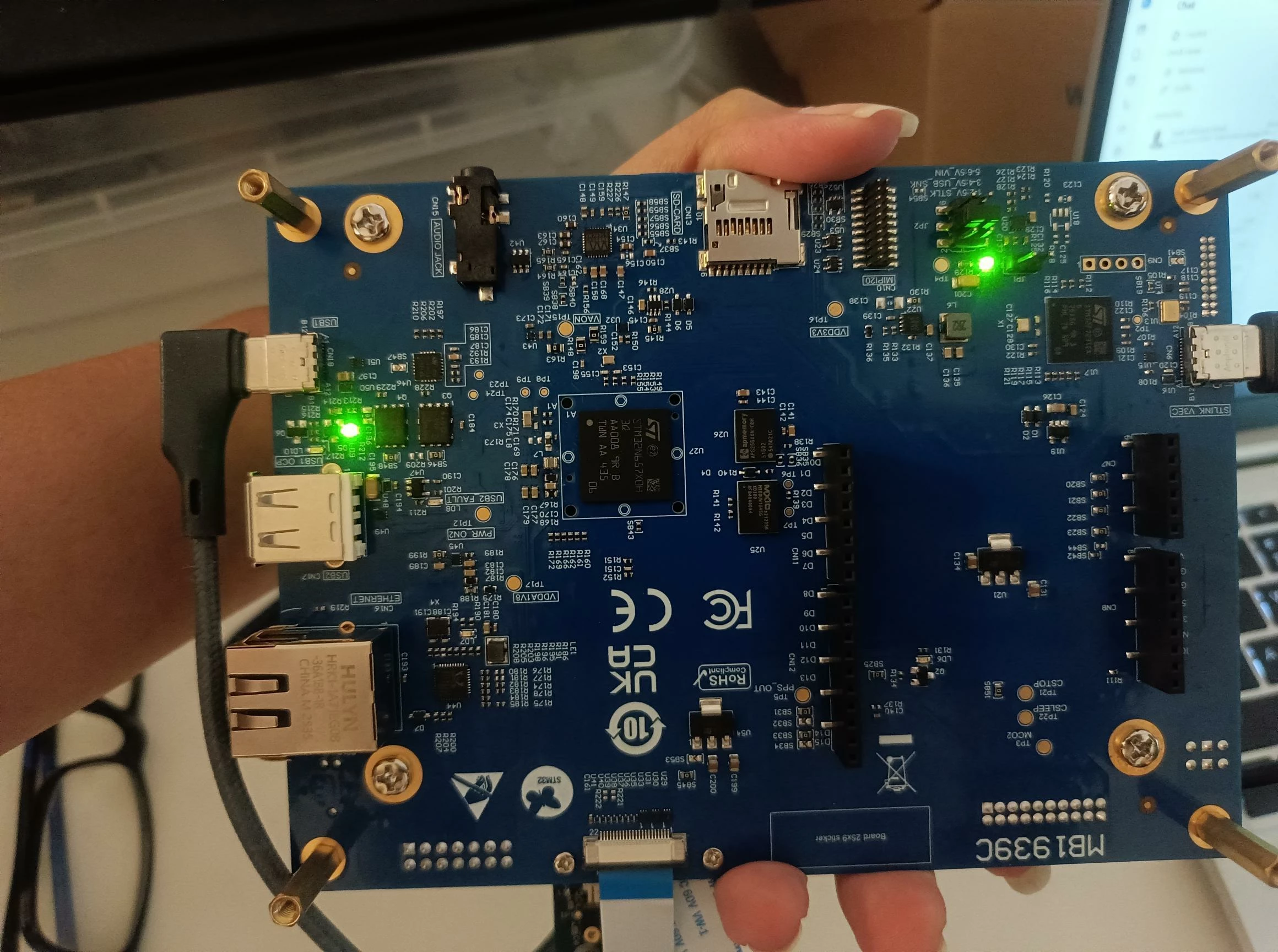
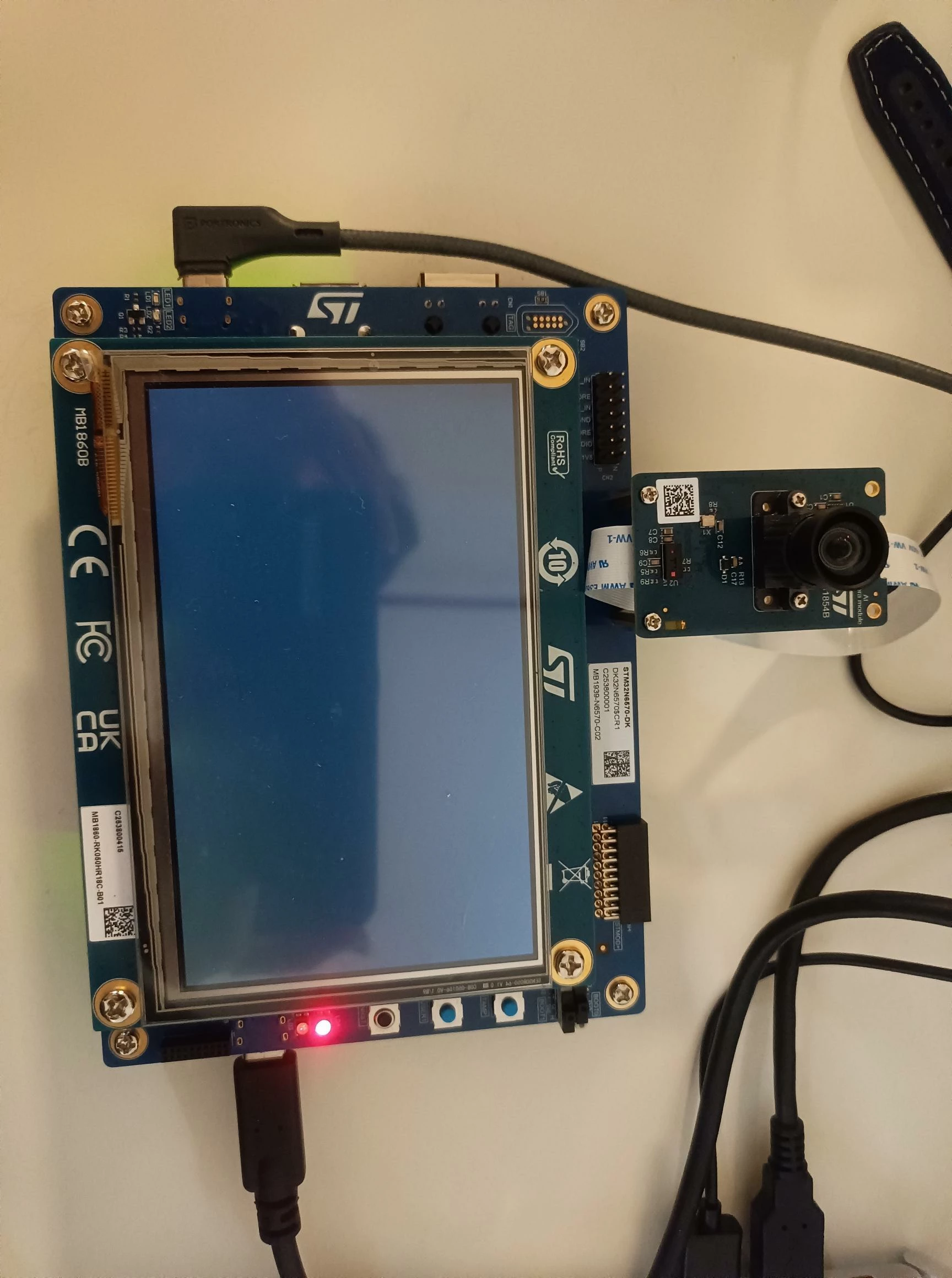
I also noticed an unexpected LED indication on the board. This LED was not active when I previously ran the standard/reference object detection model. I have attached photos of the front and back of the STM32N6570-DK showing the LED state.
My setup is:
- Board: STM32N6570-DK
- Application: STM32N6 Getting Started Object Detection
- Model: Custom ST YOLOX Nano
- Input: 480 x 480 x 3
- Number of classes: 5
- Camera: ST camera module connected through the camera interface
- Display: STM32N6570-DK display
- IDE: STM32CubeIDE
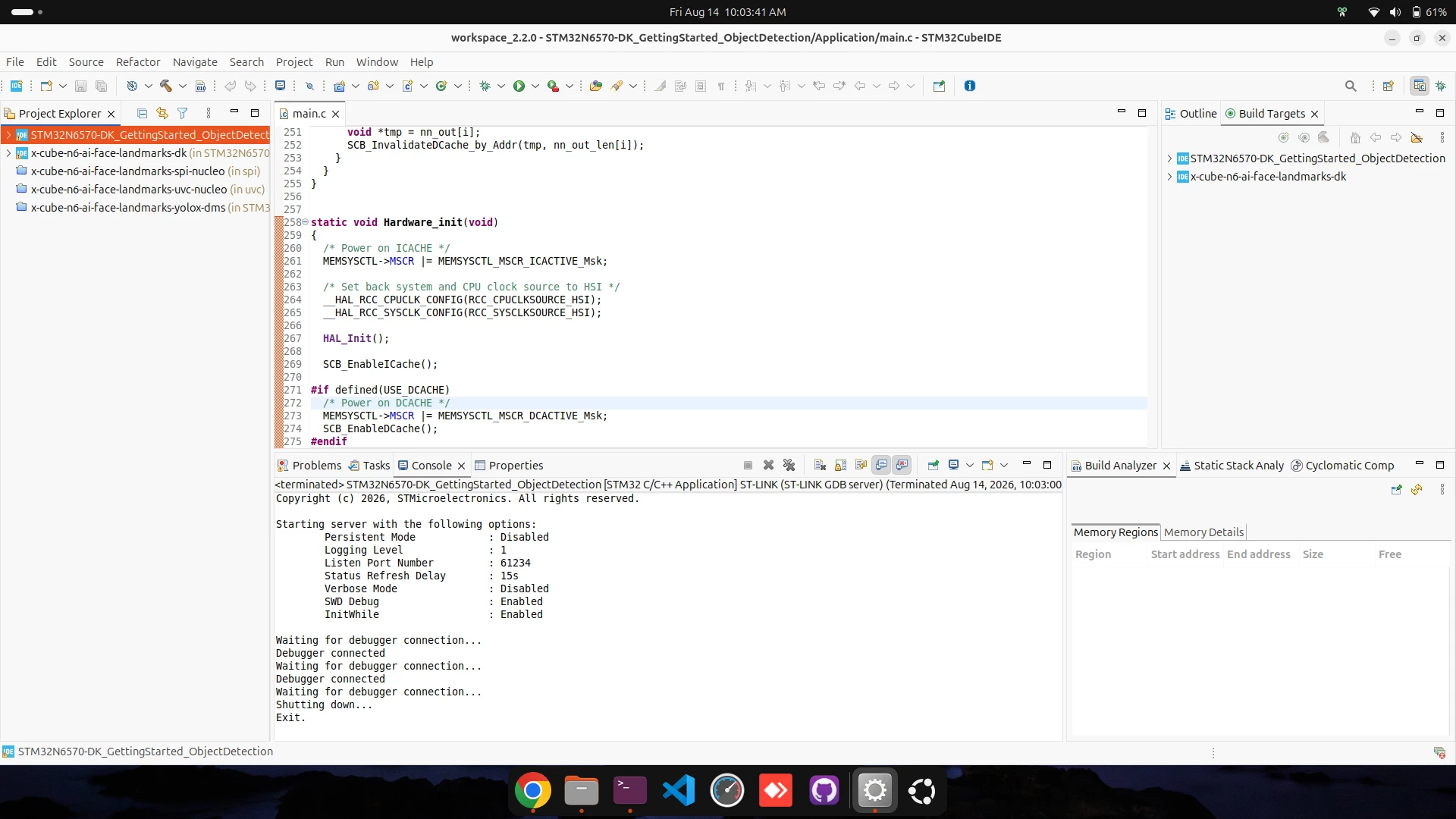
I have attached the STM32CubeIDE screenshot showing the debugger log as well.
The main things I would like help understanding are:
- What does the unexpected LED indication shown in the attached board photos mean?
- Could the freeze after a few frames be caused by a HardFault, memory issue, NPU/runtime issue, cache/DMA coherency issue, or external memory access problem?
- Is there any recommended way to capture the fault status when the application freezes?
- Are there any additional changes required in the STM32N6 Getting Started Object Detection application when changing the reference ST YOLOX model to a custom 5-class model?
- Which registers/logs should I inspect to determine whether the CPU or NPU is faulting when the screen freezes?
- Could there be an issue with model input/output buffers or memory allocation that only appears after several inference frames?
The reference/example model previously ran correctly on the same hardware setup, so the problem seems to occur after integrating my custom ST YOLOX model.
I have attached:
- Photo of the front side of the STM32N6570-DK showing the LED state
- Photo of the rear side of the board
- STM32CubeIDE screenshot showing the ST-LINK/debugger logs
Any guidance on how to debug this freeze or identify the meaning of the LED indication would be appreciated.
Thanks.