

klim
Associate
Sep 11, 2019 12:33 PM UTC
Solved

Error no "wish" detected with X-CUBE-AI
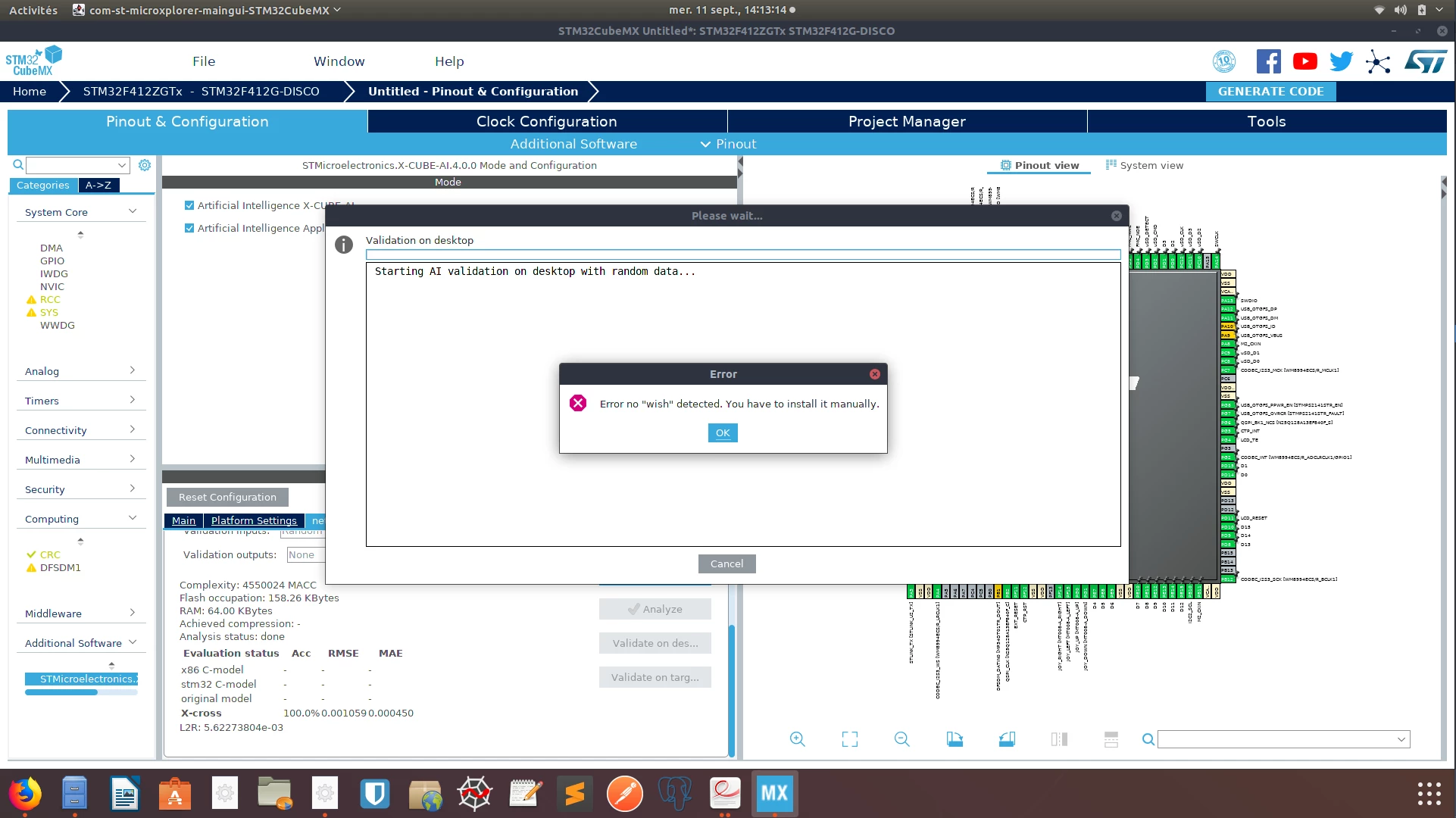
0690X00000AR3FNQA1.pngI'm trying to create the KWS model found on

https://github.com/Shahnawax/KWS-ANN-KERAS

and I'm trying to implement it on an STM32F412G-DISCO MCU.

I've followed the lines of

https://www.st.com/content/ccc/resource/technical/document/user_manual/group1/69/bb/ec/5d/78/16/43/ce/DM00570145/files/DM00570145.pdf/jcr:content/translations/en.DM00570145.pdf

by installing STM32CubeMX and then the X-Cube-AI component.

When I load my Keras model as an h5 file and analyze it it works fine, but when I want to try to "validate on desktop" I've got the error seen on the screenshot

Error no "wish" detected. You have to install it manually

I'd like to but I don't know where to find it. I'm running on Ubuntu 18.04 LTS.

    This topic has been closed for replies.
    fauvarque.daniel
    fauvarque.danielBest answer
    ST Employee
    Sep 11, 2019 12:57 PM UTC

    please install tk using the following command:

    sudo apt-get install tk

    Regards

    Daniel

    ​In order to give better visibility on the answered topics, please click on 'Accept as Solution' on the reply which solved your issue or answered your question.

    2 replies

    fauvarque.daniel
    fauvarque.danielBest answer
    ST Employee
    Sep 11, 2019 12:57 PM UTC

    please install tk using the following command:

    sudo apt-get install tk

    Regards

    Daniel

    ​In order to give better visibility on the answered topics, please click on 'Accept as Solution' on the reply which solved your issue or answered your question.
    klim
    klimAuthor
    Associate
    Sep 11, 2019 1:23 PM UTC

    That seems to work.

    Thanks