SoHaeng.Lee
Associate III
July 1, 2026
Solved

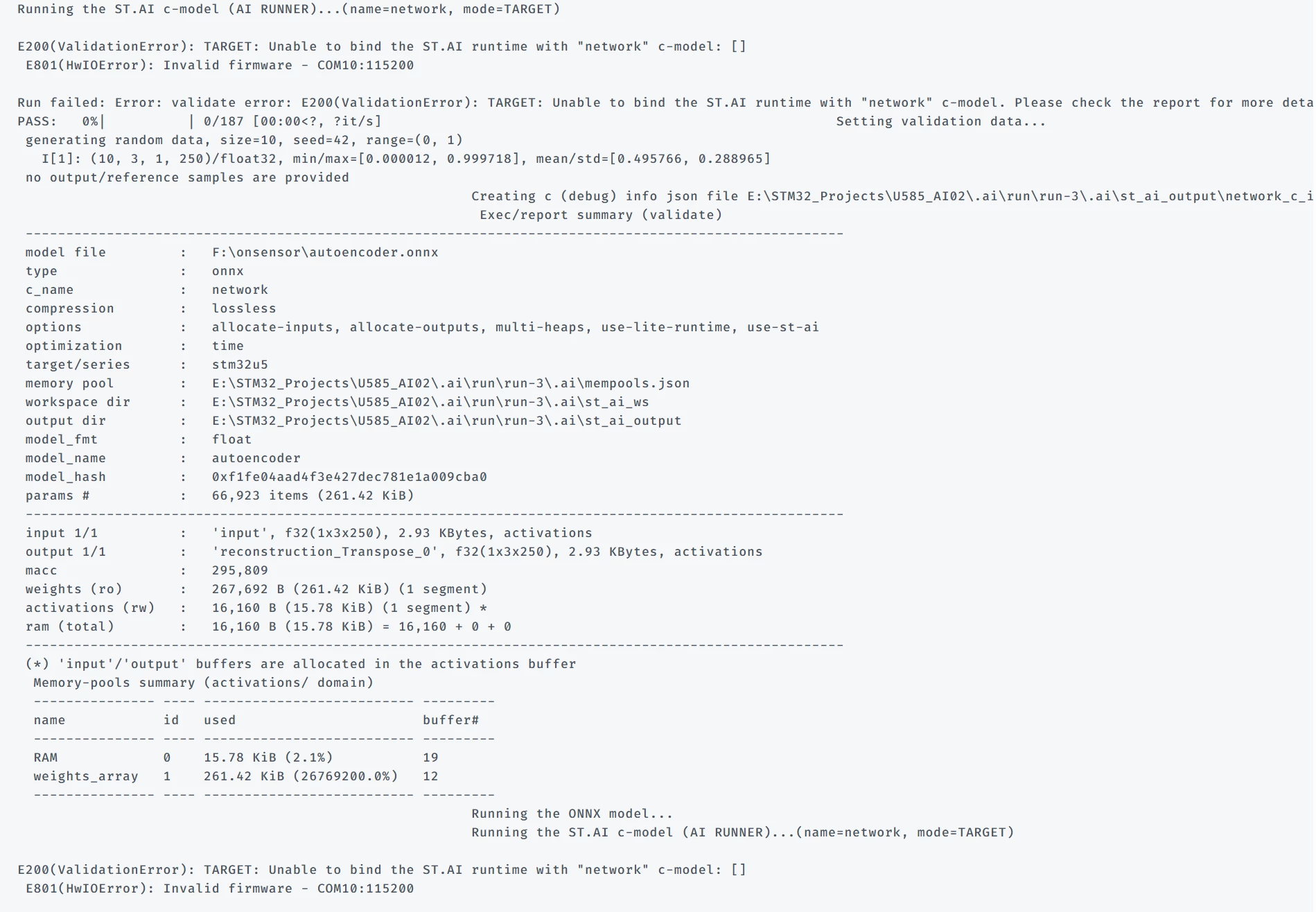
E200(ValidationError): TARGET: Unable to bind the ST.AI runtime with "network" c-model: [] E801(HwIOError): Invalid firmware - COM10:115200

  • July 1, 2026
  • 9 replies
  • 199 views

Somesays ago, I successfully used STM32Cube.AI Studio to deploy a model to an STM32U585CIU6 board and test it.

However, yesterday evening I upgraded STM32CubeIDE, STM32CubeProgrammer, and STM32CubeMX. After that, when I tried to run the same process again, I started getting an error.

I searched online and found some similar cases. The suggested solution was to update all related software, so I updated the tools accordingly. However, the same error still occurs.

I also tried using another laptop. On that laptop, I performed the same software upgrades and then tested with an STM32H743VIT6 board, but the same error occurred there as well.

Because of this, I suspect that I may have missed updating some required software or package.

Has anyone experienced this issue before or found a solution? I would greatly appreciate any advice or guidance.

ps : stedgeai version is v4.0.1.


Best answer by hamitiya

Hello ​@SoHaeng.Lee,

First of all, could you please share, if you know, what was the previous version of STM32CubeMX you used with STM32Cube AI Studio ?


At a first glance, I would say that either the clock tree is not correct and the project does not start, or the UART instance is incorrect. When working with a Microcontroller ( and not with a Discovery Kit / Nucleo ) you need to provide the UART instance.


You have a possibility to go further for the debugging. When performing a “run” in STM32Cube AI Studio, we save the project used in “run” folders. (Example for you: E:/STM32_Projects/U585_AI02/.ai/run/run-3)

You can try debugging this project in your IDE and see where it hangs.


Feel free to share more logs, if possible, we may see more clues.


Best regards,

Yanis

9 replies

Julian E.
ST Technical Moderator
July 28, 2026

Hi ​@SoHaeng.Lee,


We encountered a similar issue with the N6, maybe this has the same cause.

On N6 the cause is the cubeN6 firmware, the latest version brings a change that create the issue. A fix is planned (v1.4.1 I think).

In your case, could you try to use a previous version of cubeU5.
I would say uninstall the latest one or open the IOC and in project settings, at the bottom you can select the cubeFirmware version.

I will ask in parallel if this could be anything else.


Have a good day,

Julian

​In order to give better visibility on the answered topics, please click on 'Accept as Solution' on the reply which solved your issue or answered your question.
SoHaeng.Lee
Associate III
July 29, 2026

Thanks Julian.

I will try a few more things as you advised and provide feedback on the results.

SoHaeng.Lee
Associate III
July 30, 2026


This issue was resolved in H743.

However, it is not perfect.


To start with the conclusion, it works correctly only if configured with HSI instead of HSE.


I will explain the problem while referring to the image below.

First, I created a project and configured HSE and LSE.


 Secondly, I configured X-CUBE-AI as shown in the image below and saved it.


Then, the RCC settings changed.

In this state, running Validate on target results in an error.


 So this time, I changed the RCC settings as follows.


Then, return to X-CUBE-AI and click Validate on Target.


It seems to have run successfully now. I am not entirely sure if this method is correct.

However, it ran in this way.

If there is another method, or if this approach is incorrect, please feel free to advise me at any time.


hamitiya
hamitiyaBest answer
ST Technical Moderator
July 28, 2026

Hello ​@SoHaeng.Lee,

First of all, could you please share, if you know, what was the previous version of STM32CubeMX you used with STM32Cube AI Studio ?


At a first glance, I would say that either the clock tree is not correct and the project does not start, or the UART instance is incorrect. When working with a Microcontroller ( and not with a Discovery Kit / Nucleo ) you need to provide the UART instance.


You have a possibility to go further for the debugging. When performing a “run” in STM32Cube AI Studio, we save the project used in “run” folders. (Example for you: E:/STM32_Projects/U585_AI02/.ai/run/run-3)

You can try debugging this project in your IDE and see where it hangs.


Feel free to share more logs, if possible, we may see more clues.


Best regards,

Yanis

​In order to give better visibility on the answered topics, please click on 'Best answer' on the reply which solved your issue or answered your question.
SoHaeng.Lee
Associate III
July 29, 2026

Thanks hamitiya.


I will try a few more things as you advised and provide feedback on the results.

SoHaeng.Lee
Associate III
July 30, 2026

hi hamitiya.

Check my resolved.