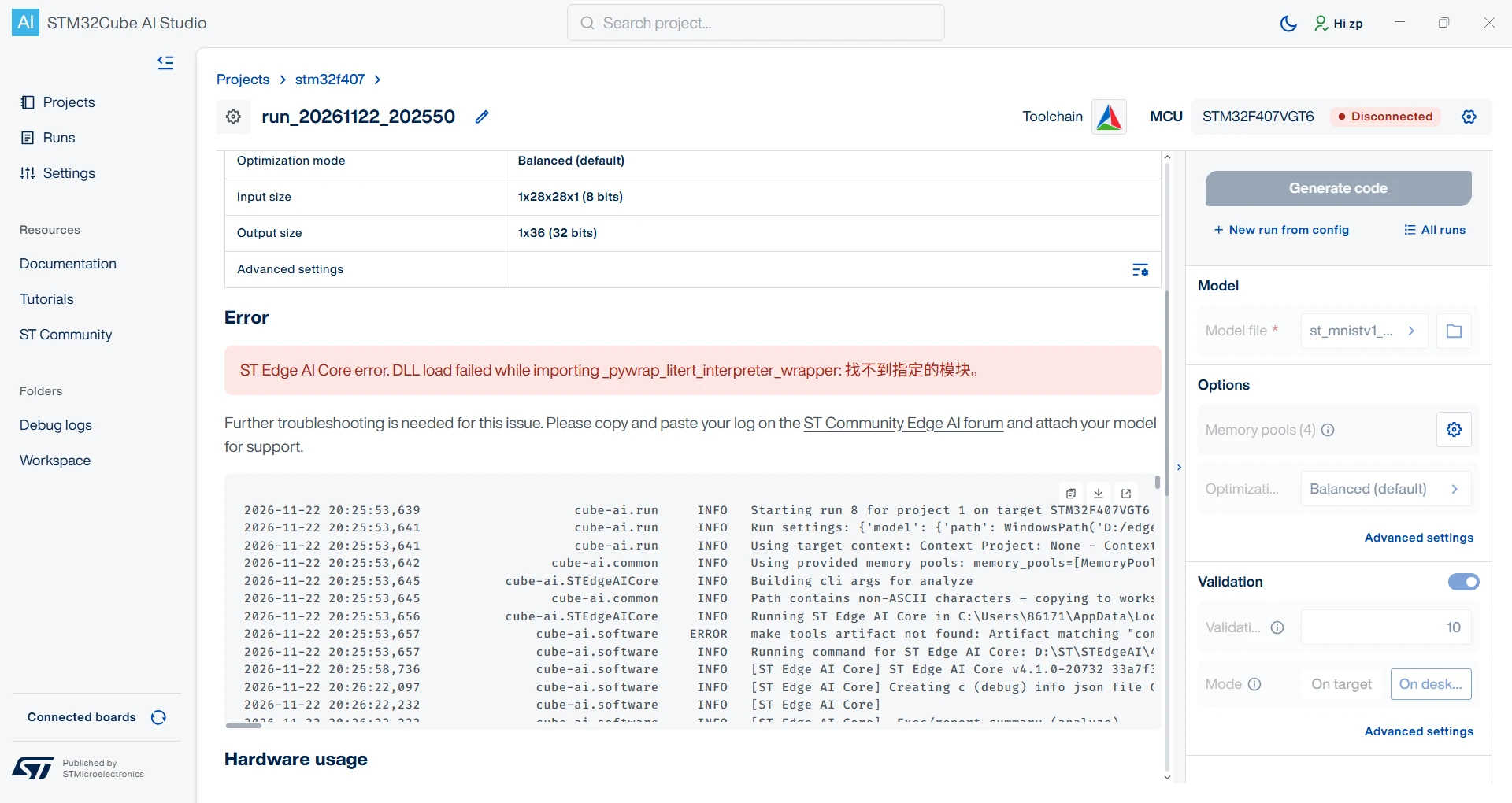
[Bug] ST Edge AI Core v4.1.0 Validate Error: DLL load failed importing _pywrap_litert_interpreter_wrapper on Windows 11
Hello ST Support Team,
I am encountering a fatal error during the Validate phase in STM32Cube AI Studio. The Analyze phase completes successfully, but the Validate phase fails due to a DLL loading issue.
1. Environment:
-
OS: Windows 11
-
Tool: STM32Cube AI Studio (using ST Edge AI Core v4.1.0-20732)
-
Target MCU: STM32F407VGT6
-
Model:
st_mnistv1_28_tfs_int8.tflite(TFLite format, INT8 quantized, approx. 10KB weights, 17KB activations) -
Validation Mode: On desktop (Host simulation)
2. Error Details:
The run fails with the following error:ST Edge AI Core error. DLL load failed while importing _pywrap_litert_interpreter_wrapper: 找不到指定的模块。 (The specified module could not be found.)
Return code: 4294967295
3. Troubleshooting already tried:
-
I understand this is likely caused by Windows 11's Smart App Control / Code Integrity blocking unsigned
.pydfiles in the ST Edge AI Core installation. -
I have already disabled Smart App Control in Windows settings and restarted my PC, but the issue persists.
-
I have verified that the installation path (
D:\ST\STEdgeAI\4.1\Utilities\windows) is added to the systemPATHenvironment variable. -
The Analyze phase works perfectly and generates valid memory reports.
4. Questions:
-
Is there an official patch for v4.1.0 to resolve the
.pydfile signature issues? -
If not, is downgrading to v4.0.1 the official recommended workaround for this specific Windows 11 issue?
-
(Optional) I also noticed a minor warning in the logs:
make tools artifact not found: Artifact matching "com.st.stm32cube.ide.mcu.externaltools.make" not found in STM32CubeIDE artifacts.Could this be related to the validation failure?
I have attached the full log file (cube-ai.txt) for your reference. Thank you for your time and assistance.