


Santhamurthy R
Associate III
Mar 24, 2017 10:38 AM UTC
Solved

Problem in loading .hex and .bin file

Posted on March 24, 2017 at 11:38
Hello All,

I am using SPC560B54L5 Discovery board(SPC560B-Discovery), SPC5studio version 5.2.3 and UDE Visual Platform 4.2 version.

When I  try to load the application the .elf is working fine. If i try to make use of .hex or .bin file (as per my requirement)

I am facing following problems,

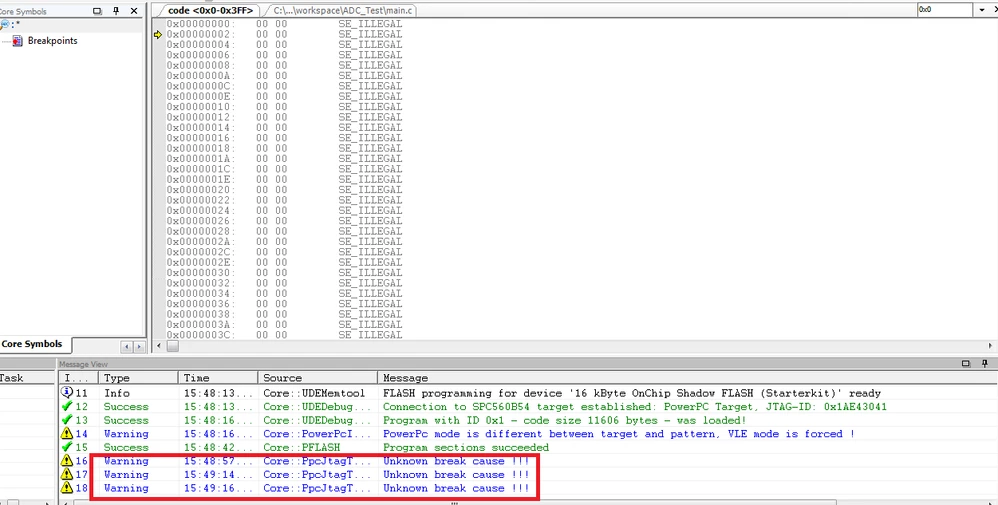
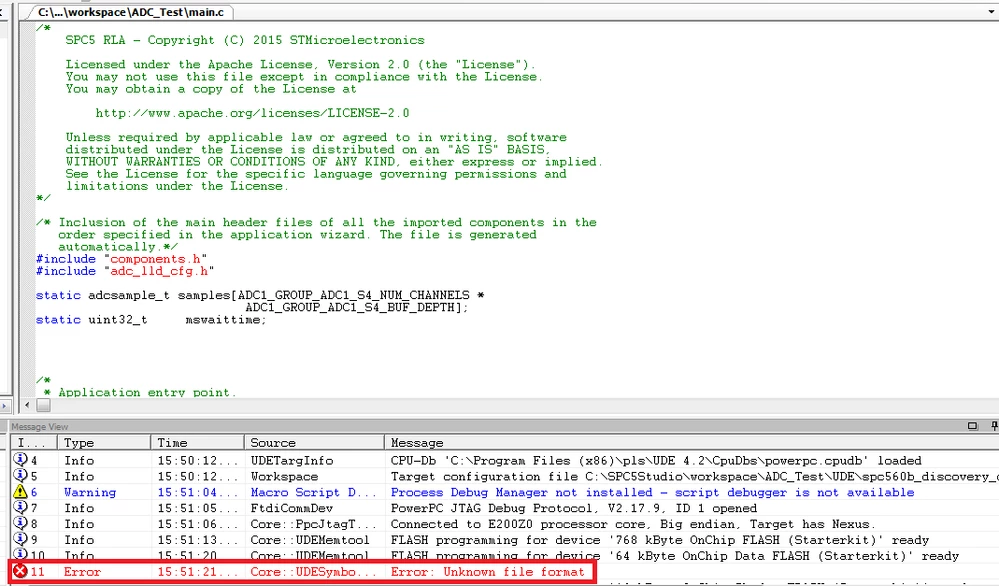
When I try to load ''.hex'' file the code gets loaded successfully but while running it is throwing an error as '' Unknown Break cause''. Similarly, when I try to even  load ''.bin'' file it prompts with ''Unknown File Format'' error.

Error While loading .hex file:

0690X00000606OeQAI.png

Error While loading .bin file:

0690X00000606d3QAA.png

Kindly suggest if I need to do the changes to the settings or preferences in IDE (or) UDE

Regards,

R.santhamurthy

    This topic has been closed for replies.
    Erwan YVIN
    Erwan YVINBest answer
    ST Technical Moderator
    Mar 24, 2017 10:51 AM UTC
    Posted on March 24, 2017 at 11:51

    Dear  

    R.santhamurthy 

    ,

    PLS UDE is debugger

    You can not debug by a hex file and put some breakpoints

    if you want to debug , you have to use the symbol file.

    PLS UDE is using Memtool to load in the flash your  hex file.


                  Best Regards

                                    Erwan

    In order to give better visibility on the answered topics, please click on 'Best answer' on the reply which solved your issue or answered your question.

    1 reply

    Erwan YVIN
    Erwan YVINBest answer
    ST Technical Moderator
    Mar 24, 2017 10:51 AM UTC
    Posted on March 24, 2017 at 11:51

    Dear  

    R.santhamurthy 

    ,

    PLS UDE is debugger

    You can not debug by a hex file and put some breakpoints

    if you want to debug , you have to use the symbol file.

    PLS UDE is using Memtool to load in the flash your  hex file.


                  Best Regards

                                    Erwan

    In order to give better visibility on the answered topics, please click on 'Best answer' on the reply which solved your issue or answered your question.