Visitor II
September 2, 2026
Solved

can't build SR5E1 demo code in stellarStudio 9.1.0

  • September 2, 2026
  • 1 reply
  • 22 views

Dear Mr./Ms.:

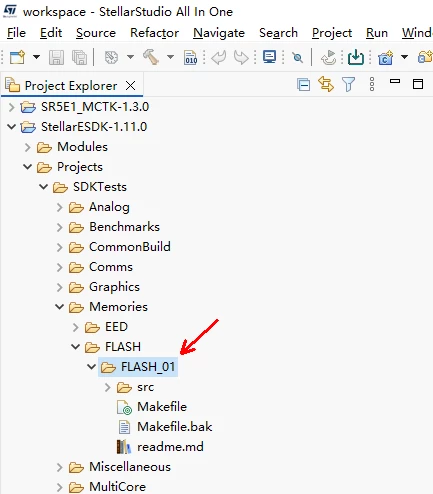
I have downloaded StellarStudio and installed it in win10 OS.

I followed quick_start_guide.pdf, and try to build the demo code​ included in StellarStudio.

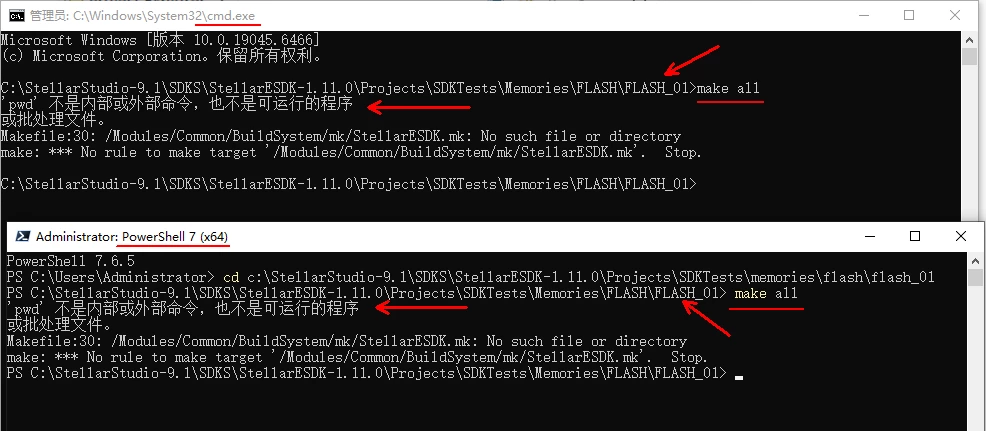
“make all” will reports errors.

would you pls give me some guidance.

Thx a lot.

BR.

Hawk.

Best answer by Erwan YVIN

Dear all ,

You must build the SR5E1 application from within StellarStudio. The required tool suite is included in the StellarStudio environment; do not try to build the application from an unrelated external workspace.

  1. Start StellarStudio.

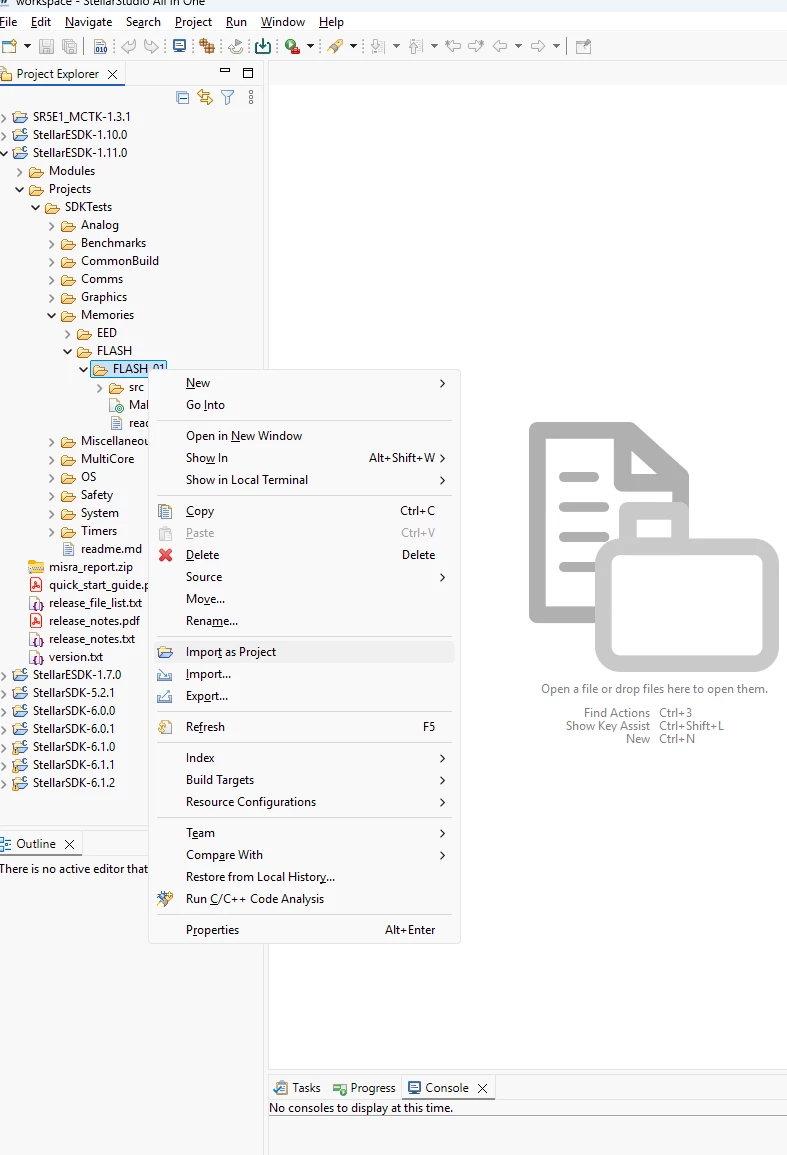
  2. Import the SR5E1 application into the StellarStudio workspace.

  3. Select the imported application and let StellarStudio initialise the project and its embedded tool suite.

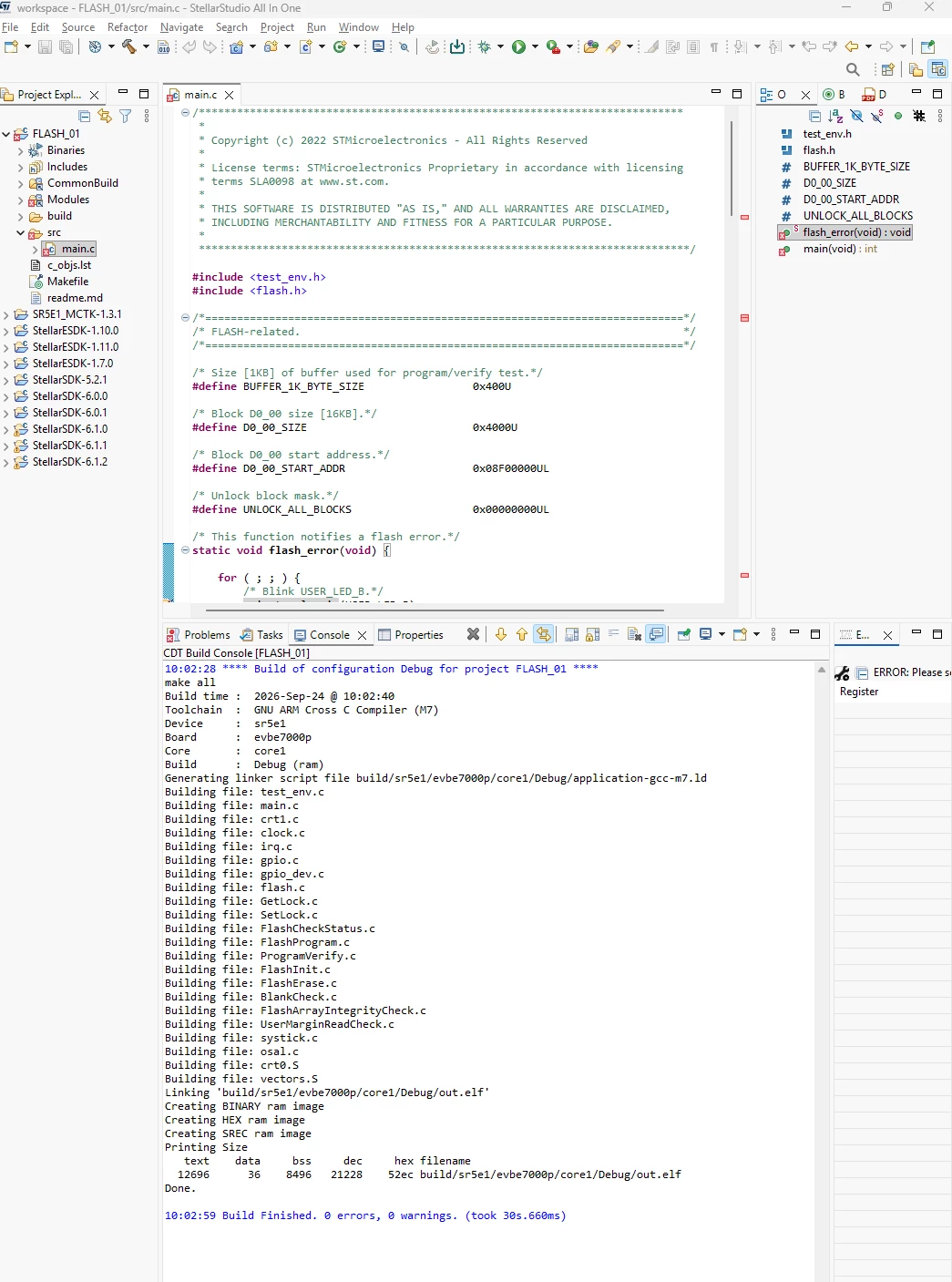
  4. Launch the build using the hammer icon (CDT Build).

  5. Alternatively, open the terminal inside StellarStudio and run the project’s build command, such as make all.

    Best regards

                      Erwan


1 reply

Erwan YVIN
Erwan YVINBest answer
ST Technical Moderator
September 24, 2026

Dear all ,

You must build the SR5E1 application from within StellarStudio. The required tool suite is included in the StellarStudio environment; do not try to build the application from an unrelated external workspace.

  1. Start StellarStudio.

  2. Import the SR5E1 application into the StellarStudio workspace.

  3. Select the imported application and let StellarStudio initialise the project and its embedded tool suite.

  4. Launch the build using the hammer icon (CDT Build).

  5. Alternatively, open the terminal inside StellarStudio and run the project’s build command, such as make all.

    Best regards

                      Erwan


In order to give better visibility on the answered topics, please click on 'Best answer' on the reply which solved your issue or answered your question.