
How do I transmit data via UART, which is not connected to the ST-LINK to a Windows computer? Which drivers are needed?
This question uses the STM32H723
So I am transmitting data at 7MB/s over UART to a PC. Currently, it uses UART3, which is connected to the ST-LINK. When I view the data on the Windows PC it is fine but every now and then the received data is wrong, and it misses quite a few transmissions. I believe the error is from the UART data passing through the ST-LINK. (Please let me know if UART3 does not actually pass through the ST-LINK when transmitting)
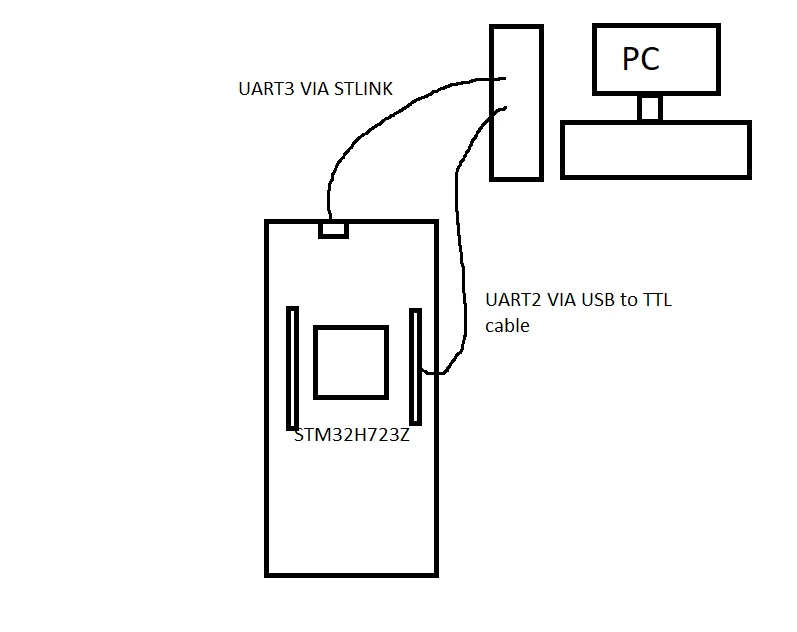
To check if this is true I am using a TTL to USB cable (https://thepihut.com/products/usb-to-ttl-serial-cable) to send the data to the PC. This all works fine, and when I use a Raspberry Pi, the data can be viewed and is correct. However, I am struggling to replicate the result on a Windows PC.
When I connect the TTL to the USB cable to the PC it appears as a USB-Serial-Controller, and I need to assign it a driver. I've tried the STM drivers to make it into an STMicroelectronics STLink Virtual port, but this does not work. So I was wondering if anyone knows what driver is needed? I've looked into FTDI drivers, but they don't seem to work either.
I've struggled to find help online as most tutorials have the device automatically set to COM port as they are using the main connection.
Any help would be great thank you!