How to get started with ST infrared sensor STHS34PF80
- December 21, 2023
- 0 replies
- 7082 views
Summary
In this knowledge article, we show how to get started with the new ST infrared sensor STHS34PF80, considering both the hardware and software tools.
Introduction
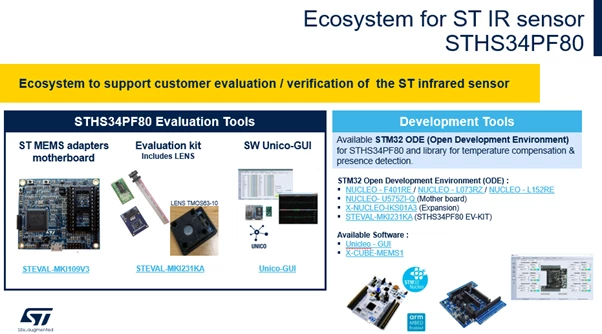 Ecosystem for ST IR sensor
- Use the professional MEMS tool board STEVAL-MKI109V3, which allows to evaluate the sensor using the Unico-GUI.
- Use the STM32 Open Development Environment to develop a MEMS-based application combining STM32 microcontrollers with MEMS sensors, including our infrared sensor.
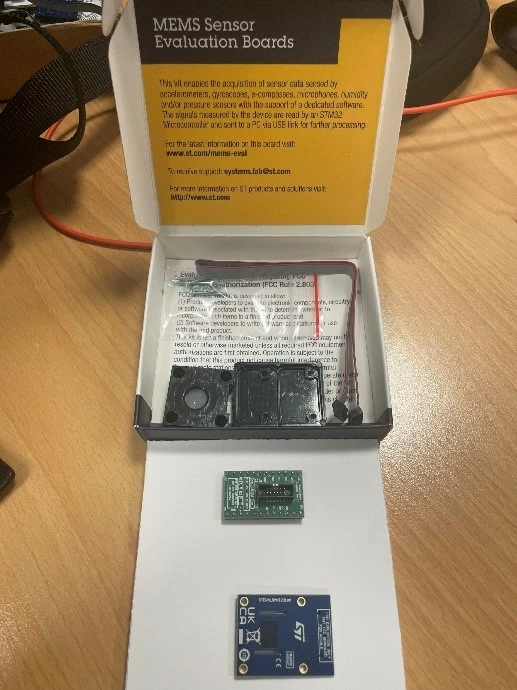 Overview of STEVAL-MKI231KA
1. Evaluation tools
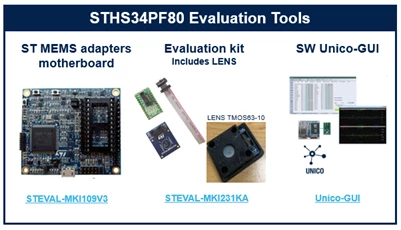 STHS34PF80 Evaluation tools
The evaluation kit is made up of an electronic and a mechanical part.
- The electronic part includes: the evaluation board, a DIL24 adapter, and a flex cable to connect the evaluation board to the DIL24.
- The mechanical part consists of an ad hoc plastic holder (with screws and nuts) and a particular lens coming from the Fresnel Factory.
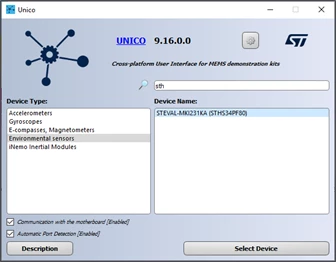 Unico-GUI
In the options tab of Unico you can configure some settings like the output data rate, the number of averages for ambient and object temperature.
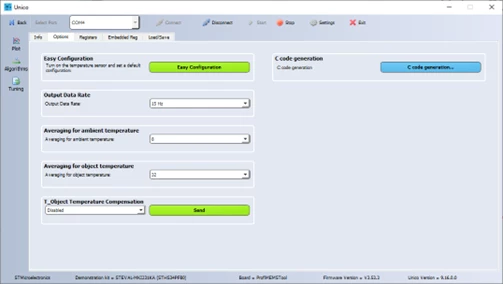 Options tab of Unico-GUI
You can also enable the T_object compensation, a compensation algorithm based on ambient temperature data, to improve the accuracy of the object temperature data.
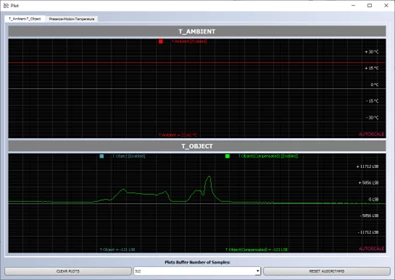 Plots: T_Ambient and T_Object signals
All this data is read from the sensor output register on the professional MEMS tool board, which communicates to the PC through USB.
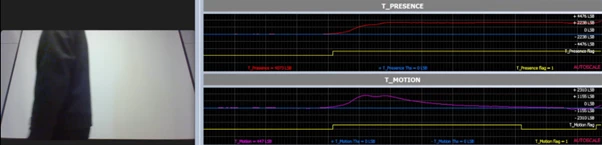 A person entering the field of view of the infrared sensor STHS34PF80
When the person enters, both the motion and the presence flag rises. However, while the motion flag goes down after the person has stopped moving, the presence flag remains high as long as the person is inside the field of view.
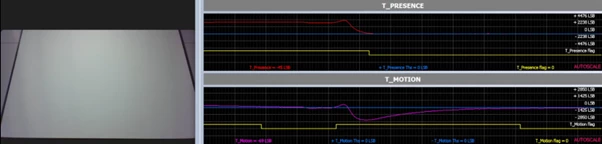 A person exits the field of view of IR sensor STHS34PF80.
In this case, we have used just the default settings, but of course you can improve the detection playing with different parameters.
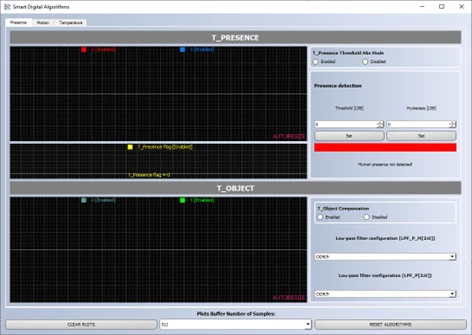 Smart Digital Algorithms tool
In the same window also the low-pass filter settings are available, those filters act directly on the three detection algorithms.
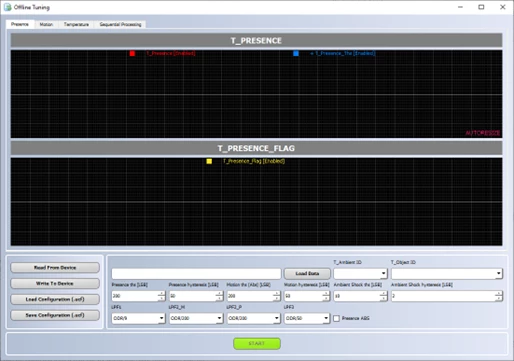 Offline tuning tool
Presence, motion, and ambient shock detection algorithms have been ported to software models and integrated in this tool for offline analysis and parameters tuning.
2. Development tools
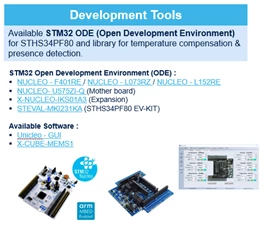 Development tools
Let us talk about the STM32 Open Development Environment, which includes a dedicated library for the infrared sensor. We are going to use the new X-NUCLEO-IKS4A1 expansion board, mounting it on top of a NUCLEO-F401RE board.
In this case, we are not using the DIL24 adapter, as the flat cable can be directly connected to the evaluation board. Then, the X-NUCLEO-IKS4A1 expansion board can be plugged to the Nucleo board (in this case it is the F401RE). Finally, the Nucleo board can be connected to the PC through USB.
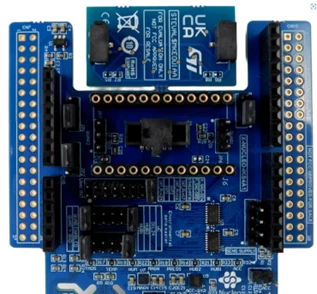 X-NUCLEO-IKS4A1
3. X-CUBE-MEMS1 expansion pack
To use the infrared sensor with the Nucleo board we need a dedicated firmware, which is included in the X-CUBE-MEMS1 expansion pack.
After downloading this package from the ST website, you can navigate to the /Projects/ folder. Here you can find the project for the different Nucleo boards supported. We select /Nucleo F401../
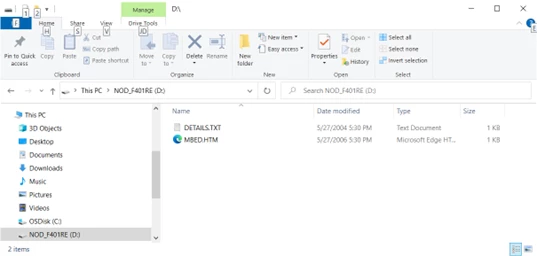 X-CUBE-MEMS1 expansion pack: folder /Nucleo F401../
Then /Applications/CUSTOM/PresenceDetection…. Here you can find the source code of the firmware, which you can open by different environments including IAR, Kiel and STM32CubeIDE.
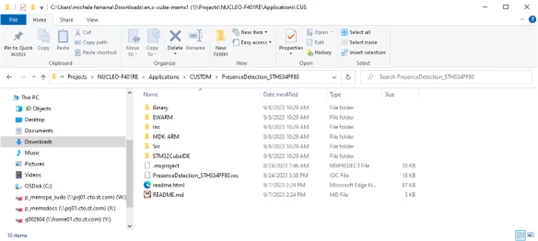 X-CUBE-MEMS1: the source code of the firmware is available for different environments including IAR, Kiel and STM32CubeIDE
There is also a folder /Binary/ containing the .bin file of the prebuilt firmware, which can be directly loaded to the Nucleo board.
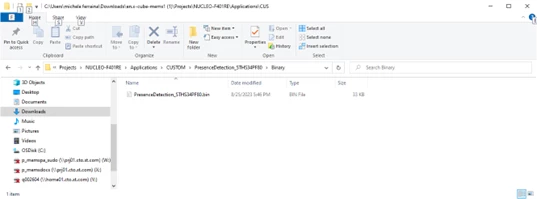 The binary .bin file of the prebuilt firmware is available
To use the binary, you can drag and drop the prebuilt .bin file from the “Binary” folder to your Nucleo board folder. You can find more information about the loaded application in the user manual UM3169, which is available on our website.
4. Test custom firmware with Unicleo-GUI
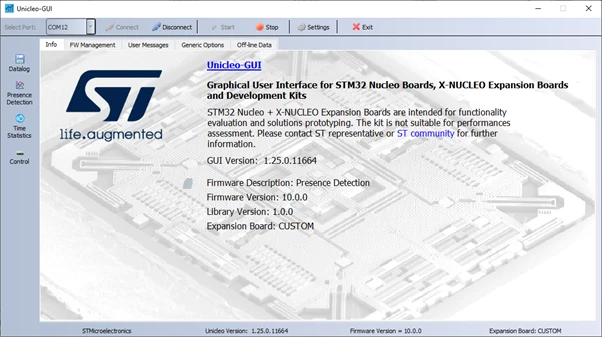 Unicleo-GUI
The application, which we have loaded through the firmware binary in the X-CUBE-MEMS1 expansion pack, shows how to use the presence detection library. The goal is to obtain object presence and motion data, using an infrared sensor only. The data is sent from the Nucleo board using UART to a connected PC.
- The user can view raw ambient and object temperature [LSB] data from the infrared temperature sensor.
- The user can view compensated object temperature [LSB] and its change rate [LSB] together with Object presence and motion detection flags.
- The user can store the data in a .csv file.
5. InfraredPD library
Here are some details of the presence detection library integrated in the firmware that we are testing with Unicleo, taken from the user manual UM3169.
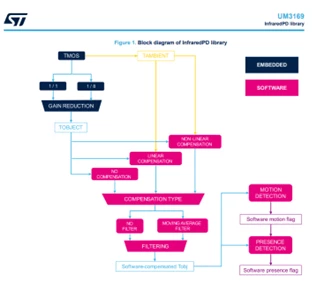 Block diagram of InfraredPD library
This library performs:
- A compensation of the ambient temperature changes in the object temperature
- A motion detection.
- An advanced presence detection.
To compensate for the ambient temperature variations:
- The library can replicate the linear algorithm embedded in the device.
- Or it can run a nonlinear algorithm, which performs a better compensation with fast ambient temperature variations.
The algorithm for motion detection is similar to the one embedded in the device. While the algorithm for presence detection is more robust. It improves presence detection when some drifts in the Tobject signal are observed. Such drifts are usually related to the temperature changes of the environment in the field of view of the sensor only. But it is not related to the temperature changes of the environment in thermal contact with the sensor.
6. STM32CubeIDE project available in the X-CUBE-MEMS1 expansion pack
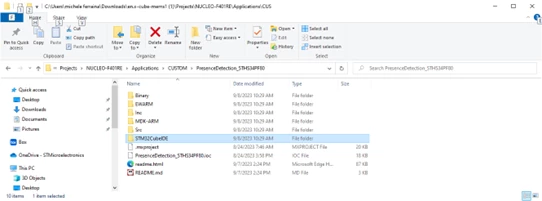 STM32CubeIDE project available in the X-CUBE-MEMS1 expansion pack
In the X-CUBE-MEMS1 expansion pack, we have previously downloaded from the ST website, you can find the source code of the firmware, which includes the PresenceDetection library.
7. Lenses
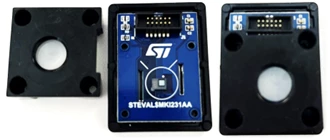 The TMOS63-10 lens is provided for the STHS34PF80 infrared sensor
To improve the performance of the infrared sensor, some specific lens can be used for a specific application.
In the STEVAL-MKI231KA kit, the TMOS63-10 lens is provided for the STHS34PF80 infrared sensor. You can use this or other lens depending on your application. Together with the lens, a holder is also provided in the STEVAL-MKI231KA kit. The purpose of the holder is to maintain the correct distance between lens and sensor. The smooth part of the lens is the part capturing light, so it should mount to be external (The smooth part should face outwards). Finally, it is possible to put some screws on the bottom side, and nuts on the top side.
For further information about hardware implementation, you can check the other documents available on the product STHS34PF80 official webpage. For instance, there is an application note (document AN5983) with some important considerations useful when developing custom hardware or performing integration. A lens like the TMOS63-10 is a spot lens that has a FoV of plus and minus 5 degrees (making a total of 10 degrees). This can increase the detection range up to 15 meters.
8. Standard C drivers on GitHub
If you have any custom hardware and need to develop a specific driver for our infrared sensor, check the GitHub repository to find a platform independent driver for the STHS34PF80 device.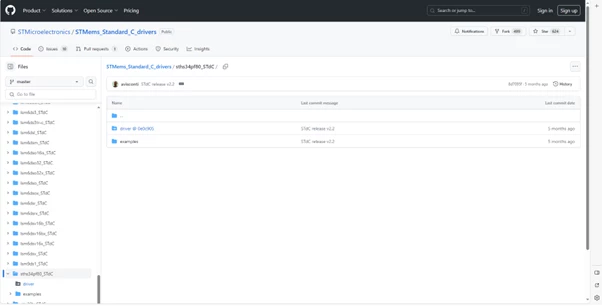 GitHub repository to find a platform independent driver for the STHS34PF80