

Solved
Don't reconized ScalableImage in MainScreenViewBase.hpp
Hello all,
Maybe someone knows, why the STM32CubeIDE don,t reconize touchgfx::ScalableImage bat_img_w image?
The error message is "Write occurrence of 'ScalableImage'". Of course I genererate code on TouchGFXDesigner and after in STM32CubeIDE. The Image objects ale reconized correctly but ScalableImage don't. I can't use not reconized object in MainScreenView. Below generated code from TouchGFX.
/*********************************************************************************/
/********** THIS FILE IS GENERATED BY TOUCHGFX DESIGNER, DO NOT MODIFY ***********/
/*********************************************************************************/
#ifndef MAINSCREENVIEWBASE_HPP
#define MAINSCREENVIEWBASE_HPP

#include <gui/common/FrontendApplication.hpp>
#include <mvp/View.hpp>
#include <gui/mainscreen_screen/MainScreenPresenter.hpp>
#include <touchgfx/widgets/Box.hpp>
#include <touchgfx/widgets/Image.hpp>
#include <touchgfx/widgets/ScalableImage.hpp>

class MainScreenViewBase : public touchgfx::View<MainScreenPresenter>
{
public:
 MainScreenViewBase();
 virtual ~MainScreenViewBase();
 virtual void setupScreen();
 virtual void handleTickEvent();
 virtual void handleKeyEvent(uint8_t key);

 /*
 * Virtual Action Handlers
 */
 virtual void tickSlot()
 {
 // Override and implement this function in MainScreen
 }
 virtual void toLightScreen()
 {
 // Override and implement this function in MainScreen
 }
 virtual void toDarkScreen()
 {
 // Override and implement this function in MainScreen
 }

protected:
 FrontendApplication& application() {
 return *static_cast<FrontendApplication*>(touchgfx::Application::getInstance());
 }

 /*
 * Member Declarations
 */
 touchgfx::Box __background;
 touchgfx::Image light_background;
 touchgfx::Image dark_background;
 touchgfx::ScalableImage bat_img_w;

private:

};

#endif // MAINSCREENVIEWBASE_HPP
Thanks for helping me :)
Some example from STM32CubeIDE:
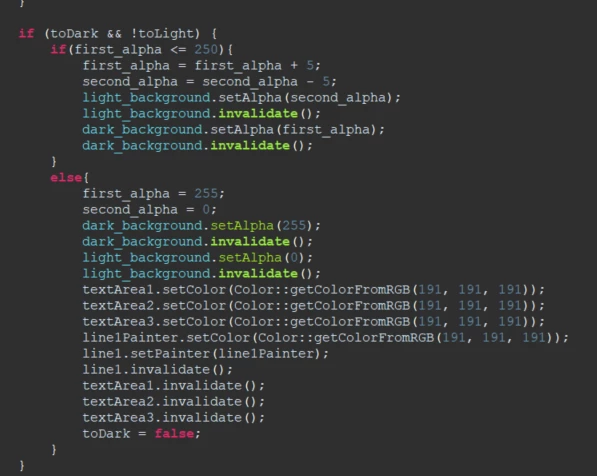
Code on simulator and STM32 Discovery works fine, but STM32CubeIDE don't suggests any functions after pressing ALT + Space