

Toolchain Folder Location Ambiguity
When creating a new CMake-based project in STM32CubeMX, the "Toolchain Folder Location" field is auto-populated with the project folder path upon entering a project name. This behaviour is misleading because the field is intended (at least by its description) to specify the location of the actual toolchain binaries (e.g., GCC ARM) and it is unlikely that a toolchain is installed in a specific project folder.
I have tried to understand what this is by consulting the User Manual UM1718 Revision 49, and there were two references that matched the text "toolchain folder", both of which provided no helpful guidance on what this is actually used for.
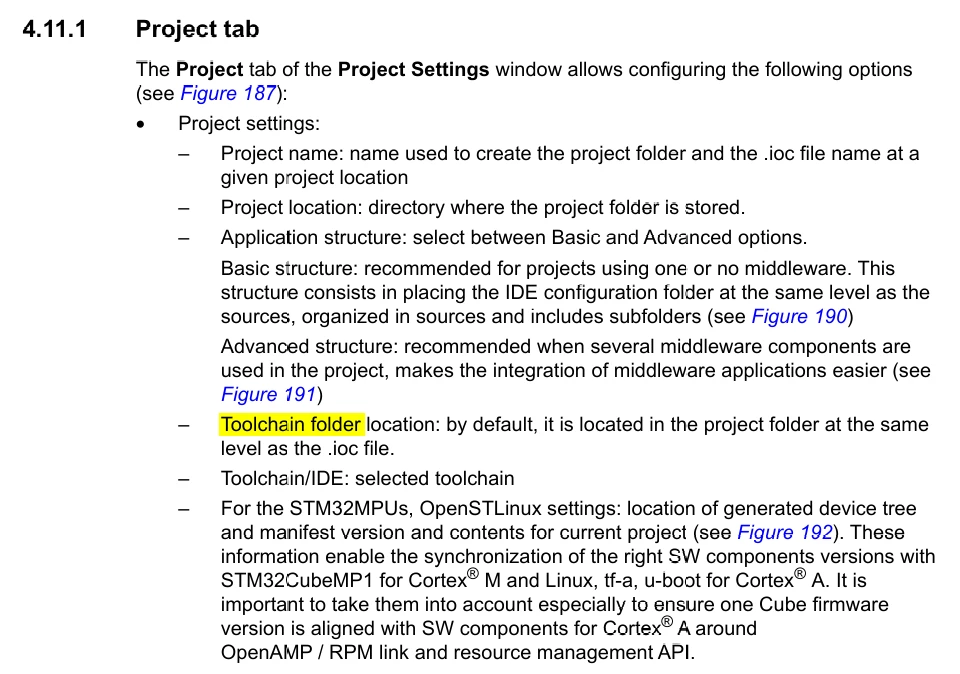
This is pretty much the only reference that describes what this option is for, which basically tells you nothing but confirms the toolchain is located in the project folder by default.
Steps to Reproduce:
- Launch STM32CubeMX.
- Select a target MCU (e.g., STM32C011F6Px).
- Choose CMake as the project type.
- Attempt to change the field before setting a valid project path—field remains inaccessible and a message box appears. See below for further detail and a screenshot.
- Observe that the "Toolchain Folder Location" field is auto filled with the project folder path.
Expected Behavior:
- The field should either remain blank or use a previously saved toolchain.
- It should not be populated with the project location.
- Users should be able to set this field independently of the project path. Please see the below screen shot if I try to fill the toolchain folder location before I enter a project name.
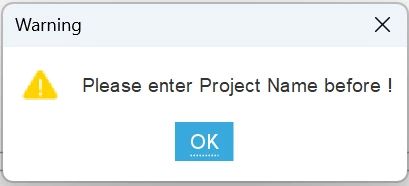
The error message here seems incomplete and at odds with what the toolchain is for.
Impact:
This behaviour can lead to confusion because the toolchain is designed to be independent of any project you might develop. I have a toolchain installed on my computer and I would like to use this for every project I make.
Suggested Improvement Ideas:
- Decouple the "Toolchain Folder Location" field from the project path initialization.
- Add a tooltip or help text clarifying what this field is for.
- Allow users to set this field before defining the project folder.
- Persist this toolchain for future projects.
- Provide a toolchain manager that allows you to save different toolchains, along with the ST provided build of gcc and then allow the user to select this with a dropdown combo box.
Thanks
Adam