

cancel
Showing results for 
Search instead for 
Did you mean: 

Can not start debug session STM32CubeIDE (ST-Link, Nucleo-F767ZI)

NikolaiB
Associate

Hello all,

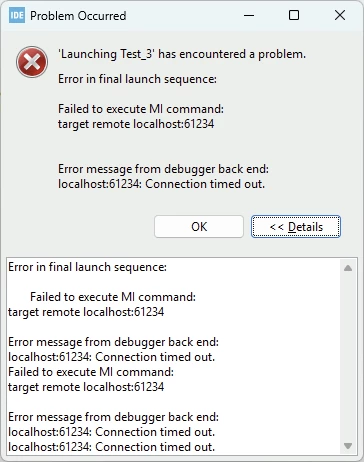
I get an error starting a debug session from STM32CubeIDE (1.18.1) (STM32 Nucleo-F767ZI):

STMicroelectronics ST-LINK GDB server. Version 7.10.0

Copyright (c) 2025, STMicroelectronics. All rights reserved.

Starting server with the following options:

Persistent Mode : Disabled

Logging Level : 1

Listen Port Number : 61234

Status Refresh Delay : 15s

Verbose Mode : Disabled

SWD Debug : Enabled

InitWhile : Enabled

Target USB comms error

Error in initializing ST-LINK device.

Reason: USB communication error. Please reconnect the ST-LINK USB cable and try again.
 

NikolaiB_1-1767557351681.png

If I switch to SEGGER J-Link everythink works fine.

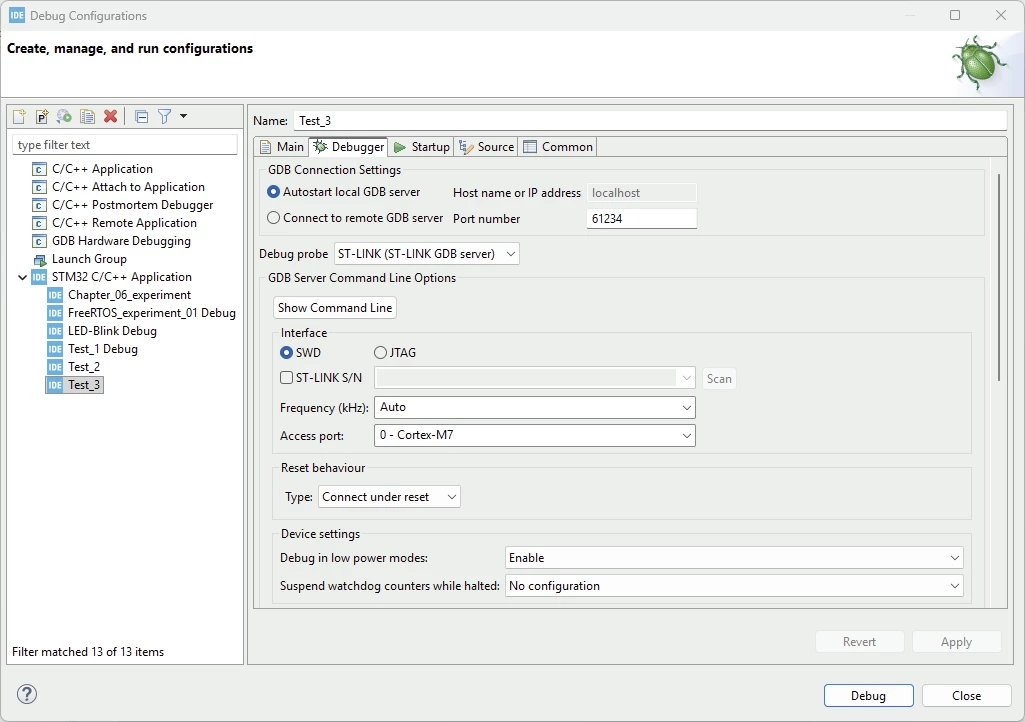
Is my debug configuration:
NikolaiB_2-1767557469777.png

What I tried:
- Restart PC
- Reinstall the USB-Driver (https://www.st.com/en/development-tools/stsw-link009.html)
- Erased the flash with STM32CubeProgrammer
- Changes USB cable
- Googled for solutions

Please help

Best regards

Nikolai


11 REPLIES 11
NikolaiB
Associate

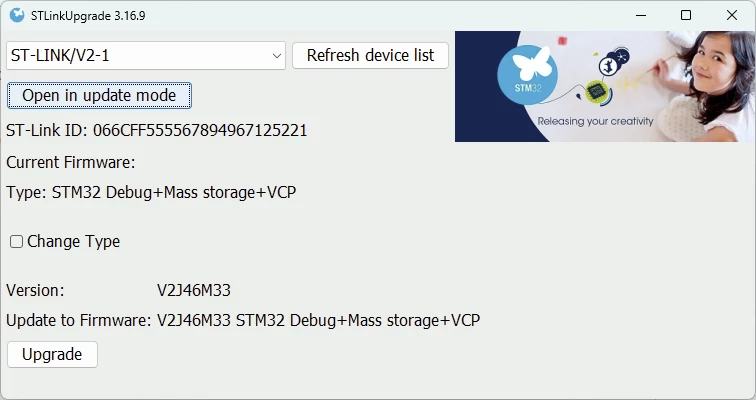
I switch between ST-Link and J-Link with the STLinkReflash-Tool. That works fine. If J-Link is flashed I can start a debug session from the STM32CubeIDE and from the SEGGER-Tools (Ozone, SystemView). But if I change to ST-Link, I get the error. 

NikolaiB_0-1767562396620.png


NikolaiB
Associate

I tried it with version 2.0.0 of the STM32CobeIDE, but it didn't help. Same problem.

NikolaiB
Associate

All jumpers are default. I haven't changed anything.

NikolaiB_0-1767615020516.jpeg


Andrew Neil
Super User

Does CubeProgrammer connect OK?

Has this board ever worked for you?

More things to try here.


A complex system that works is invariably found to have evolved from a simple system that worked.
A complex system designed from scratch never works and cannot be patched up to make it work.
Imen.D
ST Employee

Hello @NikolaiB and welcome to the Community

Did you try reinstalling ST-LINK server software ?

Ensure debug pins (SWDIO, SWCLK) are not assigned to other signals.

Check also the option bytes for correct configuration.

Try to connect under reset mode.

When your question is answered, please close this topic by clicking "Accept as Solution".
Thanks
Imen

I can flash the ST-Link debug probe withe J-Link or ST-Link. If the J-Link firmware is running I can connect via the CubeProgrammer. Then erase or flash the MCU. If the ST-Link firmware is running on the debug probe, I have the described problem. But the CudeIDE detects the MCU!!!

NikolaiB_0-1767616427719.png


I have installed the ST-Link server. I see in the task manger that it is a 32Bit application. I have a 64 bit OS. Could that be a problem?

NikolaiB_0-1767617073983.png


I ganerate the code with CubeMX with default settings. As far as I can see the debug pins are ok. I habe link! When I start the debug session the LED LD4 switches from red to green and then comes the timeout.

NikolaiB_1-1767617395063.png


I tried 
- Hardware reset
- Software system reset
- Connect under reset

I have a connection, but I don't get any reply from the probe and then comes the timout.