

Touch GFX and custom LCD
Hello all,
Trying to set up the custom display on the STM32H750B-DK dev board.
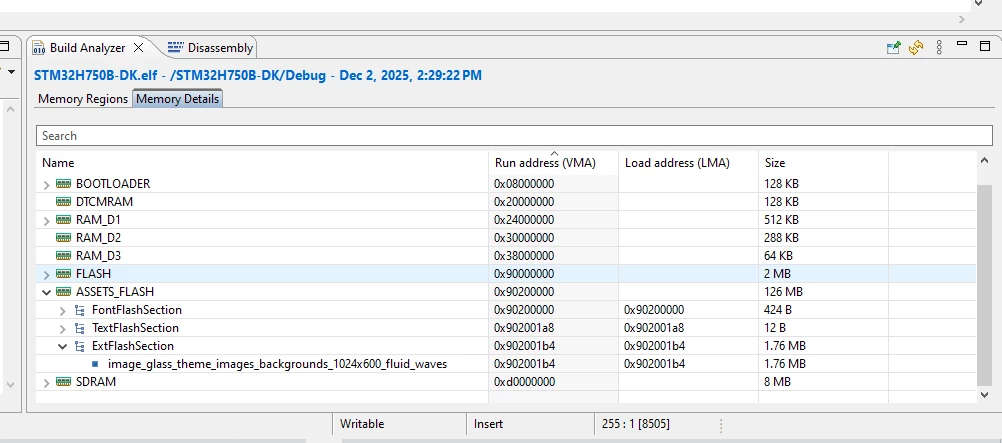
Interestingly, the display works via LTDC functions in Keil just fine... but I do not have much luck with the TouchGFX. For example, started with setting up the TBS in the Designer to avoid the complications of memory and other configurations (thanks to the ST support) and continuing in the CubeIDE where I have opened the .*.ioc file to update the MX configuration for the LTDC and TouchGFX... it compiles ok, I can opend the TouchGFX designer and "upload" the picture, for example, I can see the picture to be in the memory. See attached build memory analyzer.
However, when I run the application or debug, I cannot see the preview of the picture.
One of the ideas, as it is explained in the TouchGFX manual, namely Board bring up, would be to preview a simple framebuffer, not sure how easily that would be?
I am not sure how to tackle this problem, so any comments, ideas, or hints are more than welcome!
Best.
 e memory